Spectra Assure Free Trial
Get your 14-day free trial of Spectra Assure for Software Supply Chain Security
Get Free TrialMore about Spectra Assure Free TrialReversingLabs was founded by a group of forward-thinking malware analysis and reverse engineering experts on the principle of building trust and assurance across every digital asset. This guiding mission has manifested itself into the world’s largest and most powerful threat intelligence cloud, with a repository of over 422 billion analysis results of both malware and goodware samples.
The knowledge and insights provided by our authoritative threat intelligence arms ReversingLabs customers with up-to-the second visibility into the latest and most impactful threats, driving more efficient detection and prevention while also empowering threat hunting and remediation efforts.
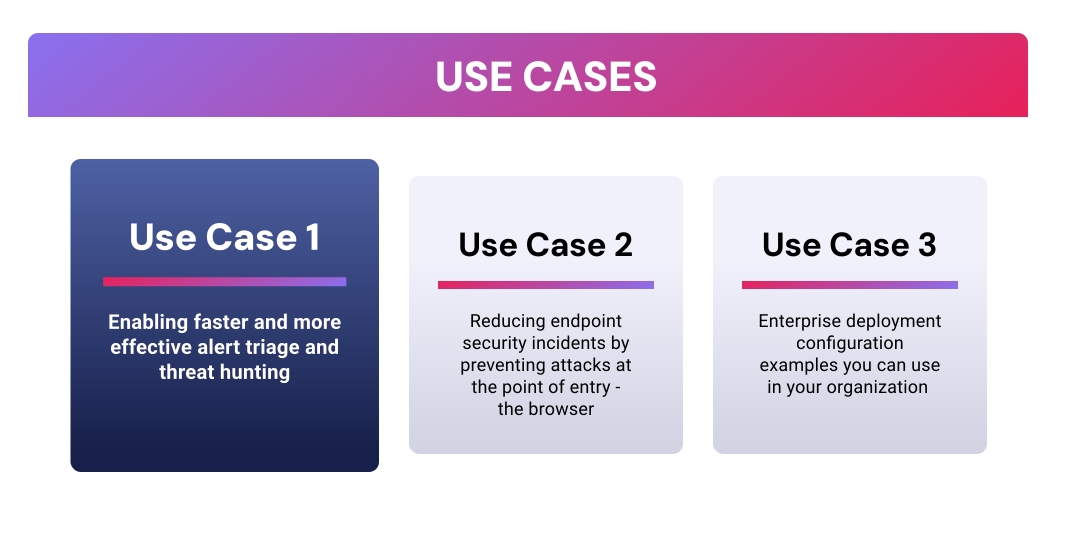
The newly-released ReversingLabs Browser Extension empowers customers to operationalize the RL threat intelligence cloud in new and powerful ways. In this blog series, I explore several use cases to demonstrate how the ReversingLabs Browser Extension strengthens security and delivers customer value. The use cases include:
Use Case 1: Enabling faster and more effective alert triage and threat hunting.
Customers I’ve worked with have repeatedly expressed frustration over the manual effort involved in alert triage:
Most security solutions expect you to take their word for it when they trigger an alert. Inherent trust isn’t an effective strategy and can lead to wasted time and resources. Other tools used for alert triage and validation require the analyst to shift their focus away from their investigation tool and lack a clear, concise verdict requiring the analyst to make a judgement call on whether the triggering file or process is malicious or not.
In my experience, unclear verdicts only generate more questions from security leadership:
These exercises are usually reactive, require manual effort and multiple tools — all of which adds time and cost to security investigations where every second and dollar counts.
What if your analysts could instantly access the industry’s largest and most trusted source of threat intelligence to perform alert triage and validation without ever shifting focus away from their investigation tool. Sounds good, right?
A capability like this would drive faster mean time to detect (MTTD), and mean time to respond (MTTR), and allow immediate validated prioritization of the alert being triaged. This ensures incident response efforts are focused on the issues with the greatest potential for harm.
Most modern security tools used by SOC analysts and threat hunters are browser based. ReversingLabs’ Browser Extension automatically highlights Indicators of Compromise (IoCs) displayed on-screen (hash, URL, domain, IP address), providing deep contextual threat intelligence with a single click, without leaving the screen the analyst is working in. Additionally, the ReversingLabs Browser Extension provides:
When combined with Spectra Analyze integrations for industry leading EDRs and XDRs like Crowdstrike Falcon and Palo Alto Cortex (more coming), the extension becomes even more powerful. Spectra Analyze automatically retrieves suspicious files from quarantine and performs deep analysis proactively, so the full analysis results are available before the investigation even begins, ensuring the analyst has the latest contextual threat intelligence at their fingertips in the crucial initial moments.
Here's a look at a real world example.
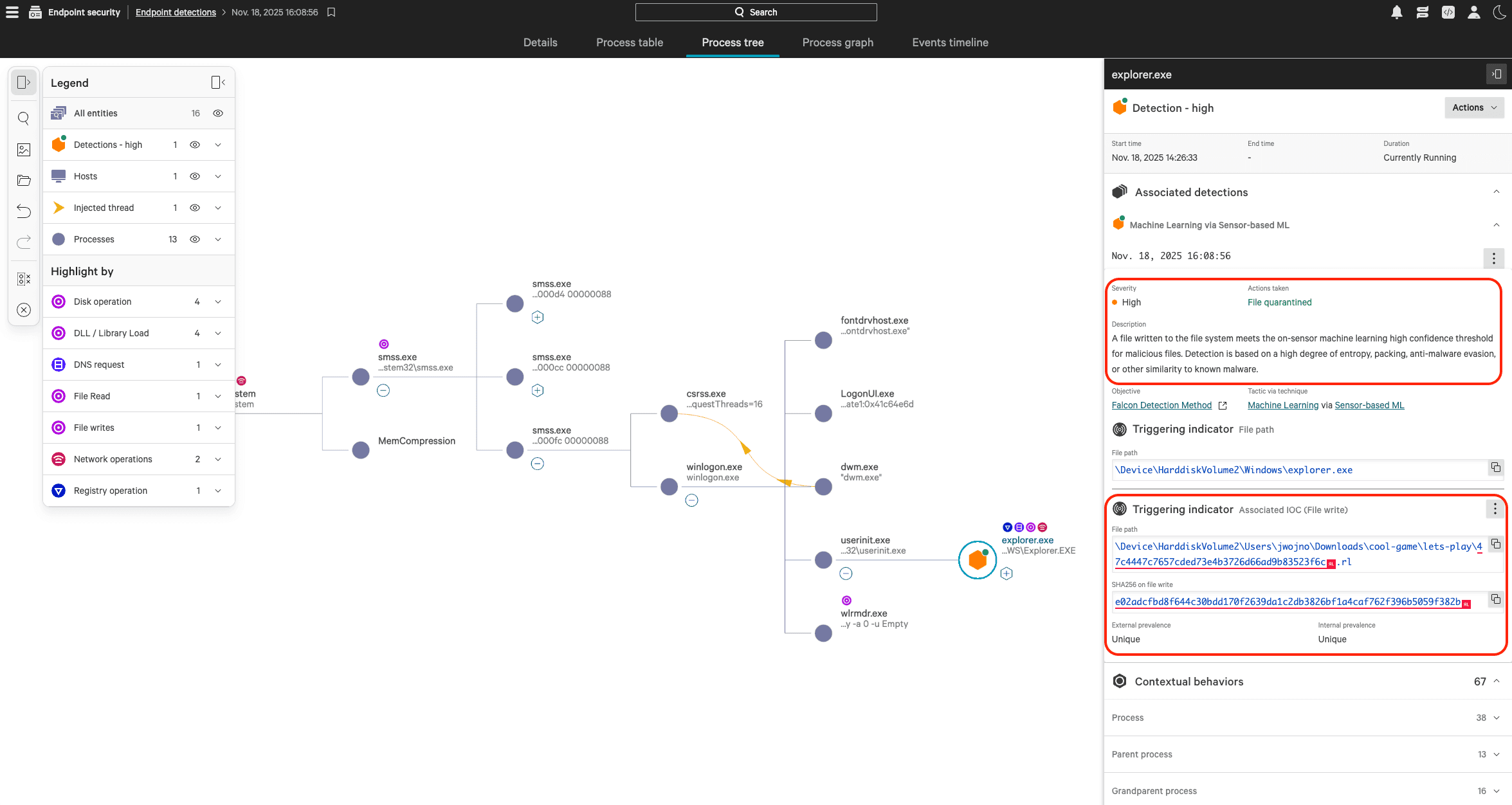
Our SOC analyst has received a malware alert in Crowdstrike. In reviewing the available information (see highlighted items), there’s really not that much to go on. We can see the following:
The alert gives us no indication if this is something serious or if this is just generic malware which is more of an annoyance. Crowdstrike provides a “Copy to Clipboard” function for the quarantined hash so what happens if our SOC analyst decides to check it on VirusTotal? After opening a new browser window and pasting it into the search function we get the following:
Not super helpful, is it? This is where the ReversingLabs Browser Extension comes through.
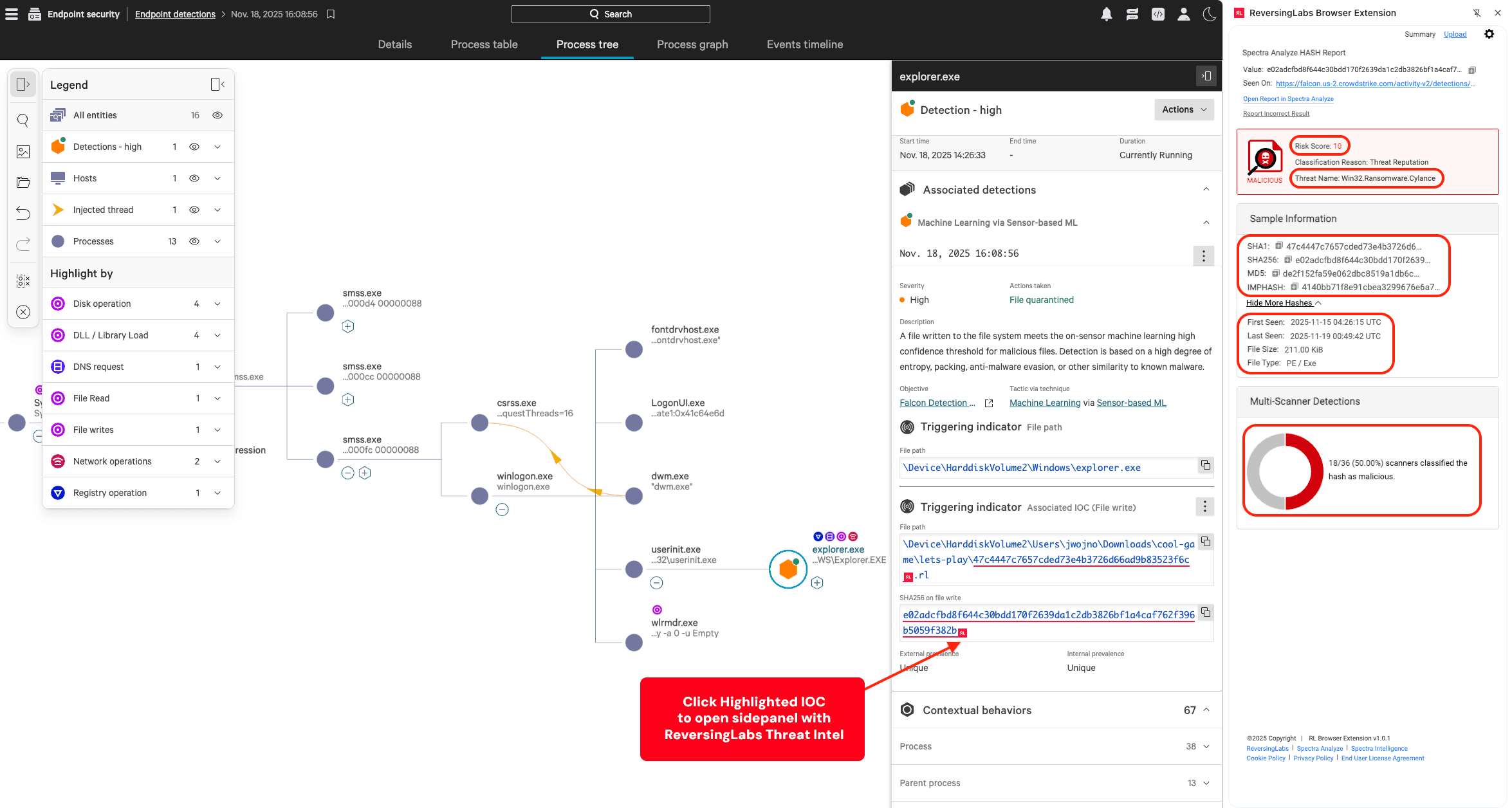
Without requiring a copy to your clipboard, or shifting focus away from the investigation, you simply click the red RL logo next to the highlighted hash to expose a side panel containing rich contextual ReversingLabs threat intelligence on the offending hash.
And that's usable threat intelligence. At a glance you now know (see highlighted sections above):
All of this comes from one mouse-click.
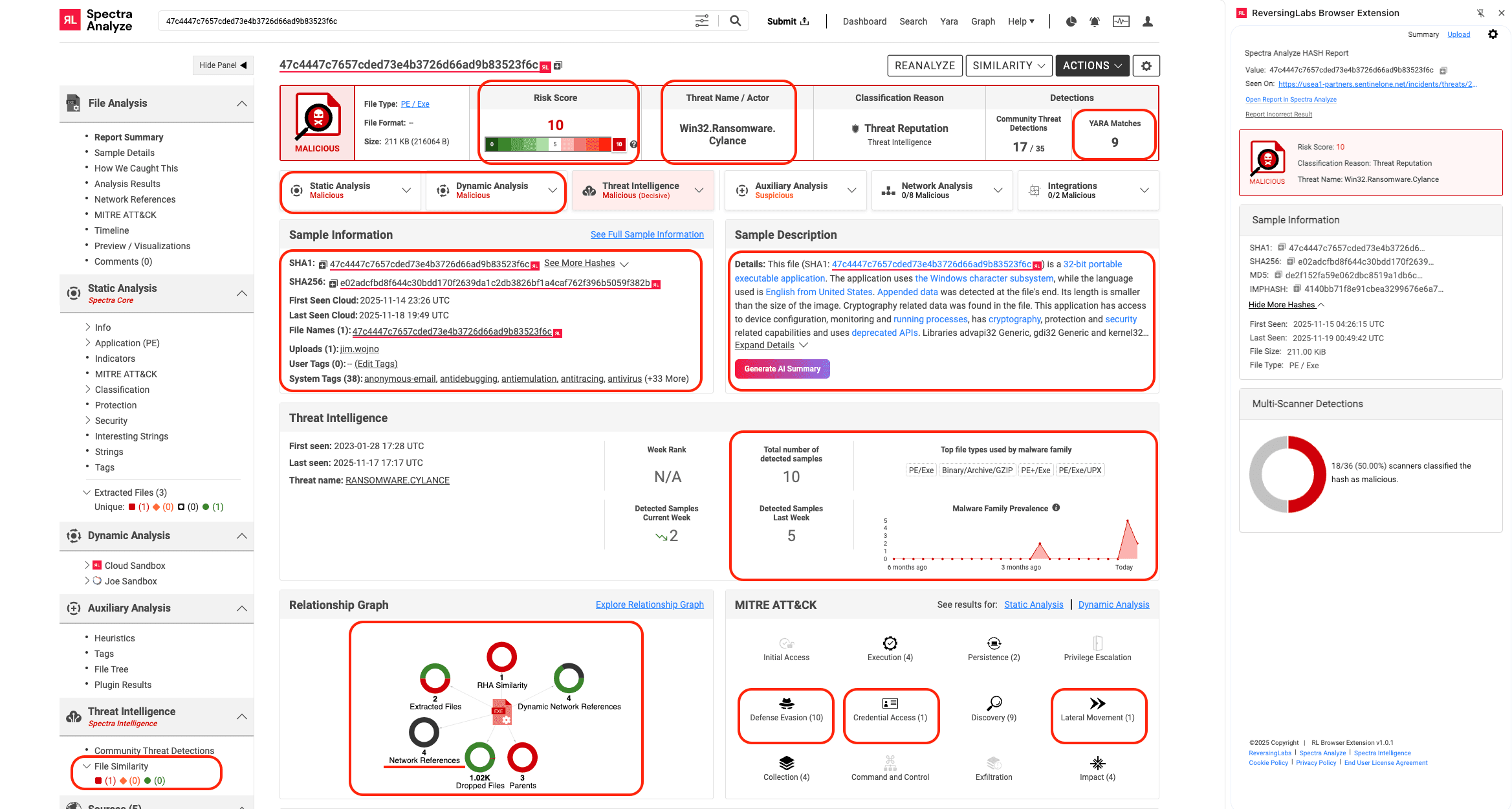
Now that you know this is serious with a click in the browser extension side panel, you can open the full report in Spectra Analyze and dive even deeper.
Because of the integration between Spectra Analyze and Crowdstrike, this sample was analyzed before the alert was opened, and you can see some really important information from this, including:
With the ReversingLabs Browser Extension, you have all of this rich contextual information at your fingertips — without ever shifting focus away from the investigation. In seconds, the investigation went from a poorly prioritized “Generic Malware” to a critical “5-Alarm-Fire Red-Alert Ransomware” with the crucial intelligence needed to not only mitigate this threat but identify and stop similar variants.
This powerful capability can be leveraged in any EDR, SIEM, XDR or other investigative tool for highlighted IOCs on screen (hash, URL, domain, IP address) to provide the meaningful context needed to speed MTTD/MTTR and stop attacks before they can get a foothold.
In our next installment of this blog series, I’ll dive into detail on how the ReversingLabs Browser Extension can add an additional layer of protection above your EDR to prevent security incidents before they happen at the point of impact: the browser.
Driver | Description |
|---|---|
Alert triage | Go from poorly prioritized “Generic Malware” to critical priority ransomware with a single click |
Threat hunting | On the fly IOC look ups to perform instant verification of artifacts as benign or malicious, which drives faster MTTD/MTTR |
The ReversingLabs Browser Extension is available now in the Microsoft Edge and Google Chrome stores at the links below. Please share your feedback and click the “Talk to an Expert” button if you’d like to learn more about how ReversingLabs can make your security operations more effective.
Learn more with RL's Browser Extension Setup and Feature Preview video:


Explore RL's Spectra suite: Spectra Assure for software supply chain security, Spectra Detect for scalable file analysis, Spectra Analyze for malware analysis and threat hunting, and Spectra Intelligence for reputation data and intelligence.

MFT and other trusted systems collect files, access and connections. Patching and inspecting what moves through it are separate defenses.
ReversingLabs identified and classified the malware weeks before the report was published — showing why behavioral intelligence and historical telemetry matter in the AI age.
With this integration, Rubrik users can now tap ReversingLabs' ransomware feed to decide whether each file in their backup is safe.