Spectra Assure Free Trial
Get your 14-day free trial of Spectra Assure for Software Supply Chain Security
Get Free TrialMore about Spectra Assure Free TrialIn the last instance of Spectra Analyze In Action, the Spectra Analyze team at ReversingLabs evaluated the quality of third-party YARA rules in the context of macOS malware hunting. Now you will learn how to take YARA rules from third-party threat reports and make them actionable for your enterprise environment.
Recently, RL published research breaking down the behavior of a new packer, pkr_mtsi. As is described in the technical deep-dive into pkr_mtsi’s mechanics, this packer is primarily leveraged in large-scale malvertising and SEO-poisoning campaigns. In these campaigns, the packer distributes trojanized installers for legitimate software, enabling initial access and flexible delivery of follow-on payloads.
The YARA rules included in the report capture behavior specific to this packer that can potentially cloak different malware families. Regardless of the payload, the use of this packer is an excellent first signal that a file is malicious and should be prevented from entering an enterprise environment. There are two paths that to take to use the information in this report. First and most straightforward, one could simply take the rules from the report, do a quick retrohunt to determine whether the rule is narrow enough that it won’t cause false positive issues — and then enable those rules in our environment. Reviewing the results of the retrohunt for these rules, and ensuring that only the actual malware we’re looking to detect is being matched, is a basic efficacy check. If benign files are being returned, users probably shouldn’t enable those rules.
Because RL knows that the primary intrusion vector for these campaigns is malvertising and SEO-poisoning, users should enable this YARA rule where it can be focused on inspecting files on systems where endpoint users could be prevented from downloading trojanized files. This might be an email gateway, or a web gateway. An endpoint security product might also be a good place to enable the YARA rules described in the blog post. To directly enable such YARA rules, testing is required to ensure that false positives won’t become an issue. Alternatively, users could also adjust security control policy so that these rules would generate alerts without necessarily blocking file downloads.
While we will not be directly enabling these rules, here’s how you can best leverage RL’s analysis of pkr_mtsi to defend your own enterprise environment.
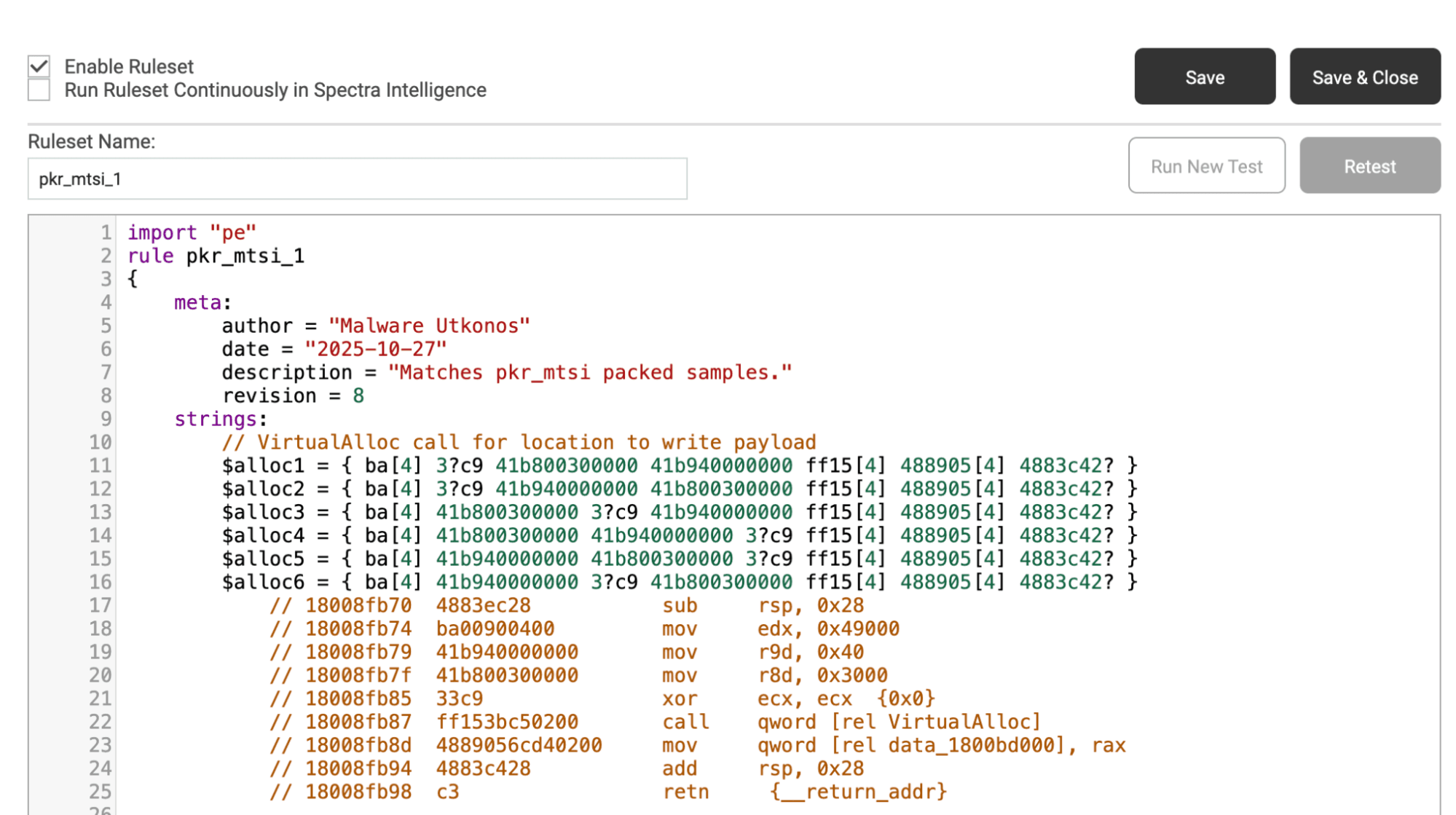
Start by running one of the YARA rules from this research blog, targeting behavior specific to this packer. Navigate to the “Yara” tab of Spectra Analyze, select the “Create Ruleset” option and copy over the rule pkr_mtsi_1. After adding this new ruleset, save the rule, then navigate back to the Yara page and enable this rule in the cloud. Then it’s time to enable a cloud-based retrohunt. This retrohunt will search the RL file corpus and return all samples seen utilizing the packer behavior described in the new rule.
Figure 1. An example YARA rule, as taken from RL’s blog dissecting this packer in detail
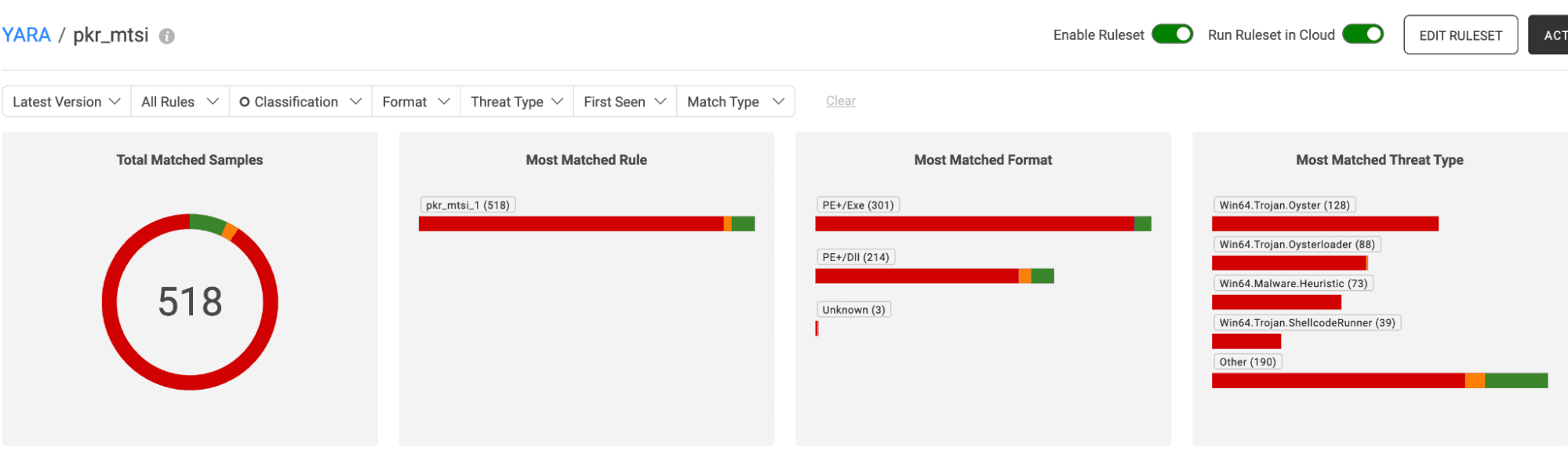
Reviewing the retrohunt results (summary view shown below),samples of a few different malware families (as expected, this information was in the research report) can be seen. The majority of classified samples are Oyster or Oysterloader.
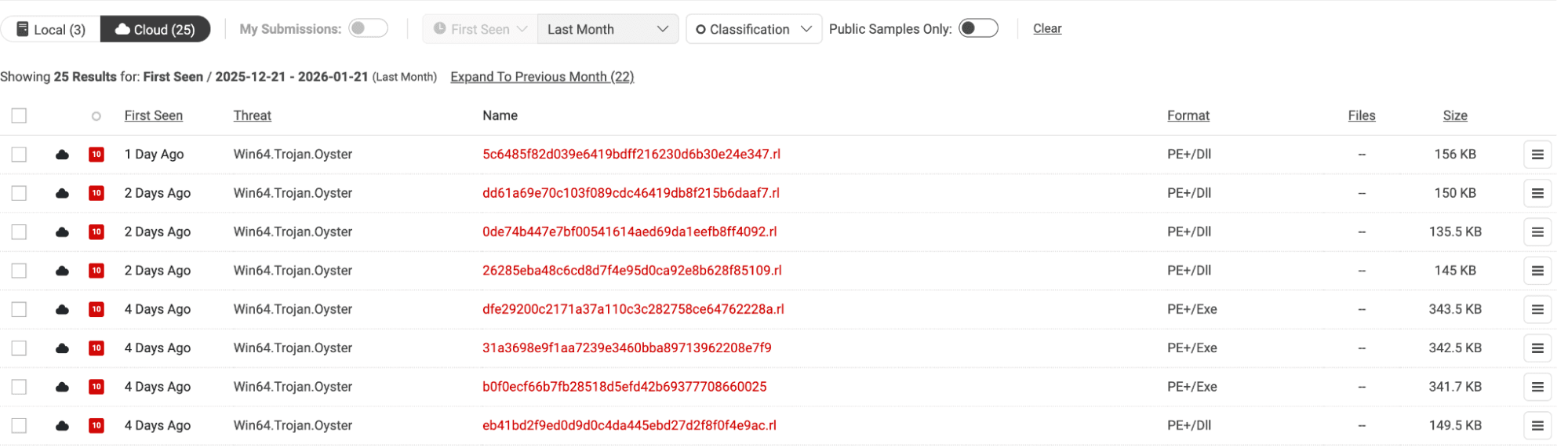
First, click the string Win64.Trojan.Oyster in the threatname column. This will filter down retrohunt results to only the Oyster samples. Then, click the “cloud” option in the upper left corner. This gives users all Oyster samples as results, rather than just those seen locally.
Figure 2. Summary overview of retrohunt results
The result is 25 samples from the last month (the default time window in Spectra Analyze), with the most recent being seen only one day ago. This indicates that this is an ongoing malware campaign, and users may want to investigate their environment and ensure there aren’t any potentially infected endpoints.
Figure 3. Filtered retrohunt results – viewing only Oyster malware locally and on the cloud
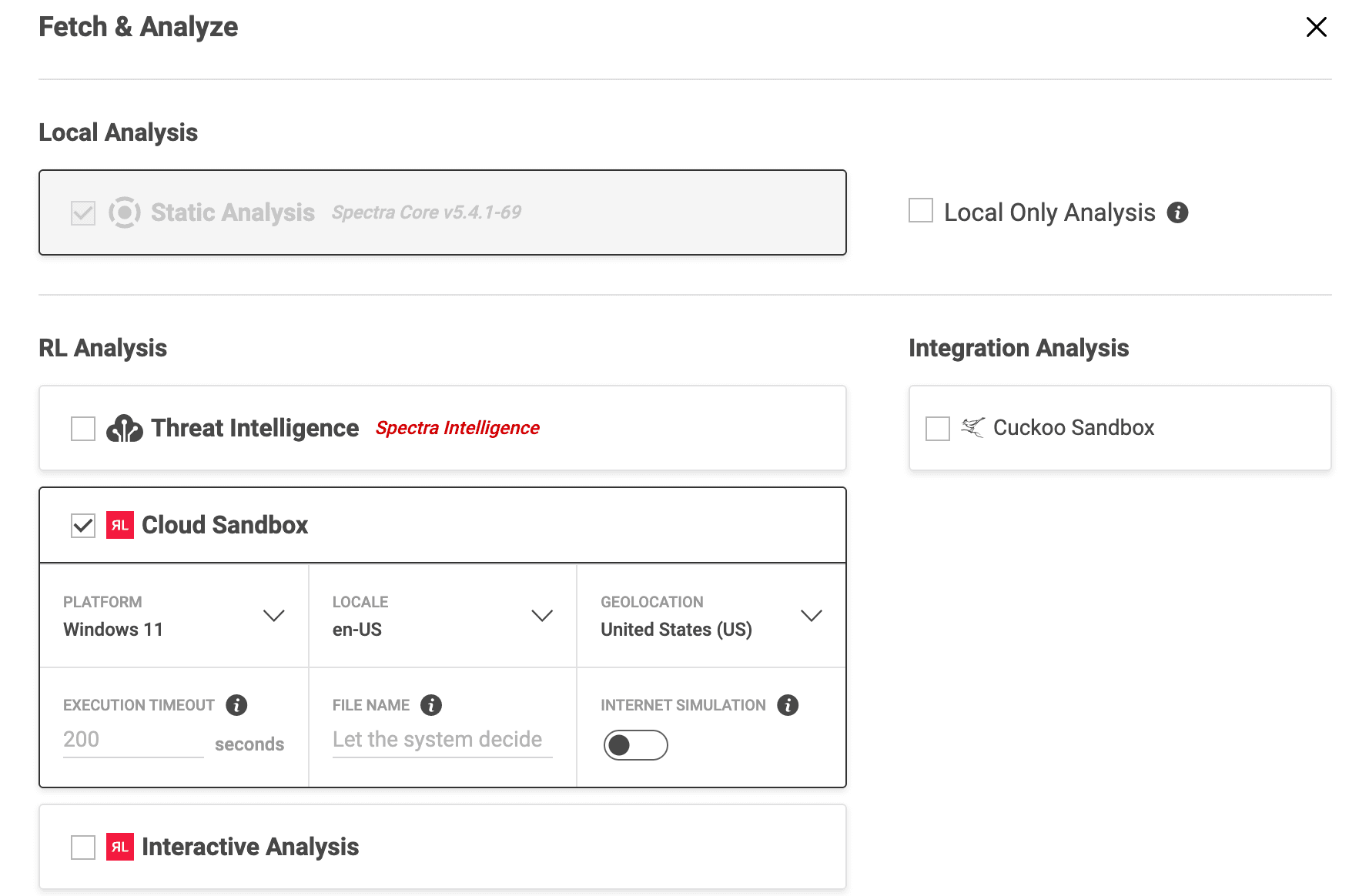
First, look for network IOCs that can be used to search for potentially infected devices in the environment. To do this, fetch and analyze these samples by selecting the top left checkbox, then click the icon on the right before selecting “Fetch and Analyze, Advanced.” Then, check the “Cloud Sandbox” analysis option. This will route our samples through the dynamic analysis pipeline.
Figure 4. Fetching and analyzing Oyster samples.
Figure 5. Spectra Analyze Fetch and Analyze menu with dynamic analysis selections.
Click into the newest hash:
97a330dd597876a401c53c04c812bf11e42bfb5fe8a1022f544003e8cfe922b6
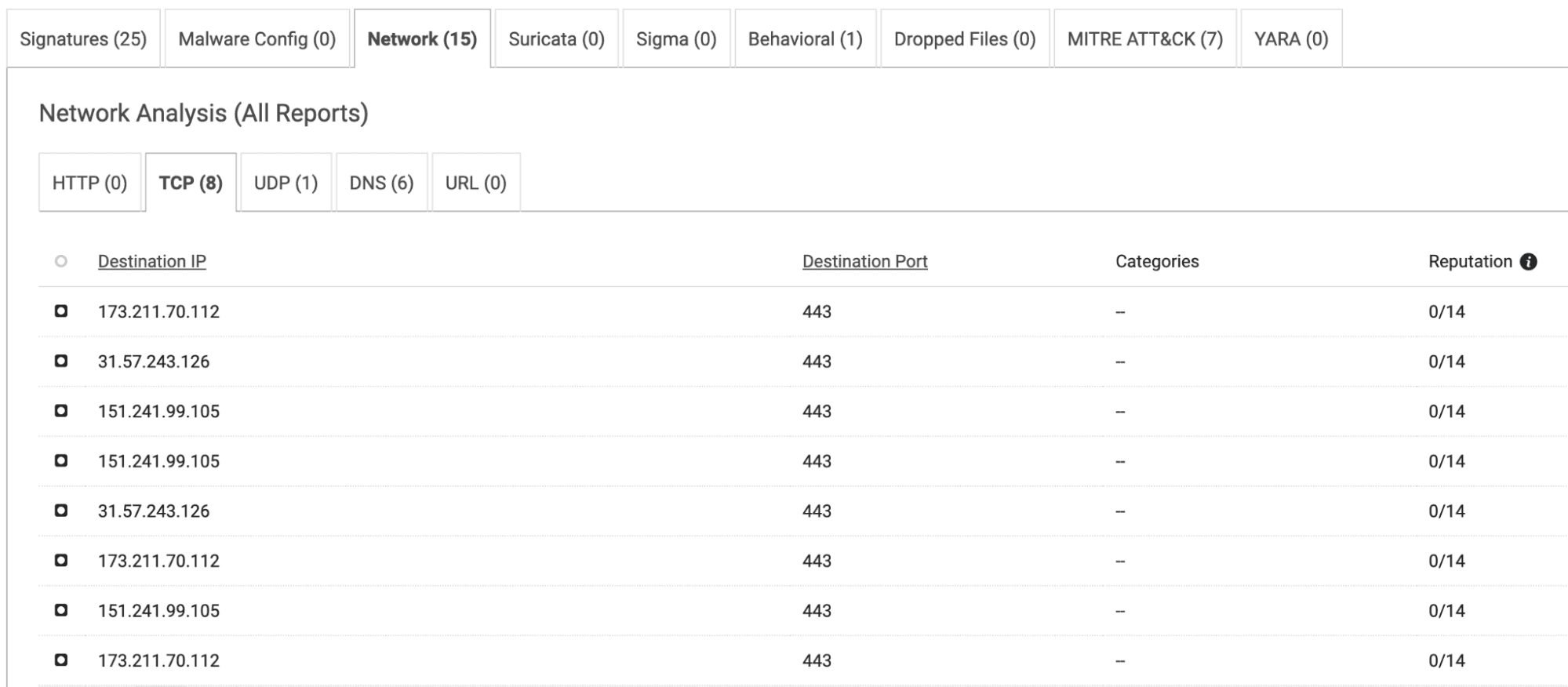
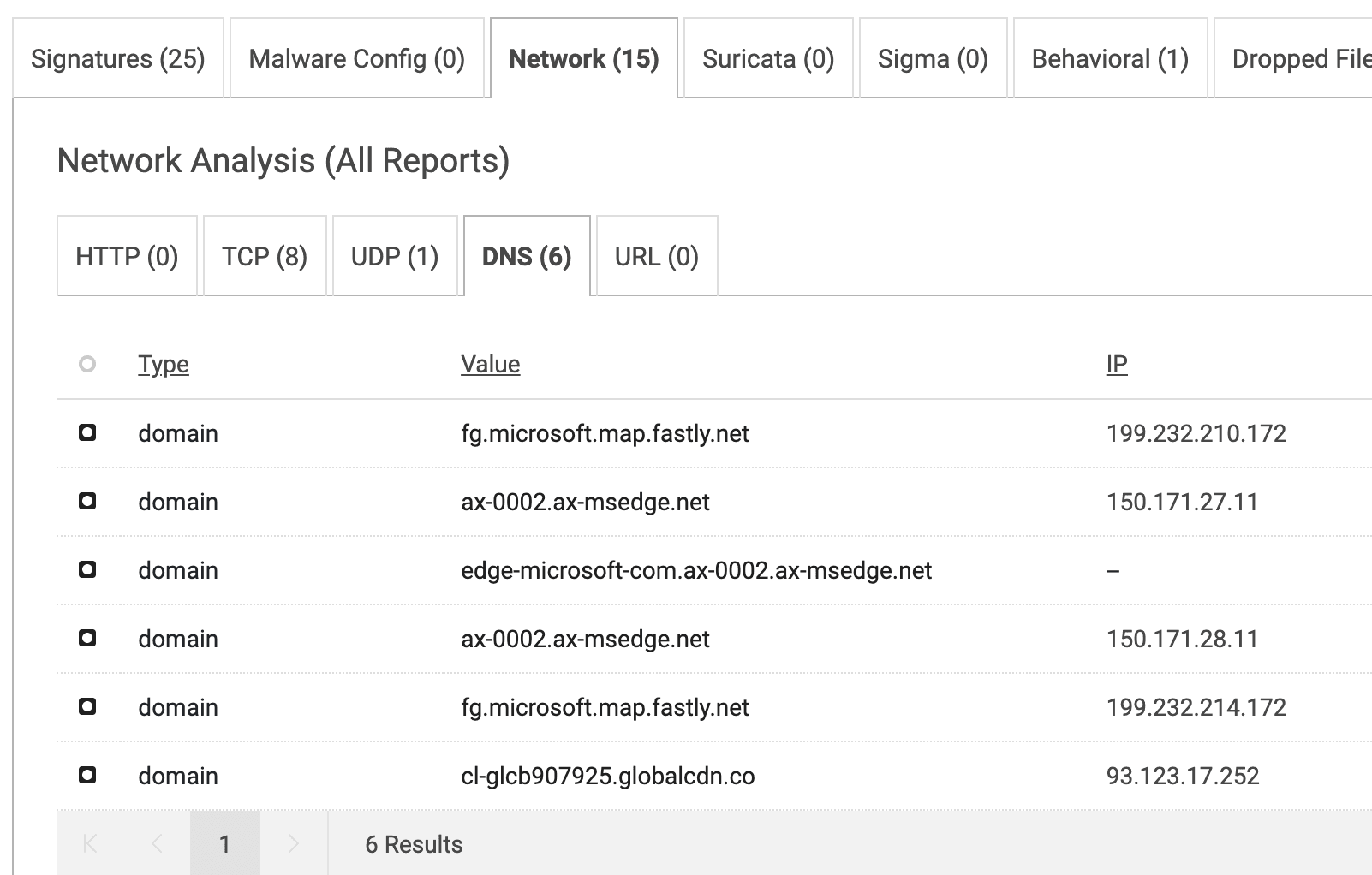
When reviewing the network activity section of this dynamic analysis report, 8 IP addresses can be seen under the TCP tab, via tab 443. This suggests HTTPS protocol activity, which is a known behavior for Oyster. Reviewing the DNS tab, requests to several CDN domains are evident, but nothing that appears to be overtly command and control, or secondary payload-related. By reviewing the dynamic analysis network activity tab across the Oyster sample set, this behavior continues across samples.
Figure 6. TCP activity for sample 97a330dd597876a401c53c04c812bf11e42bfb5fe8a1022f544003e8cfe922b6.
Figure 7. DNS activity for sample 97a330dd597876a401c53c04c812bf11e42bfb5fe8a1022f544003e8cfe922b6
Reviewing the network analysis reports for other Oyster samples in the result sets, there are two behavioral patterns common among samples. This is a good behavioral indicator to note, and one to investigate further if identified within enterprise environments.
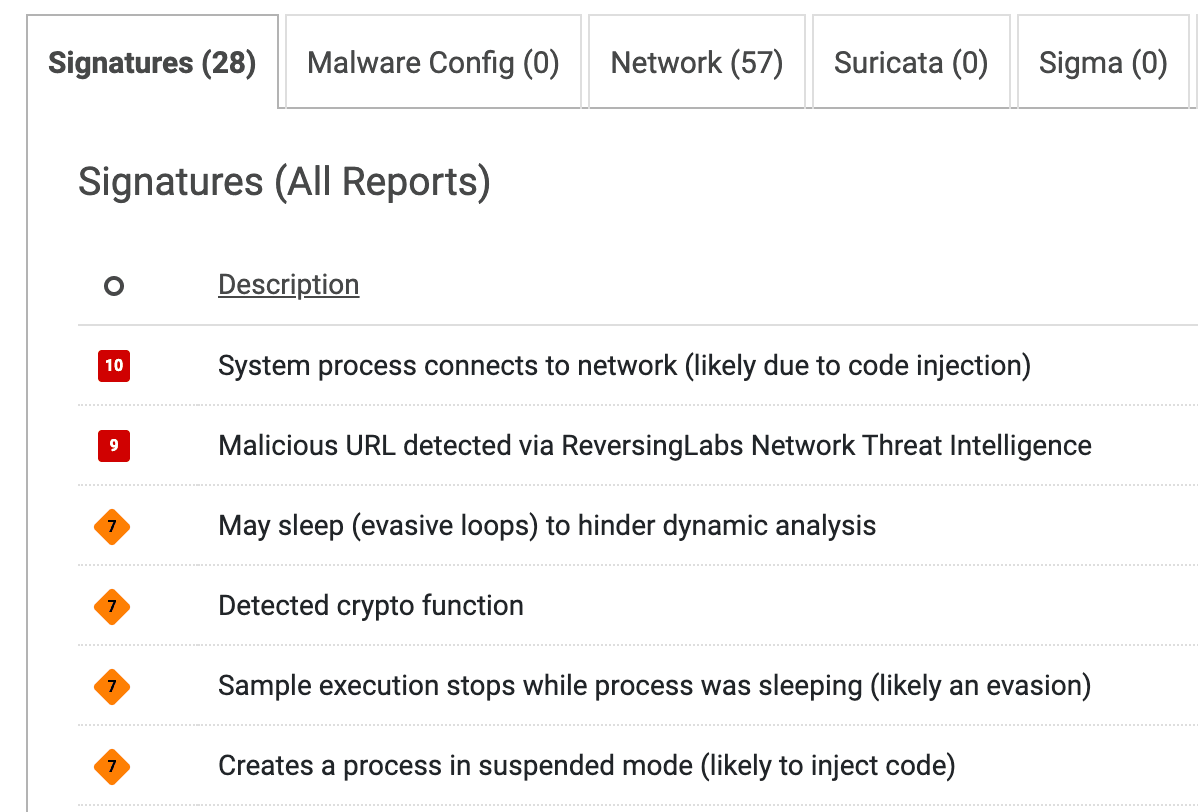
There are also a handful of evasion techniques utilized by Oyster, which Spectra Core flags in the Signatures section of the dynamic analysis report, highlighted below.
Figure 8. Anti-analysis techniques flagged for sample 5d0dfd5feec266307313a17b3abe58bb8270f44db0155739a13d04c2db90b3be
Rather than enabling this rule directly in your environment, you could use it as a filter, and then manually check any results to determine if the suspicious network activity and evasion techniques that we’ve identified as indicative of Oyster appear.
The sample rule we’ve discussed here is fairly strict, and identifies a behavior not commonly seen in samples outside of our desired result pool. However, some rules might be looser and could potentially return many more false positives.
In the next post in this Spectra Analyze In Action series, we’ll get into the types of YARA rules commonly seen published in intelligence reports — and the ways each of these categories can be best used in your organization.

Explore RL's Spectra suite: Spectra Assure for software supply chain security, Spectra Detect for scalable file analysis, Spectra Analyze for malware analysis and threat hunting, and Spectra Intelligence for reputation data and intelligence.


MFT and other trusted systems collect files, access and connections. Patching and inspecting what moves through it are separate defenses.
Post-quantum readiness depends on knowing where cryptography lives in the software you run, and a list of components can't tell you that.
ReversingLabs identified and classified the malware weeks before the report was published — showing why behavioral intelligence and historical telemetry matter in the AI age.

-1400x732.jpg&w=3840&q=75)