Spectra Assure Free Trial
Get your 14-day free trial of Spectra Assure for Software Supply Chain Security
Get Free TrialMore about Spectra Assure Free TrialKey Takeaways
All six scan files at line speed across the channels where files arrive: email, web proxy, cloud storage, MFT, and network shares. They differ most in depth of analysis, ranging from signature-based AV scanning to deep static decomposition. This guide compares them on connector coverage, throughput, file size range, and file-type breadth. Detonation-based inline platforms are covered in a separate section.
Tool | Analysis Method | File-Type Breadth | Ingestion Channels | Deployment | Best For |
|---|---|---|---|---|---|
Spectra Detect | Deep static decomposition, no execution | 4,800+ types, 400+ unpacked formats | MTA/SMTP, ICAP + MFT, S3, Azure, OneDrive/SharePoint, SFTP, SMB/NFS | On-prem + Cloud | Highest-volume coverage across most enterprise ingestion channels |
OPSWAT MetaDefender Core | 30+ AV engines, plus CDR | Broad AV coverage; narrower format depth | ICAP, REST API, GoAnywhere, MOVEit | On-prem + Cloud | ICAP scanning with active file sanitization |
Symantec Protection Engine for NAS | Single-engine AV, ML, Disarm, reputation | Standard types; Office/PDF CDR | ICAP, NAS direct, S3/Azure/GCP connectors | On-prem only | Broadcom estates needing NAS AV with document CDR |
Trellix ENSSP | Single-engine AV, GTI reputation | Standard types | Vscan (NetApp ONTAP), ICAP (other NAS) | On-prem only | Trellix estates migrating off EOL VSES |
Trend Micro ServerProtect for Storage | Single-engine AV, IntelliTrap heuristics | Standard types | ICAP, EMC CAVA, RPC | On-prem only | NAS estates that require EMC CAVA support |
Deep Instinct | Deep learning static classification | Executables, Office, PDF, archives, scripts; no published count | ICAP, REST API, NAS, S3/FSx, Azure, middleware | On-prem + Cloud | Pre-execution prevention in air-gapped NAS and S3 environments |
Six ranked static-analysis platforms at a glance. Criteria are in How We Evaluate File Scanning Platforms below; full method and channel detail is in the vendor entries. Detonation-based inline platforms sit outside this ranking by design.
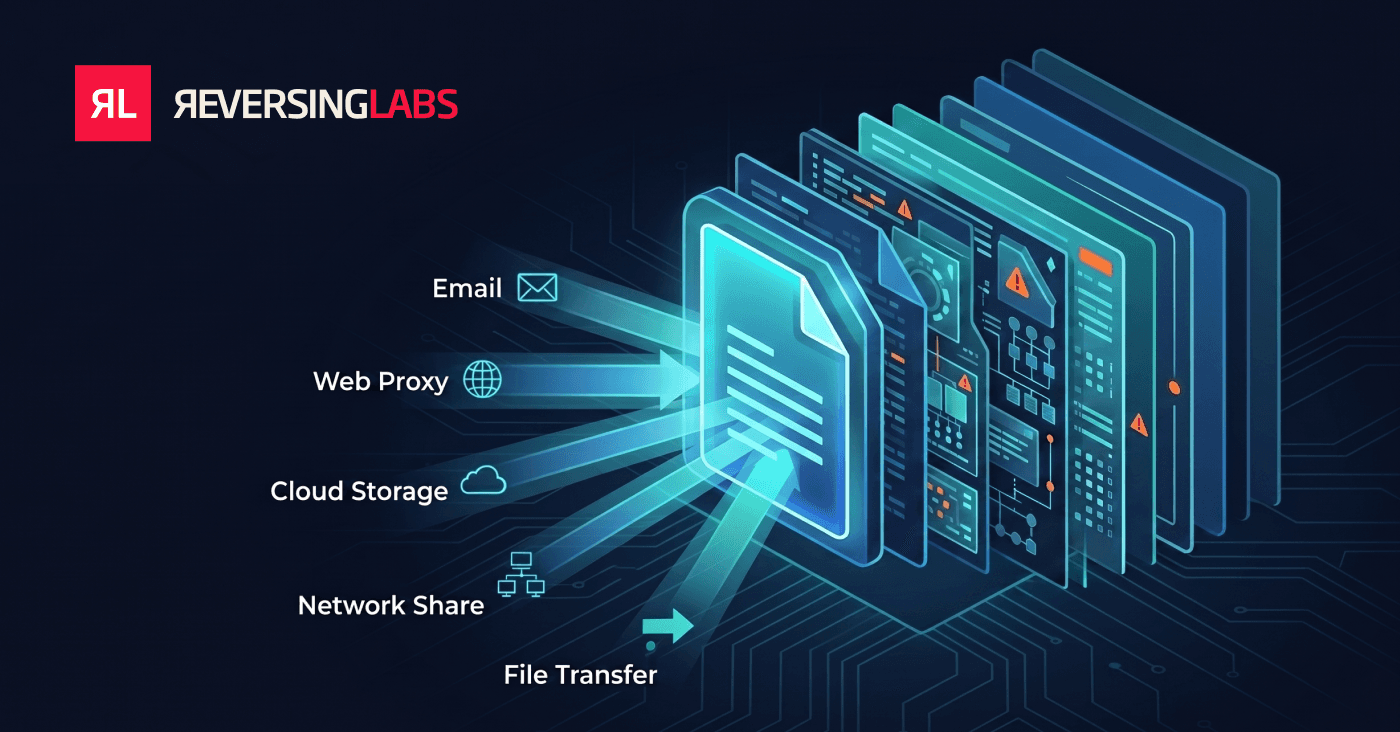
Enterprise file scanning tools, also called enterprise file analysis platforms, inspect every file entering an organization for malware, embedded threats, and malicious content. They act before those files reach endpoints, inboxes, or production systems. They connect directly to the channels where files arrive: email gateways, web proxies via ICAP, cloud storage such as S3, managed file transfer platforms, and network shares. Each file gets a verdict at line speed. Analysis depth is what separates the platforms in this category. Signature-based engines match files against databases of known threats, while deep static analysis platforms decompose file structure, unpack nested content, and extract indicators without executing anything. The job is the same across the category. Deliver an accurate malicious-or-clean decision at high file volumes, automatically, at every point where untrusted files enter the environment.
The difference is placement first, method second. Endpoint antivirus protects the endpoint it runs on. Enterprise file scanning sits at the ingestion channels upstream of any endpoint (email, web proxy, cloud storage, MFT, network shares), where a file can be stopped before it lands anywhere.
Analysis method then varies by vendor. Several platforms in this guide apply AV engines, heuristics, or ML classification at those channels; deep static analysis platforms go further and deconstruct a file's internal structure to extract indicators, whether or not the file matches a known signature.
File scanning does not replace endpoint detection, email security, or sandboxing. It covers a gap those tools leave: high-volume inspection of every file crossing an ingestion boundary, before that file reaches a managed host. Sandboxes deliver behavioral depth at thousands of samples per day. Enterprise file scanning platforms cover millions of files per day at the boundary. They escalate the ambiguous remainder to the deeper tools.
Signature-based AV scanning has the speed for inline deployment, but its verdicts only cover what the signature database already knows. The AV-TEST Institute registers over 450,000 new malicious programs and potentially unwanted applications every day, so novel and repacked samples routinely reach enterprises before any signature exists for them. A signature engine returns “clean” for a file it has no signature for, which is not the same as the file being clean.
Scanning engines also enforce hard processing limits that silently exclude files from coverage. Take ClamAV, the open-source engine embedded in many gateway and ICAP scanning products. Its documented defaults: files larger than 100 MB are not scanned, a technical design limit prevents scanning any file over 2 GB, archive recursion stops at 17 nested levels, and embedded-executable analysis is skipped for files over 40 MB.
Commercial engines document comparable size, depth, and format thresholds. Oversized installers, disk images, firmware, and deeply nested archives can pass through such scanners unexamined by default, and the file types an engine cannot unpack are scanned only at the outer wrapper. Placement compounds the coverage problem. Endpoint AV was designed to protect endpoints, yet organizations now receive and process files across dozens of channels that precede any endpoint: email attachments, web downloads, file-share syncs, S3 bucket uploads, CI/CD artifacts, and USB-transferred packages in air-gapped environments. Teams that rely on endpoint AV alone create blind spots at every ingestion point, and teams that deploy signature-only scanners at those ingestion points inherit the scope, size, and format limits above at every one of them.
Threat actors nest payloads inside multiple archive layers, encrypt embedded executables, or use uncommon container formats precisely because most scanners stop at the outer wrapper. A tool that cannot recursively unpack complex file structures, identify 4,000+ file types, or deconstruct non-executable formats like Office documents and PDF containers will miss a large share of real threats while flagging known-good files that happen to match outdated signatures.
Because email security gateways, web proxies, cloud storage, and network shares each represent a distinct ingestion channel with different protocol requirements, tooling that covers only one channel leaves the others exposed. Tools that cannot natively ingest from MTA/SMTP, ICAP, managed file transfer platforms (GoAnywhere, MOVEit, Axway), S3, SFTP, Azure Data Lake, OneDrive/SharePoint, or SMB/NFS shares force teams to build a custom pipeline for each source. That means operational fragility and coverage gaps at every channel. Mature file analysis solutions integrate directly into these channels rather than requiring manual file routing.
"Best" in this category is not the highest detection rate on a curated sample set. It is whether the platform inspects every file crossing an ingestion boundary, at the size, format, and volume that boundary carries. Four criteria decide that.
Connector Depth and Breadth. Native MTA/SMTP, ICAP, S3, SFTP, and SMB/NFS support means files route themselves; an API-only platform means a custom pipeline per source. Managed file transfer is the proving ground: MFT platforms delegate scanning to external engines over ICAP, and the Cl0p campaigns against GoAnywhere, MOVEit, and Accellion FTA targeted exactly that seam.
Throughput at Inline Placement. Inline means a slow verdict is a delayed email or a stalled transfer, so the number that matters is sustained files per day at production concurrency, not per-file latency in a lab. Spectra Detect scales from 100,000 to 100 million files per day, which lets one deployment cover email, web proxy, and build artifacts at once.
File-Size Range. This is where scanners quietly stop working. The ClamAV defaults cited earlier (files over 100 MB skipped, a 2 GB hard cap, recursion stopped at 17 levels) are typical; commercial engines document comparable thresholds. Ask for the maximum size at which full decomposition still runs, not the maximum size accepted.
File-Type and Format Coverage. Coverage breadth is a direct measure of blind spots, and what counts is how many types the platform can unpack rather than inspect at the outer wrapper. Spectra Detect identifies more than 4,800 file types across Windows, macOS, Linux, iOS, and Android, and unpacks over 400 formats.
These criteria measure inspection coverage, not everything that decides a purchase. Content Disarm and Reconstruction is one gap (OPSWAT MetaDefender Core and Symantec Protection Engine for NAS sanitize documents; Spectra Detect does not), and existing estate licensing often outweighs everything above.
Category | Example | Why it is out of scope |
|---|---|---|
Cloud reputation services | VirusTotal / Google Threat Intelligence | No on-premises option, no native ICAP server, no MTA relay, no S3 pipeline. Hash lookups return nothing for the internal and proprietary files that make up most enterprise volume |
Sandboxes (detonation-based analysis) | Trellix Security Platform | Execution-dependent verdicts cap throughput at thousands to tens of thousands of samples per day. The Trellix Security Platform is covered in its own section below |
Endpoint detection platforms | EDR agents | Inspect files after they reach a managed host, downstream of the ingestion boundary |
ReversingLabs, On-Premises (Prem) + Cloud
Spectra Detect is ReversingLabs’ enterprise file analysis platform. Powered by the proprietary Spectra Core engine, it performs deep binary analysis, decomposing, unpacking, and classifying files without execution. Every verdict is automatically enriched with context from the 422-billion-file Spectra Intelligence corpus, the world’s largest file and network threat intelligence repository, including network indicators (URLs, domains, and IPs) embedded within files. This combination of deep file decomposition and integrated threat intelligence enrichment produces richer, context-aware verdicts than signature-based or single-engine scanning, at throughput scaling from 100,000 to 100 million files per day.
Capabilities
Strengths
Considerations
Best Fit: Enterprises that need to analyze millions of files per day across email, web proxy, cloud storage, and file share channels with verified threat verdicts delivered to existing SIEM and SOAR workflows.
OPSWAT, On-Prem + Cloud
OPSWAT MetaDefender Core is a multi-engine malware scanning platform with a strong focus on critical infrastructure and regulated environments. It aggregates results from 30+ anti-malware engines and adds Content Disarm and Reconstruction (CDR) to sanitize files before delivery.
Capabilities
Strengths
Considerations
Best Fit: Organizations with web gateway or mail relay deployments needing real-time file sanitization alongside multi-engine scanning, particularly in critical infrastructure or OT/IT-converged environments.
Broadcom (formerly Symantec), On-Prem Only
Symantec Protection Engine for Network Attached Storage (SPE for NAS) is Broadcom’s ICAP-based scanning engine for enterprise NAS environments. Deployed as an ICAP server (default port 1344, secure ICAP supported), it integrates with NetApp, Dell EMC Isilon, Hitachi, and any ICAP-capable storage device. The current release is version 9.3.x, supporting Windows Server 2022, RHEL 9, Rocky Linux, and container/Kubernetes deployment.
Capabilities
Strengths
Considerations
Best Fit: Enterprises already running Broadcom/Symantec endpoint security that need NAS file scanning with document CDR and cloud reputation, and want to stay within their existing vendor relationship.
Trellix (formerly McAfee), On-Prem Only
Trellix Endpoint Security Storage Protection (ENSSP) is the current replacement for the EOL Trellix VirusScan Enterprise for Storage (VSES, EOL December 31, 2022). It runs as an add-on to Trellix Endpoint Security (ENS) Threat Prevention, using the AMCore single-engine detection stack with GTI cloud reputation lookups. It integrates with NetApp ONTAP via the Vscan framework and with other NAS appliances via ICAP. The current release is version 2.4.x (2024).
Capabilities
Strengths
Considerations
Best Fit: Organizations already licensed for Trellix ENS Threat Prevention that need storage AV compliance coverage on NetApp ONTAP or ICAP-compatible NAS, and are migrating from the EOL VSES product.
Trend Micro, On-Prem Only
Trend Micro ServerProtect for Storage (SPFS) 6.0 is Trend Micro’s ICAP/CAVA/RPC-based NAS scanning product. The legacy 5.8 product family (separate SKUs for NetApp Filer, EMC Celerra, Windows/NetWare) has reached end-of-life or is EOL by December 2026. Trend directs customers to SPFS 6.0 Patch 3 as the supported migration target, per the official Trend Micro EOL and migration guide. SPFS uses the Trend Micro VSAPI engine for single-engine scanning across supported storage platforms.
Capabilities
Strengths
Considerations
Best Fit: Organizations running Trend Micro server security products that need storage/NAS AV scanning with ICAP or EMC CAVA integration, particularly where EMC CAVA protocol support is required.
Deep Instinct, On-Prem + Cloud
Deep Instinct is an AI-native prevention platform built on a purpose-trained deep learning model (the DSX Brain) that classifies files as malicious or benign pre-execution in under 20 milliseconds, without signatures or cloud lookups. The platform spans endpoint, NAS, cloud storage, and application middleware through four deployment surfaces: DSX for Endpoints, DSX for NAS, DSX for Cloud, and DSX for Applications (ICAP/API). Explanations for flagged files are generated by DIANNA, a GenAI companion that produces natural-language descriptions of why a file was classified as malicious.
Capabilities
Strengths
Considerations
Best Fit: Enterprises that want pre-execution prevention across NAS, S3, Azure, and application middleware at static-analysis throughput speeds, particularly in air-gapped or data-sovereignty-constrained environments where cloud lookups are prohibited.
A related class of platforms deploys inline at the same ingestion channels (file shares, email, network) but reaches its verdict by executing the object in an instrumented virtual environment. Detonation delivers behavioral depth that static analysis does not. It also runs at a throughput measured in thousands to tens of thousands of samples per day rather than millions, which is why these platforms sit outside the ranked comparison above (see How We Evaluate File Scanning Platforms). Teams typically choose between the two architectures on volume. Detonation-based inline platforms suit environments where sample volumes stay within detonation capacity and behavioral verdicts are required inline. Static-analysis platforms handle full enterprise volume, with detonation reserved for escalation. Some deployments pair both, using static analysis as the volume layer and routing flagged samples to a detonation backend.
Trellix (formerly FireEye), On-Prem + Cloud
The Trellix Security Platform is a multi-vector inline detection system built on the FireEye MVX/IVX detonation engine, now productized as Trellix Intelligent Virtual Execution (IVX). Three dedicated appliances cover distinct ingestion channels. File Protect (FX) scans CIFS/SMB, NFS, WebDAV, and cloud storage file shares. Email Security Server (EX) deploys as an inline MTA for attachment and URL detonation. Network Security (NX) operates as an L2 inline appliance or SPAN/TAP for live traffic analysis. All three feed objects to a shared IVX Server on-premises or IVX Cloud. Cloud API access is available as Trellix Detection as a Service.
Capabilities
Strengths
Considerations
Best Fit: Enterprises that need inline multi-vector detection (email, network, file share) with detonation-based verdicts, whose sample volumes fit within detonation capacity, and that have the budget and staff for a multi-appliance deployment.
Deep file inspection deconstructs a file to its base elements, recursively unpacking archives, extracting embedded executables, validating file formats, and analyzing internal structure, all without executing the file. Surface-level scanning checks hash values or outer structure against known signatures. Ask vendors to demonstrate analysis of a password-protected archive containing a nested executable, or a PDF with embedded JavaScript. The coverage gap between approaches is large for file types beyond standard PE executables.
Coverage breadth matters because threat actors actively target formats that defenders scan less rigorously. Verify support for: multi-layer archives (ZIP/RAR/7z nested), Office documents with embedded OLE objects, PDF with embedded files and JavaScript, Android APK and iOS IPA, firmware images, script files (.ps1, .vbs, .py, .sh), and container/package formats. Maximum file size is also a practical consideration for organizations that move large installer packages, disk images, or firmware artifacts.
A file analysis platform that only accepts API submissions will require custom pipeline work for every additional ingestion source. Evaluate native support for: SMTP/MTA integration for email gateway inspection, ICAP protocol for inline web proxy scanning, Amazon S3 event-triggered ingestion, SFTP, Azure Data Lake storage, OneDrive/SharePoint (via Graph API), network file share (SMB/NFS) monitoring, and REST API for programmatic submission. The more channels covered natively, the lower the integration and maintenance overhead.
Managed file transfer platforms (GoAnywhere, MOVEit, Axway SecureTransport, JSCAPE, Kiteworks) handle external partner file exchange and are among the highest-value targets in enterprise infrastructure. The Cl0p ransomware group exploited GoAnywhere (2023, ~130 organizations), MOVEit (2023, ~2,700 organizations, 95 million individuals affected), and Accellion FTA (2021) in successive campaigns specifically because MFT systems carry sensitive files from thousands of external partners in a single exploitable location. These platforms rely on an external engine reached over ICAP for scanning, as noted in the evaluation criteria. Any ICAP-capable file analysis platform connects to GoAnywhere, MOVEit, Axway, JSCAPE, or Kiteworks without a vendor-specific integration. The relevant evaluation question is: Can your scanner handle the large, deeply nested archives that MFT workloads carry without timing out or passing them through? Does it match MFT throughput requirements? Is on-premises deployment available for DMZ-hosted MFT servers that cannot send files to cloud-based analysis services due to privacy or latency concerns? Compliance frameworks including PCI DSS, HIPAA, NIS2, and DORA create implicit requirements for malware controls at third-party file exchange points, and MFT is that point.
Analysis is only useful if verdicts and enrichment data reach the workflows that act on them. Confirm the platform can deliver results directly to your SIEM, SOAR, and EDR platforms, and whether it can write reports to S3 or network shares for batch consumption. Also evaluate report format: structured JSON/XML with extracted indicators enables automation; human-readable PDF alone does not.
Regulated and air-gapped environments need on-premises or private cloud deployment. Confirm what telemetry, if any, leaves the deployment boundary, and where cloud-hosted analysis data is processed and stored.
Most security programs need two distinct capabilities: high-volume ingestion-channel screening that covers every file entering the organization, and deep investigation for the subset that requires a human analyst. ReversingLabs addresses both with products designed for each layer.
Spectra Detect is the ingestion-channel layer, covered in detail above. It natively ingests from email, ICAP-enabled web proxies and MFT platforms, cloud storage, SFTP, and network shares, performing deep static analysis at 100,000 to 100 million files per day. Every verdict is automatically enriched with Spectra Intelligence threat context.
Spectra Analyze is the analyst investigation layer. It combines deep static analysis, Cloud Sandbox detonation (Windows, Linux, macOS), Spectra Intelligence enrichment, URL analysis, YARA rule development, and retrohunting across your analyzed corpus and cloud, all in one unified workbench. Analysts can move from file decomposition to sandbox detonation to TI correlation to URL analysis to YARA authoring without switching tools.
The Full Report API returns static, dynamic, and threat intelligence context in a single API call for automated enrichment pipelines. Spectra Detect and Spectra Analyze integrate directly: flagged samples from ingestion-channel screening are handed off to the analyst workbench for deeper investigation.
Request a Demo | Spectra Detect Docs | Spectra Analyze Docs
Platforms with native MTA/SMTP integration accept files directly from email server configurations via standard mail protocols. ICAP integration connects to web proxy and mail gateway appliances that support the ICAP protocol, enabling inline scanning of HTTP/S and email traffic. S3 integration typically uses event-triggered processing (S3 event notifications) or scheduled polling of bucket contents. Network share integration uses SMB or NFS protocols to monitor and ingest files as they are written to shared folders. Not all file analysis platforms support all of these channels natively; verify the connector list before selection.
Coverage varies significantly by platform. Deep-static-analysis platforms such as Spectra Detect support 4,800+ file types across Windows, macOS, Linux, iOS, and Android, including executables, archives, documents, scripts, mobile application packages, firmware images, and container formats. Detonation-based sandboxes focus on execution-capable formats (executables, scripts, Office documents, PDFs) and may have limited coverage of non-executable formats.
Static ingestion-channel scanning inspects file structure and content without execution, returning verdicts at speeds that scale to millions of files per day. Detonation-based inline detection executes objects in instrumented virtual environments at the same ingestion points, producing behavioral verdicts at thousands to tens of thousands of samples per day. The two architectures suit different volume profiles, and some deployments pair them.
Most platforms expose a REST API for programmatic submission and retrieval. Verdicts, extracted indicators, and risk scores reach SIEM platforms via syslog, CEF, or direct API integration, and SOAR platforms via webhooks or native connectors. Some also write structured reports to S3 buckets or network shares for batch ingestion. Confirm connector support for your specific SIEM and SOAR vendors before deployment.
Ingestion-channel platforms deliver verdicts at volume; samples that remain ambiguous after inline analysis warrant escalation to deeper tooling. Analyst investigation workbenches such as Spectra Analyze combine static decomposition, sandbox detonation, threat intelligence correlation, URL analysis, and YARA development in one interface. Dedicated detonation sandboxes provide behavioral confirmation for execution-dependent threats.
-300x361.png&w=640&q=75)
Explore RL's Spectra suite: Spectra Assure for software supply chain security, Spectra Detect for scalable file analysis, Spectra Analyze for malware analysis and threat hunting, and Spectra Intelligence for reputation data and intelligence.
AI-powered security researchers gained access to sensitive Anthropic business systems through third-party applications, highlighting a growing enterprise security blind spot.
MFT and other trusted systems collect files, access and connections. Patching and inspecting what moves through it are separate defenses.
ReversingLabs identified and classified the malware weeks before the report was published — showing why behavioral intelligence and historical telemetry matter in the AI age.