Spectra Assure Free Trial
Get your 14-day free trial of Spectra Assure for Software Supply Chain Security
Get Free TrialMore about Spectra Assure Free TrialSpectra Analyze provides a dedicated workbench for malware analysis and triage. Its automated binary analysis quickly deconstructs, classifies, and analyzes threats across various file types, reducing false positives and delivering actionable intelligence for faster incident response.
Malware analysts, threat hunting teams, and SOCs can submit hashes to receive clear, color-coded threat classifications: goodware, suspicious, or malicious. The platform also supports sandboxing and execution, enabling users to observe both runtime behavior and code structure.
Here's an expansion on the techniques used in the recent RL Blog post “Hunting SharpHounds with Spectra Analyze.”
Polyglot files combine elements from multiple file formats, concealing executable code in overlooked sections such as metadata or comments within images or documents. These files remain valid and can be processed or executed.
Polyglot files can enter your environment in several ways. Below are key examples to monitor.
To demonstrate Spectra Analyze’s capabilities, here's how customers can use it to assess a sample in their environment, moving from the Report Summary to creating a YARA rule.
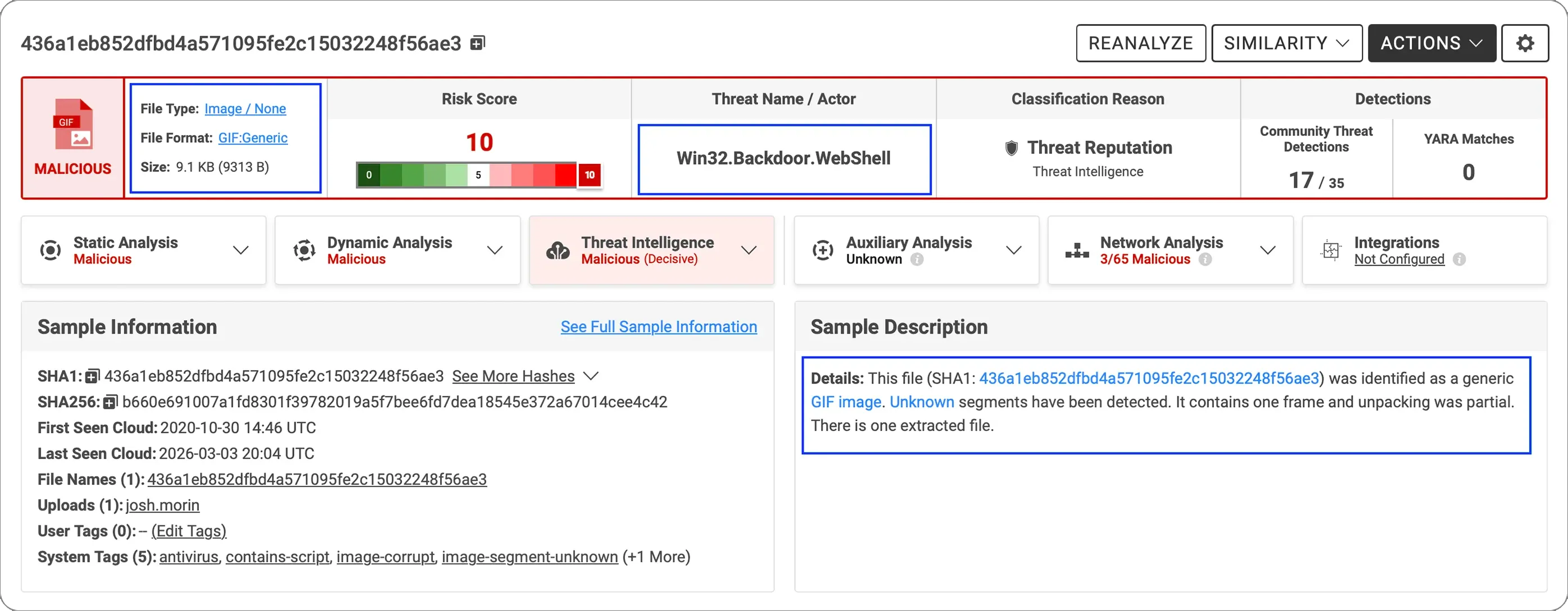
Submitting the hash for analysis provides immediate, detailed indicators of polyglot behavior in the Report Summary.
Key details include “File Type,” “File Format,” and “The Threat Actor / Name.” The “Sample Description” also offers context that requires further analysis. I will now jump to the Graph View for visual assessment.
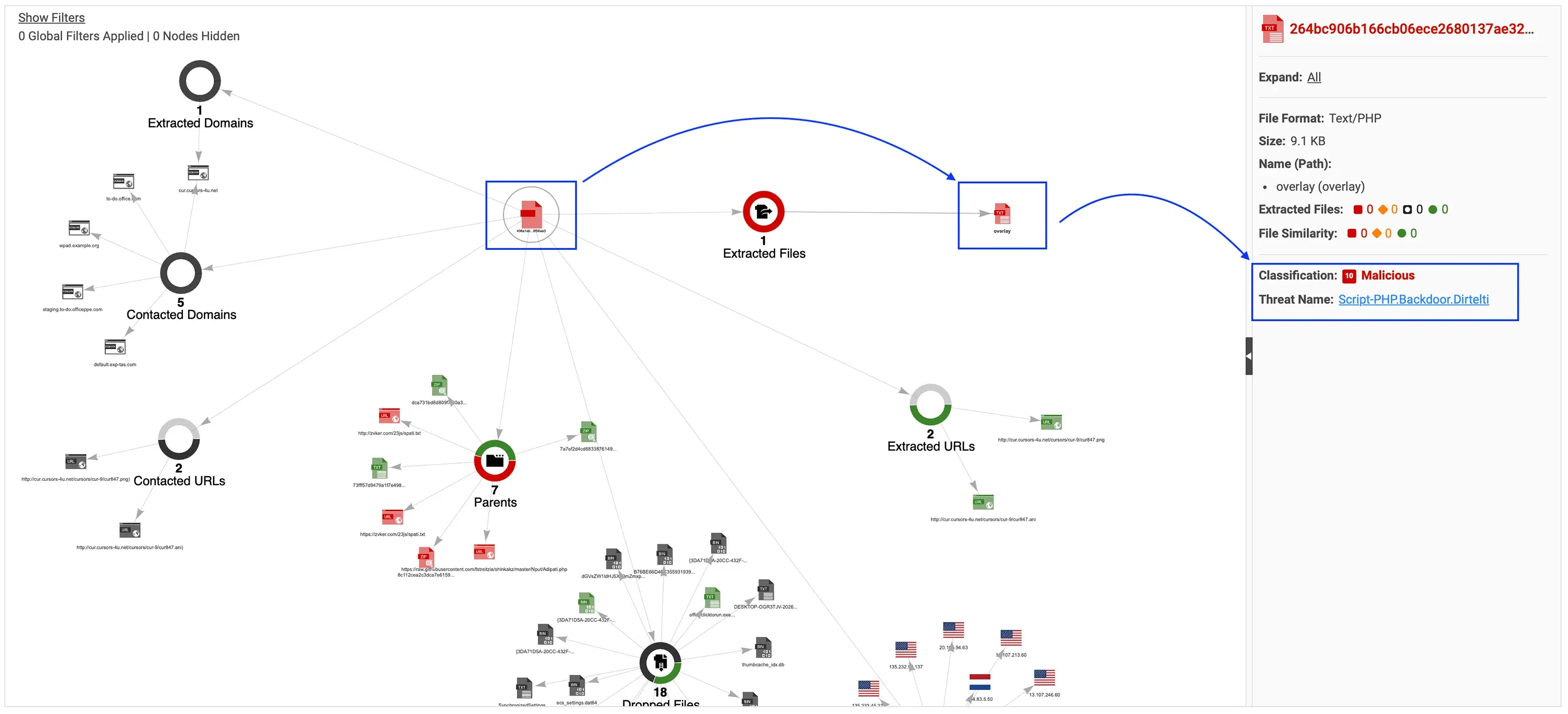
Using the graph visualization feature in the Report Summary, I first review the layers of extracted files. These layers eventually reveal the presence of the “overlay” sub-file, at which point I see a malicious verdict.
This file presents itself as a valid GIF89a image, a large overlay section and contains the embedded PHP payload.
The PHP overlay serves as the malicious payload for a Dirtelti-family backdoor web shell. It includes hardcoded HTTP references to an external domain that acts as a decoy cursor resource.
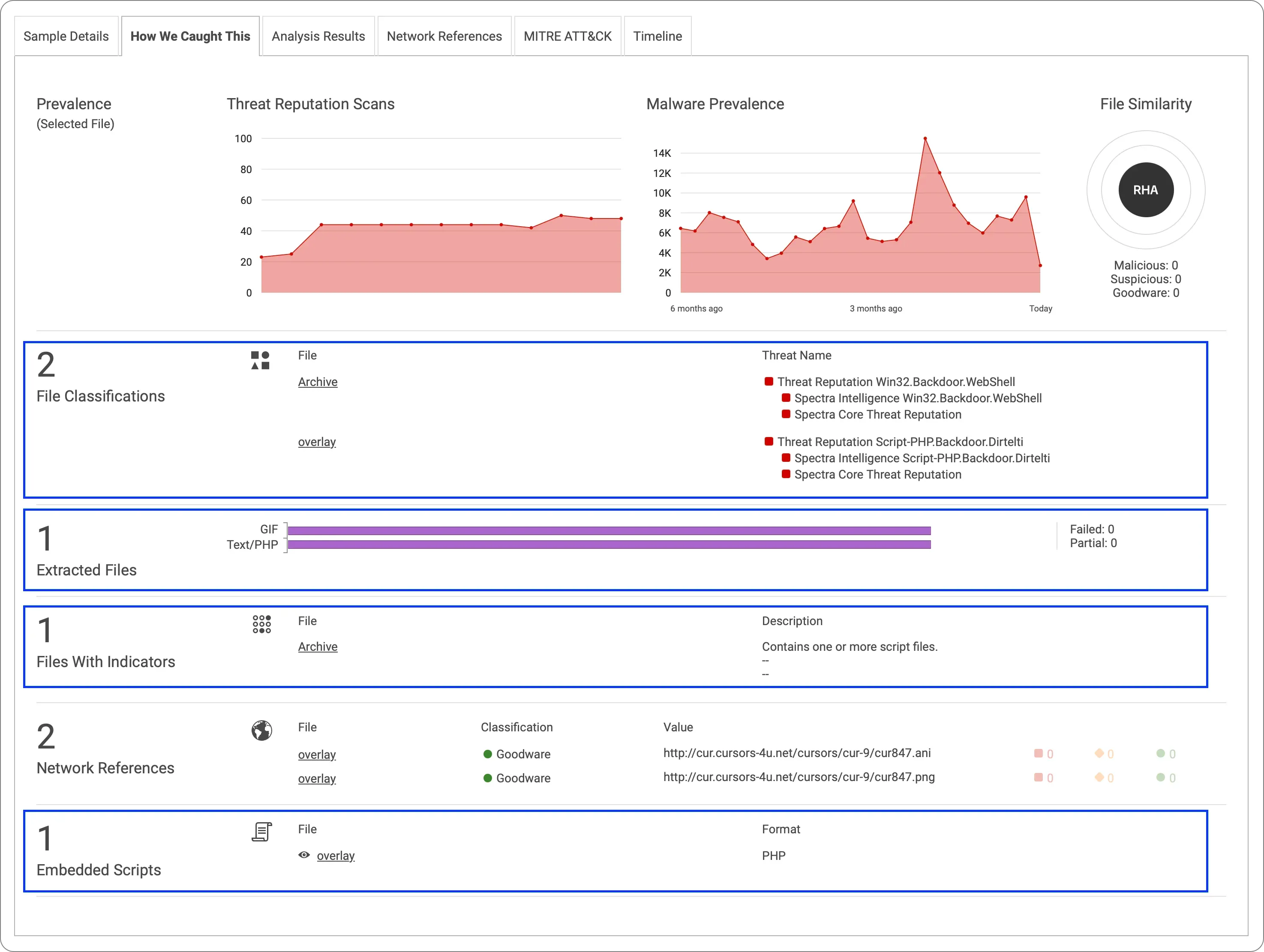
Within File Analysis, the Spectra Analyze section includes a “How We Caught This” feature. Here, you will find multiple sections referencing Polyglot and Macliciousness.
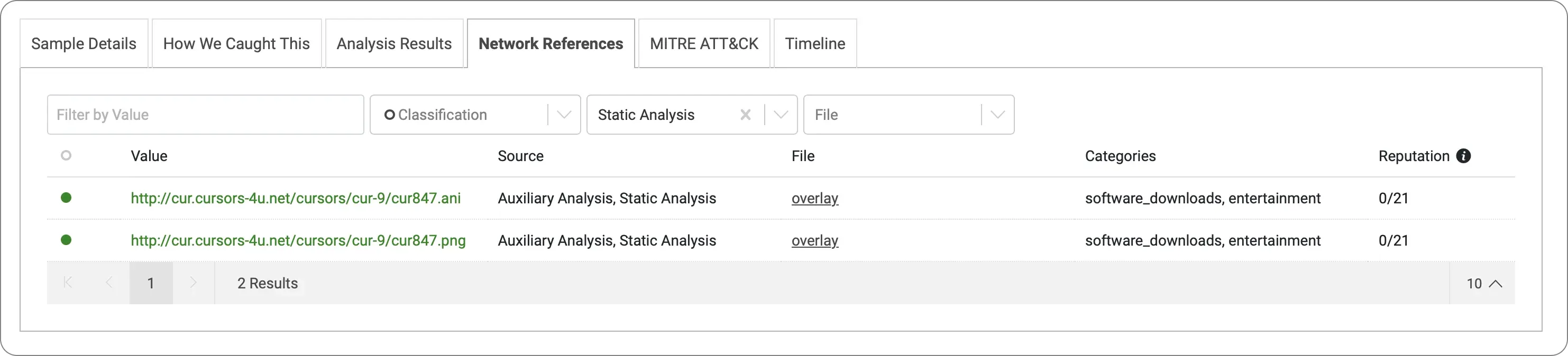
Two URLs embedded in the PHP script reference domains that are likely used as live connectivity checks. Both URLs are categorized under “entertainment” and “software_downloads,” consistent with a legitimate resource site being used as cover traffic or a dead-drop indicator.
Indicators
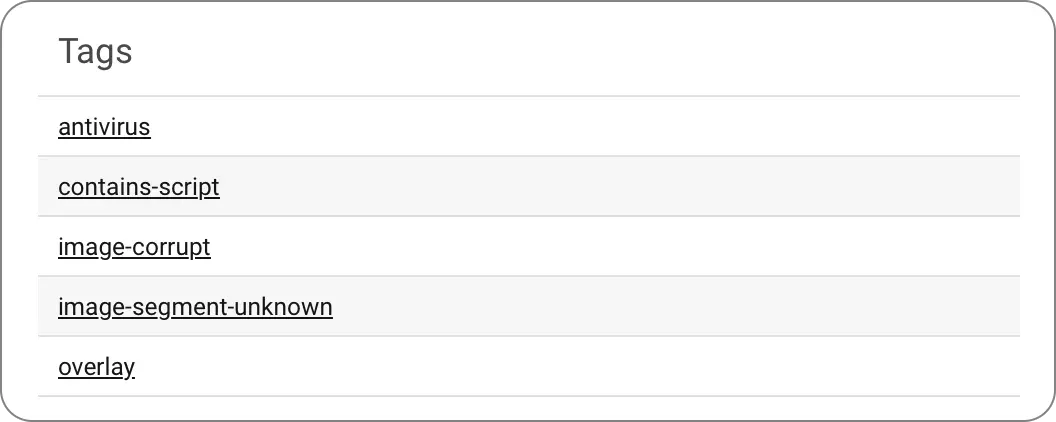
In the Static Analysis section, the Indicators detected a Macro and tagged it as “contains-script,” which means the file includes one or more script files.
Additional tags include antivirus, image-corrupt, image-segment-unknown and overlay.
An example of other potential important tags associated with Polyglot detection:
Tag | Description |
|---|---|
cert-appendix | The file contains additional data after the certificate |
contains-script | The file contains one or more script files |
format-bad-checksum | The file likely contains corrupted content as it has failed the data integrity check |
image-corrupt | The image is corrupt because of some format discrepancy (e.g. invalid segment size) |
image-segment-unknown | An unknown image segment has been encountered |
image-malformed |
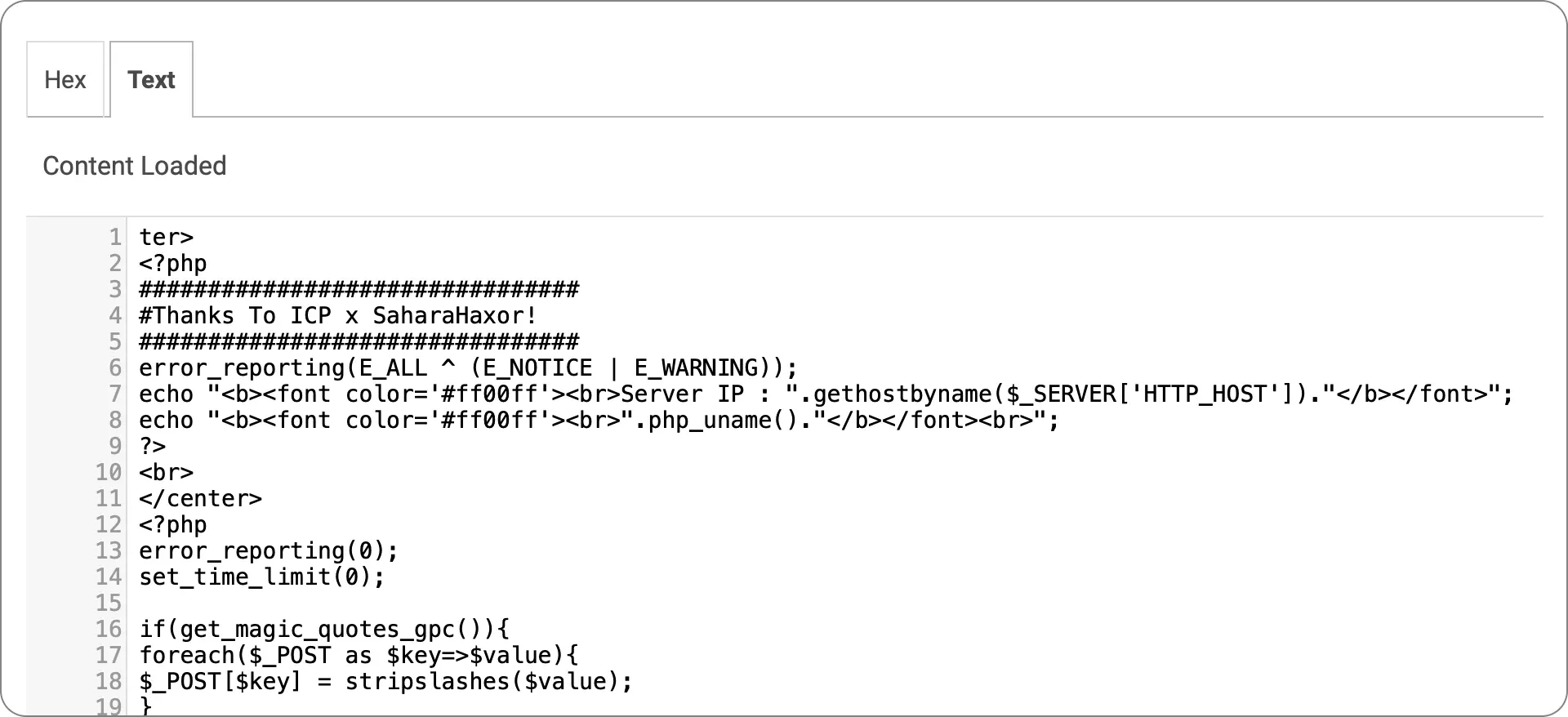
In the Static Analysis section, Extracted Files identified a threat consistent with the findings in the Graph view. You can also review the file in Hex and Text views under Extracted Files.
Note that the Text view displays PHP usage consistent with Image/PHP Polyglot.
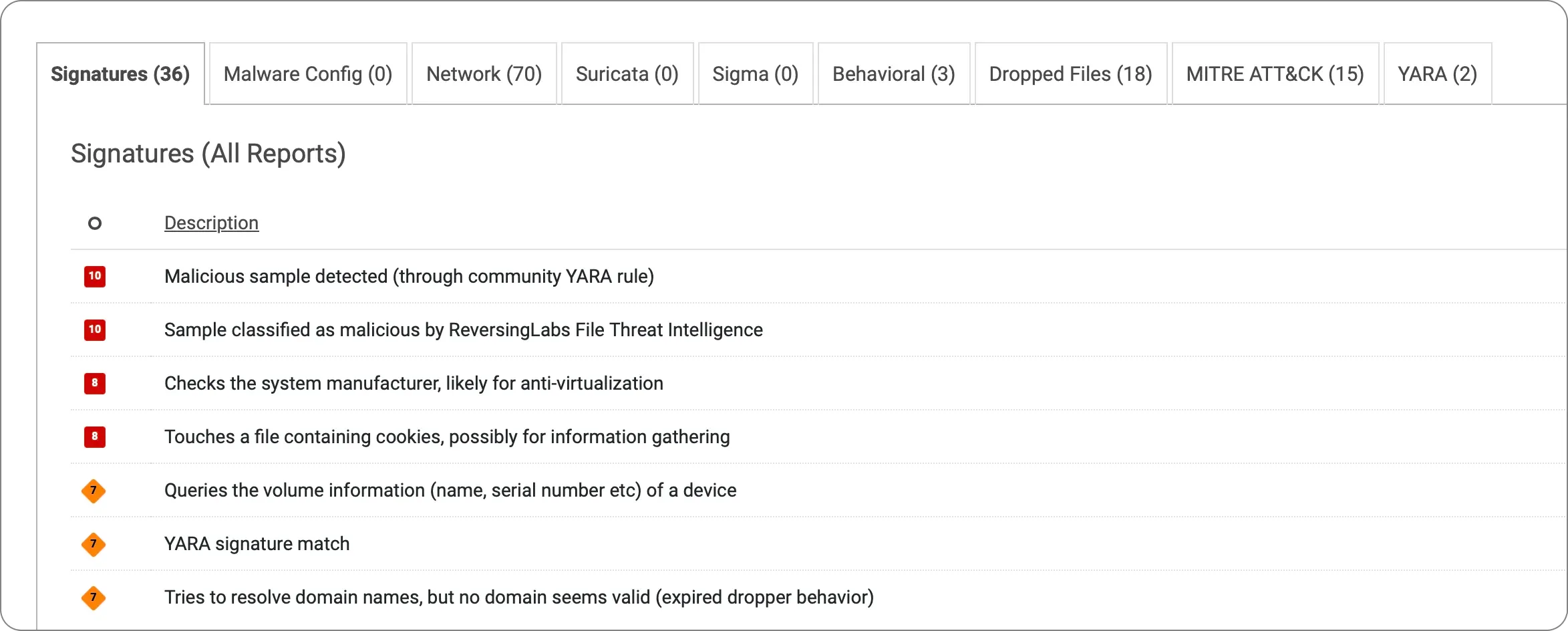
Dynamic analysis provides additional behavioral insights beyond static analysis, including changes to the file system, registry, network connections, and process activity. In this case, we identified 36 signatures, 70 TCP, UDP, DNS, and URL events, 1 behavioral indicator with multiple findings, 18 dropped files, 15 MITRE ATT@CK mappings, and 2 YARA matches.
After behavioral detections in Dynamic Analysis, two YARA findings were identified. One notable finding, related to Polyglot files, is described as “Finds image files w/ PHP code in images.”
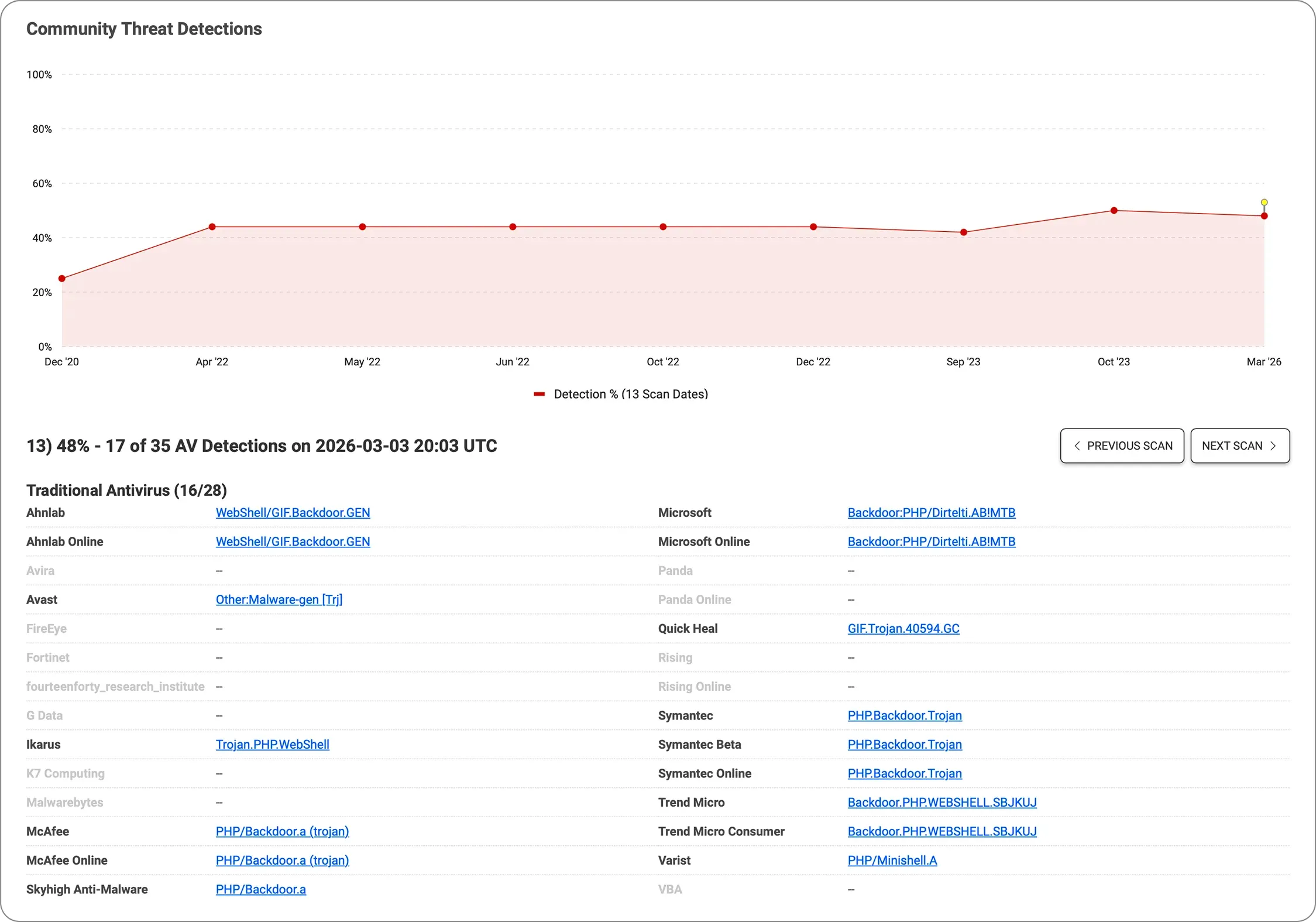
The following vendors flagged the sample with a GIF and a PHP web shell that aligns with other findings.
This rule detects PHP polyglot files that masquerade as GIF images. These files start with the GIF89a magic bytes, making them appear valid to content-type checkers and basic validators. They also contain embedded PHP code <?ph), which a PHP interpreter will execute if the file is served or included. The rule fires when both of the following conditions are met:
The file begins with the GIF89a magic header at offset 0, indicating it presents itself as a GIF image.
The string <?php appears anywhere within the file, indicating the presence of embedded PHP code.
Example:
rule Polyglot_Image_PHP : tc_detection suspicious {
 meta:
  tc_detection_type = "Trojan"
  tc_detection_name = "PolyglotImagePHP"
  tc_detection_factor = 4
 strings:
  $gif = "GIF89a"
  $php = "<?php"
 condition:
  $gif at 0 and $php
}
The image is malformed (e.g. frame dimension is zero)
image-segment-duplicate | The image has a duplicate segment |
image-segment-unexpected-location | An image segment has been found in an unexpected location |
stego | The file is a result of stego extraction |
stego-compressed | The file contains compressed embedded PE files |
stego-embedded | The file contains plain embedded PE files |
stego-encoded | The file contains encoded embedded PE files |
stego-encrypted | The file contains encrypted embedded PE files |
Explore RL's Spectra suite: Spectra Assure for software supply chain security, Spectra Detect for scalable file analysis, Spectra Analyze for malware analysis and threat hunting, and Spectra Intelligence for reputation data and intelligence.



ReversingLabs identified and classified the malware weeks before the report was published — showing why behavioral intelligence and historical telemetry matter in the AI age.
With this integration, Rubrik users can now tap ReversingLabs' ransomware feed to decide whether each file in their backup is safe.
This guide compares leading file security tools across connector coverage, throughput, file-size range, and file-type breadth.