Spectra Assure Free Trial
Get your 14-day free trial of Spectra Assure for Software Supply Chain Security
Get Free TrialMore about Spectra Assure Free TrialA new tactic has emerged in account takeover, where threat actors are abusing the Google Family Link parental control feature to maintain control over hijacked accounts, ReversingLabs researchers warn. After gaining initial access to a targeted account, whether via malware or some other means, hackers abuse Google’s Family Link feature to put the account under the control of a malicious “parent” account by re-casting the account holder as a minor (younger than 13).
The user’s account is monitored and controlled by the parent. As a parent, hackers can change the child account’s password and lock out users, which blocks account recovery due to child logins needing parent approval. The attackers then demand ransom payments to prevent them from selling account data and access. This blog will walk through the mechanics of these campaigns, while also exploring how these actors abuse the Google Family Link feature.
It is Monday night, and my friend Christina starts sending the same strange message to our friends over Discord. A simple “hey.” Those three letters are all it takes to throw our friend group into chaos.
Those familiar with Christina realized she was not sounding like herself. She was exchanging pleasantries, but quickly became insistent that people download a game she had been working on. She had never engaged with video game development before. Confused, friends began to talk to each other about the issue. Some reached out to her outside of Discord and confirmed their worst fears; Christina had been hacked.
For the next 20 minutes, it was chaos. Christina attempted to regain control of her computer and accounts, but to no avail. She wiped her entire machine. After that, she tried to log back onto her Google account, in hopes of using it to regain access to the other accounts being compromised. However, her password was flagged as incorrect. She attempted her other recovery methods to get into her account but was blocked. She was notified that she needed the approval of a “parent” to sign in. Christina, very much an adult, had not needed parental approval for anything in over a decade, so what had happened?
Just before the compromise, Christina received a message from a distant friend with a simple request for a quick review of a game they had been working on.
They sent Christina a link that led to a website for their so-called “game”. This website was likely created by the actor behind the campaign to bolster its legitimacy. When a user clicks the “Download” button (shown below, in Figure 1.1), they are redirected to download a file hosted at a Dropbox link.
Figure 1.1. Instance of malicious game website, screenshots taken with Spectra Analyze Interactive Analysis sandbox.
The executable hosted at this link was not a game, as Christina discovered upon attempting to run it. Unfortunately, researchers were unable to get a sample to analyze, since the Dropbox Link was no longer active. There is only Christina’s recollection to go off of. She remembers getting notified of a login attempt for her Google account from abroad, but she was not able to interact with it before it disappeared. In no time at all, the attackers behind the campaign took over her Discord account, and ran transactions on Steam. Given the timing of Christina’s download and use of the executable, which was just before the takeover of her Google and other accounts, it could be that this game executable was responsible for the attacker’s initial access to her account.
As Christina experienced, attackers use Google’s Family Link feature to falsely place themselves as a parent over their victim’s account, allowing them to maintain control, block user access, and complicate recovery attempts. The Family Link feature is designed to allow parents and guardians to supervise and curate their children's online experience. It does this by connecting two or more accounts in a family group, with one account acting as a parent and the rest acting as children. This parent account can directly influence the child account, and has features such as location tracking, setting screen time limits, blocking apps, updating personal information, and more. These controls can help families legitimately oversee their children’s online experience and tailor interactions based on specific needs.
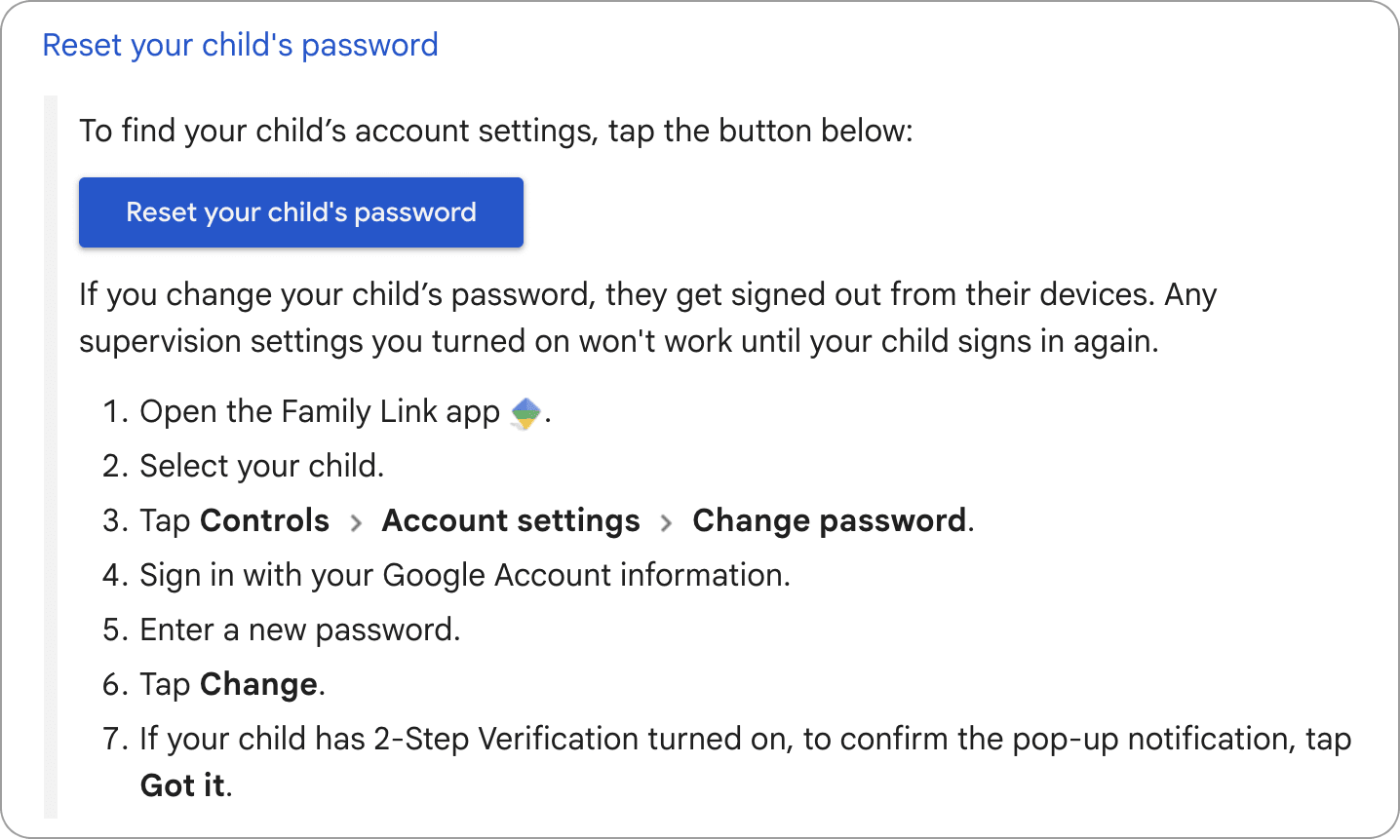
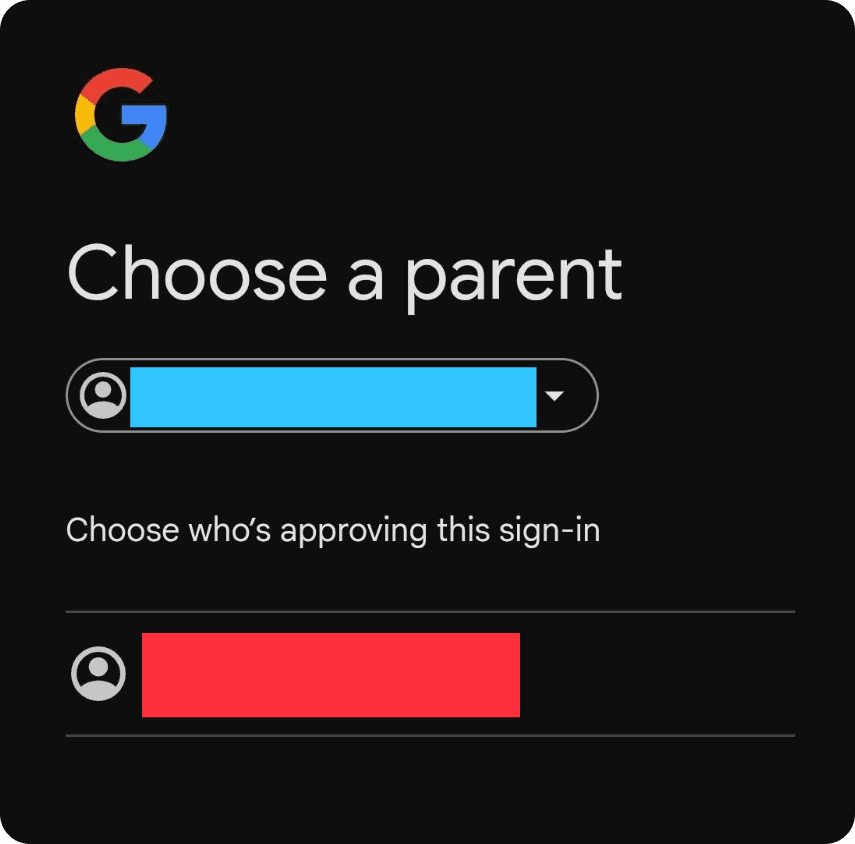
The compromise of Christina’s account shows that the Family Link feature can be abused by an attacker. To gain parental control, attackers used their access to Christina’s Google account and altered her account's age to be within the range of Google’s child account restrictions. The hackers then set the “parent account” to one they control. Once assigned, the parent account gains influence over the child account through Family Link. Most crucially, they are able to update the passwords on the child's account, which will automatically log all current sessions out and disable 2-Step verification (Figure 2.1). In order to log back in, the child account will need parent approval (Figure 2.2), which the attackers will not provide. This allows attackers to deny the user access to the account, while opening the door for them keeping the account for their own use.
Figure 2.1. Google Support article confirming that resetting a child account password from family link automatically signs the account out.
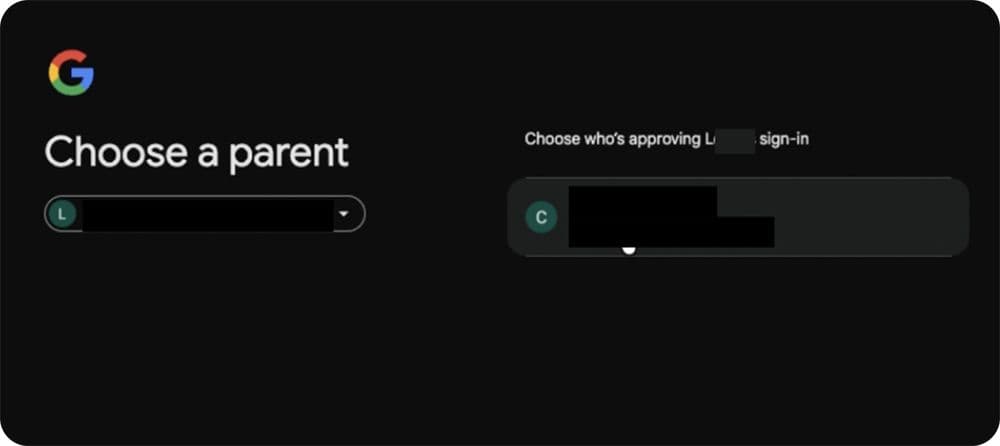
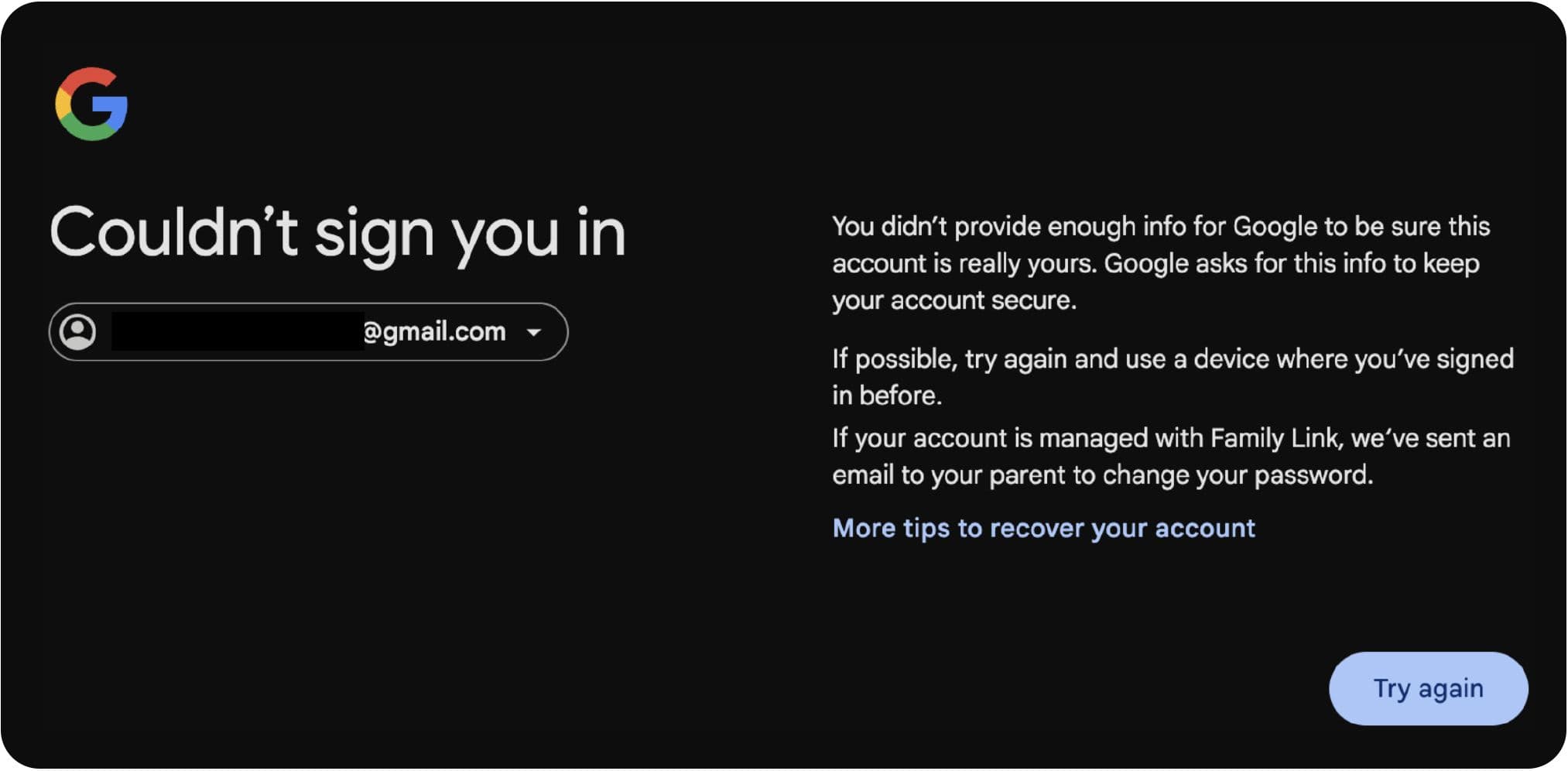
Figure 2.2: Screenshot from a victim of attempted recovery being blocked by parental approval.
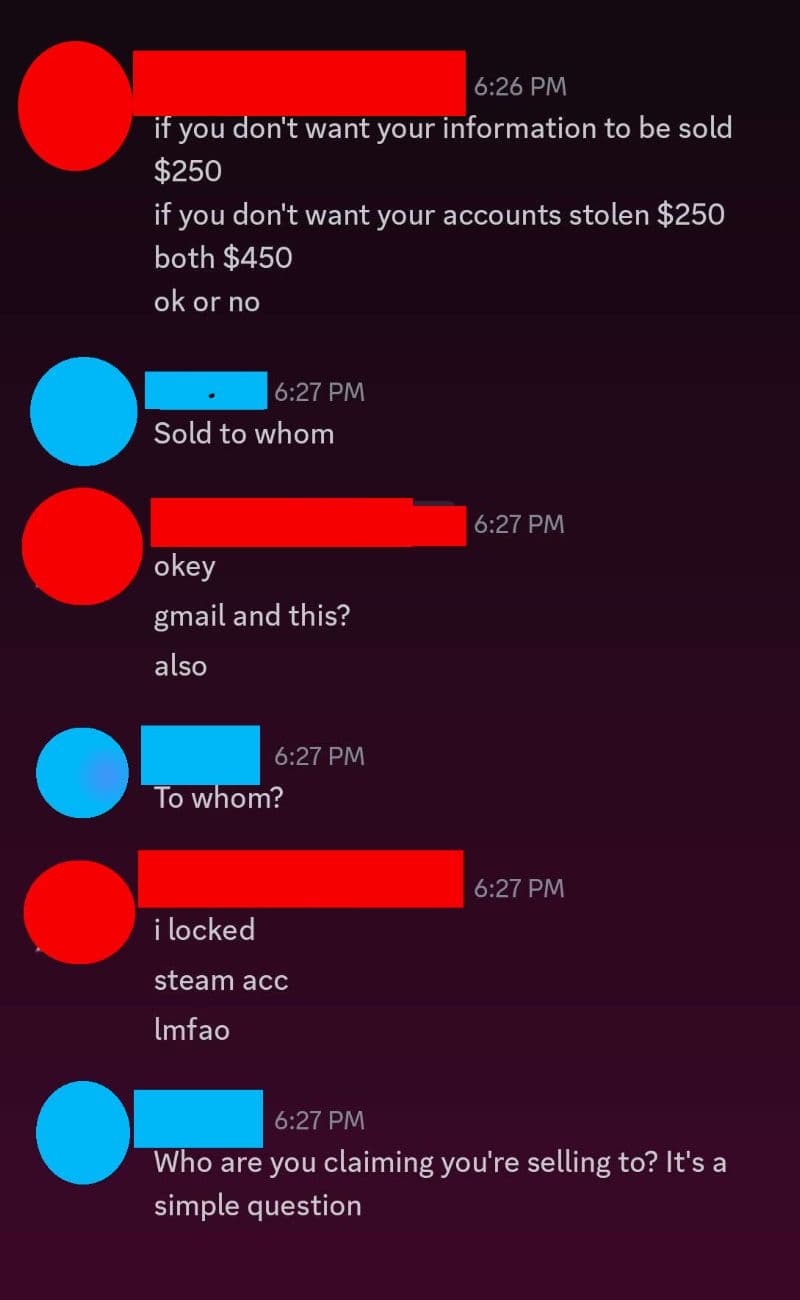
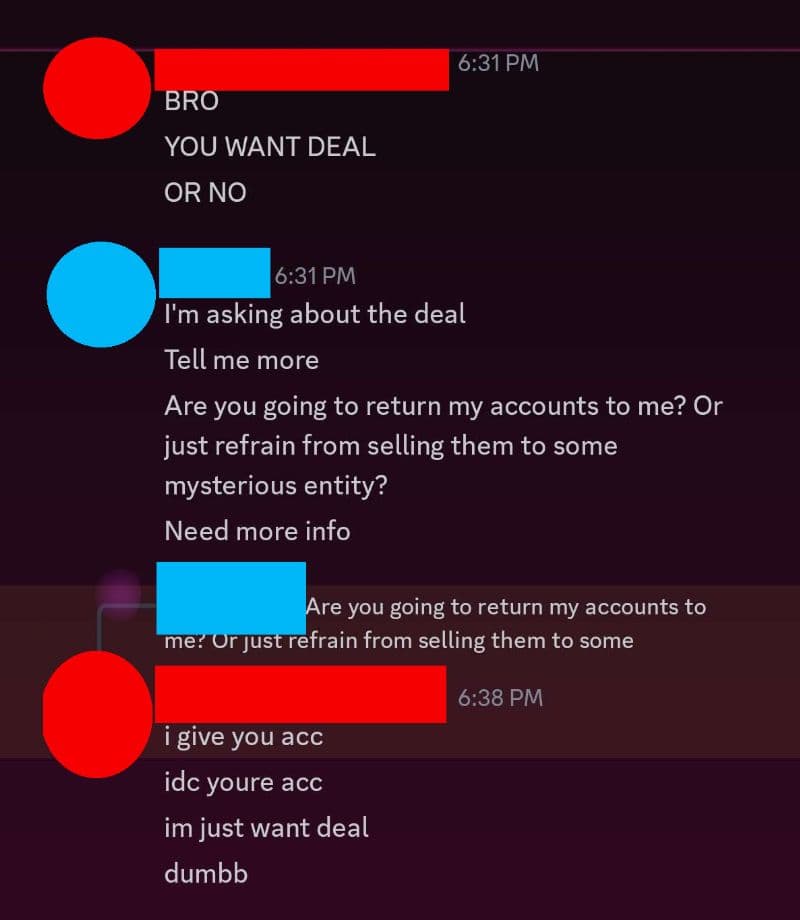
With Christina’s Google and Discord accounts compromised, the hackers then used her Discord account to demand a ransom: $250 to stop the spread of harvested information on the dark web, $250 for the Discord and Google accounts to be returned, or $450 for both. These messages are shown below. (Figures 3.1, 3.2).
Figure 3.1. Hacker requests $250 from victim to keep information off dark web, and an additional $250 for return of the accounts. Red is the hacker and blue is the victim.
Figure 3.2: Hacker confirms ransom is for return of the accounts.
Christina spent some time attempting to contact Gmail and Discord support to recover her accounts, to no avail. She migrated to a new Gmail account, and after some time, the hackers deleted her compromised account.
Researchers set up a handful of accounts, and attempted to set the accounts to be children under a parent account. Researchers tested the takeover with multiple different accounts and security configurations, but the process differed minimally.
The steps for compromise are as follows:
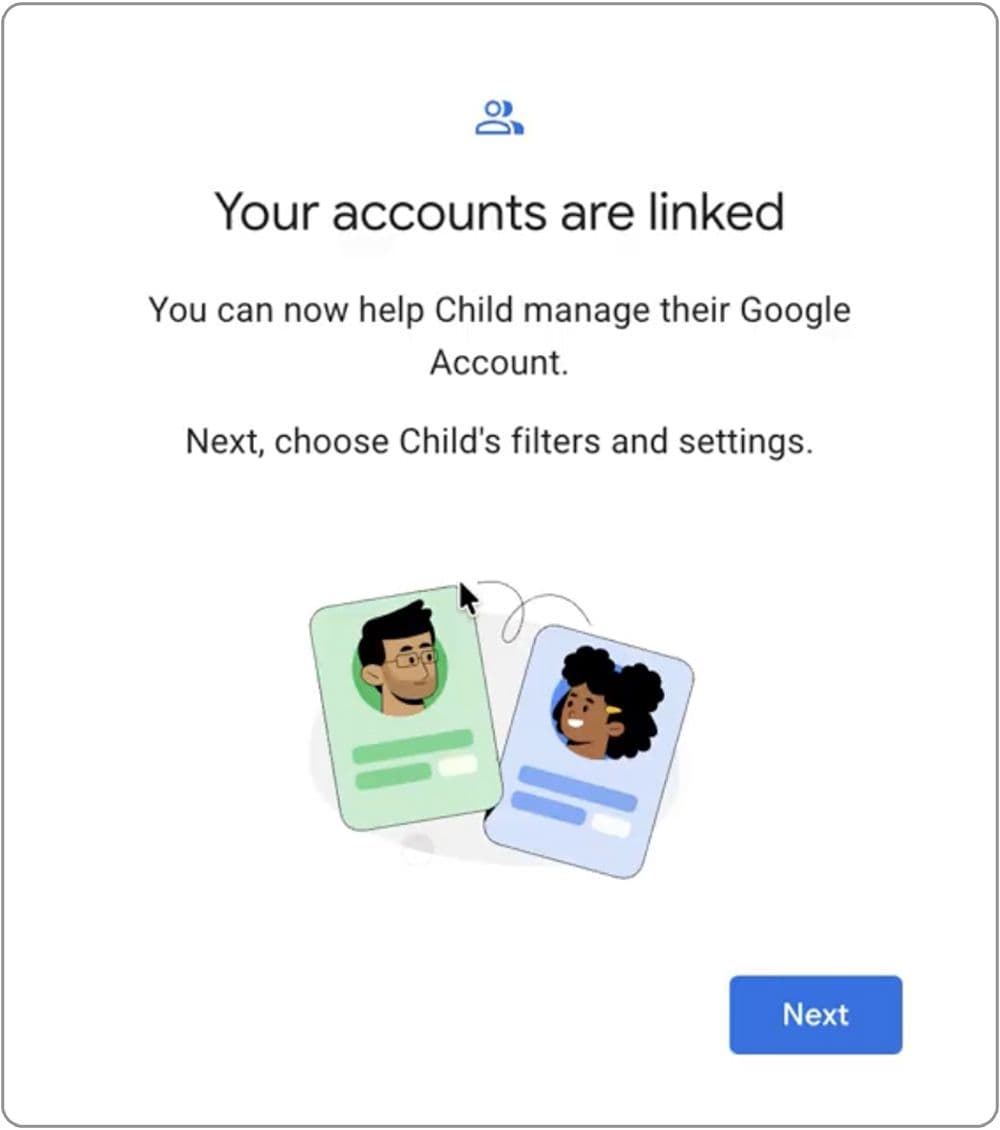
Figure 4.1. Screenshot of the page confirming the Family Link has been established.
This is a very specific set up, requiring the attacker to be able to manage the settings of the victim’s account and have access to their password. Family Link requires no use of second factors during the process, and the process occurs immediately. This makes it a tantalizing bypass, since multi factors can be a sticking point. In addition, this change is very difficult for the legitimate user to reverse, with options being very limited to regain account access.
The real issues come in once this assignment is confirmed. It puts the victim in a difficult position. The parent account by design has a lot of influence on the child account. As previously mentioned, they can update the account password, which logs off all existing sessions and removes 2-step verification settings. This prevents users from accessing their Gmail, as well as the data and accounts linked to it. Since the 2-step verification is disabled with the password reset, the attacker can use their knowledge of the updated password to access the user's account. Users cannot initiate the deletion of their own account from outside of it, and are at the whims of the attacker using their account. While being a child account restricts some features, enough features are available for the attacker to enact harm, such as stealing sensitive information, taking over accounts linked to the user’s Gmail, and more.
To further complicate things, conventional recovery is no longer possible for the child account. This is because any login attempt will be blocked by the requirement for a parent to approve the sign in. Depending on parent account configuration, approval occurs regardless of how a login was attempted on the part of the child. So, even if the child account uses an authenticator code or security key, the parent account still needs to approve the sign on, keeping the victim out of their account.
Figure 4.2. screen asking for a parent to approve the sign in.
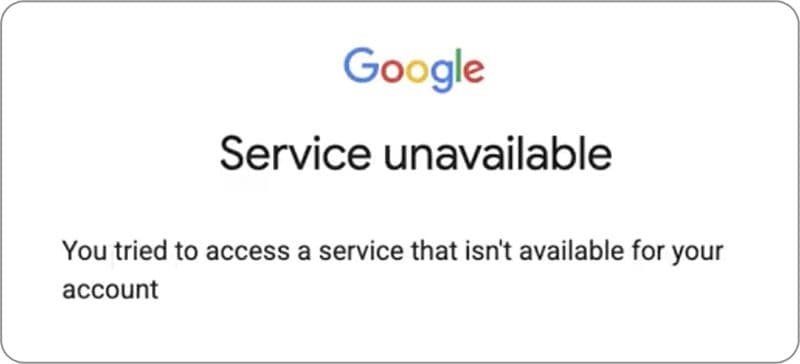
There is not a readily available way to remove the parent account. Once it is assigned, the option to add ID to verify the account disappears. The potential avenue of doing it by adding ID to Google wallet is not an option, since Google wallet is disabled for children.
Figure 4.3. Upon trying to access Google Wallet on the child account, this page is presented.
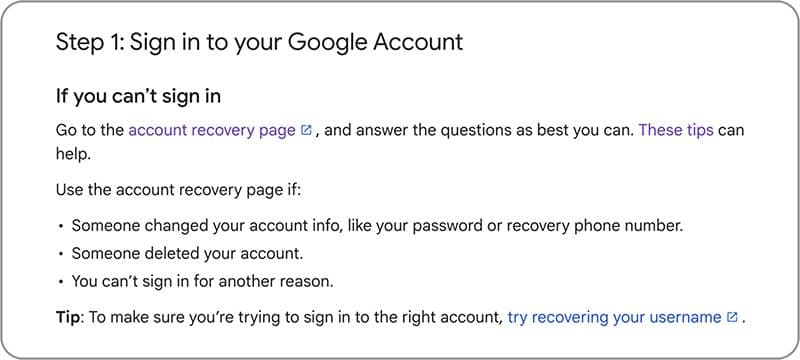
Another option would be going through account recovery. This page provides advice on when someone has changed account information or deleted your account.
Figure 4.4. Step 1 of the Google Account recovery process.
Going through this link acts the same as trying to login. Google immediately prompted for parent intervention when being done on the browser the account had previously been signed in on, but prompted this screen when done incognito, clearly stating parental involvement being required to resume recovery.
Figure 4.5. Page explaining lack of details to do recovery, encouraging Family Link intervention to proceed with password change to recover.
After encountering this screen, the parent account received an email about the recovery attempt, encouraging the parent to update the child account’s password. Google also encourages getting a parent involved for recovery for accounts under 13.
Researchers were unable to remove the parental supervision, even from the parent account side. It is not possible to directly update the age to be out of the range of requiring supervision, with the closest work around being changing the accounts date of birth to be so when the day rolls over to the next, the account is of age and can graduate out of the Family Link. Paying ransoms is already not advised, and this gives further reason to not follow along. Even if the victim is given the password, attackers still maintain the control over the parent account.
From what researchers investigated, it seems that most conventional recovery routes will be blocked by requiring parent account intervention or approval. Adding ID to account is not an option, and neither is login recovery. The only other route may be to open a ticket with family link support, but this request was not attempted by researchers due to the fact there was no legitimate takeover. Some users on Reddit have reported success in this route, but the process is time consuming.
Malicious file attachments, links, and websites are the most common tools that hackers use to compromise user machines and accounts. Any downloads and links, especially unexpected ones, need to be regarded with caution. Even communication from trusted users should be received with a grain of salt, especially if the communication seems out-of-character or is sending links to unknown sites or strange files. Files should be scanned for malware and it is recommended to execute files in a protected environment, like a sandbox or virtual machine, to mitigate damage in the case the file turns out to be malicious. Taking these measures can keep malicious files from accessing sensitive systems, accounts, and data. When clicking links, double check the URL is in alignment with the domain. Public scanners can also be used as a secondary check for URL safety.
For Google account owners, some safeguards can be put in place to make account takeovers less likely. They include:
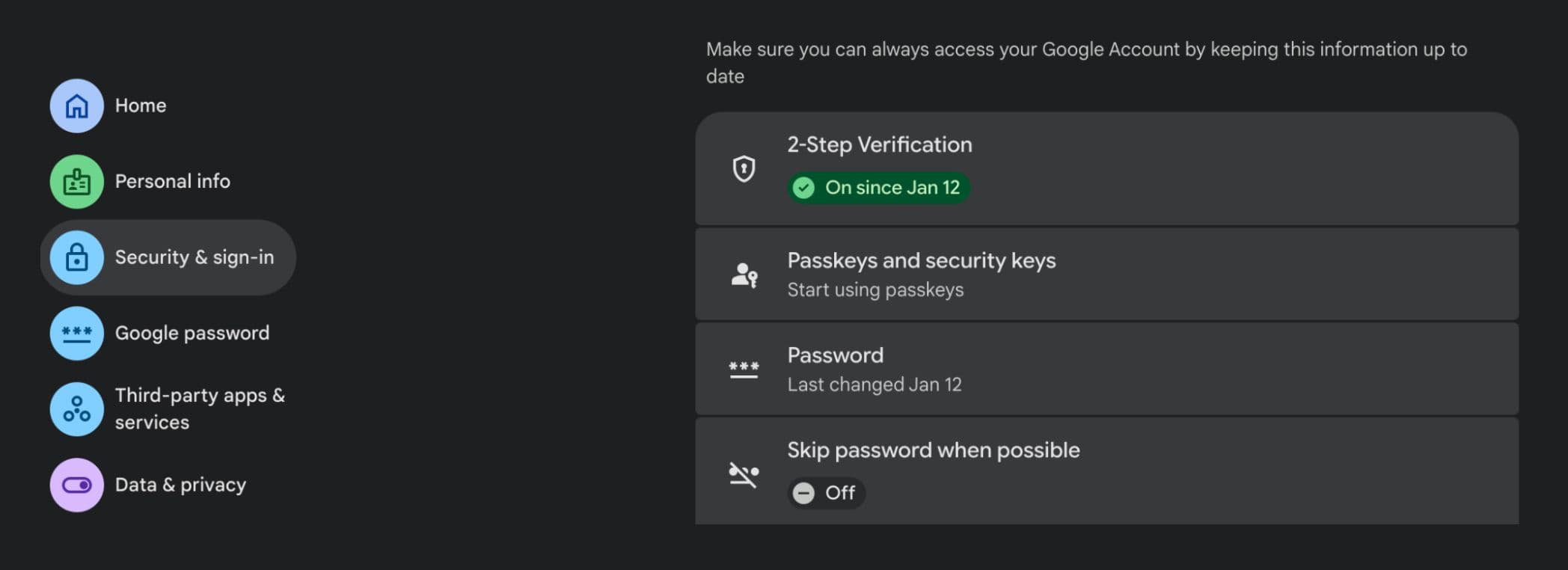
Disabling Google’s Skip password when possible feature, which can help prevent attackers from changing an account’s password using hijacked access. Disabling this requires authentication to be entered before changing the password from within the account, complicating attackers efforts.
Figure 6.1. Skip password turned off in Security & sign in settings
From a dime-a-dozen tale of a Discord hack to a deep dive on abuse of Google’s Family Link feature, a lot of ground was covered in this article. To review, a fake game install starts a chain of events that leads to the hijacking of existing Google sessions. This allows attackers to make certain changes to accounts. With this access, attackers are able to abuse Google’s Family Link system to obtain complete account control and lockout without needing to bypass 2-step verification. By assigning a victim's accounts as children to a hacker’s family group, hackers can change the victim’s password, log them out, and simultaneously prevent recovery, since Family Link requires parental approval for children to log in. Hackers are using this opportunity to ransom out access to the account to victims. Hackers can also use the disabling of 2-step verification that occurs when resetting the password to log into and further exploit the victim's account. Readers are encouraged to remain alert for potential phishing attempts, even if they come from seemingly trustworthy accounts. Google users can help protect their accounts by enabling 2-step verification, disabling Skip password when possible, and maintaining backups.
ReversingLabs submitted a bug report to Google regarding issues present in this article, and was told that the report was duplicate to one already submitted.
Indicators of Compromise (IoCs) refer to forensic artifacts or evidence related to a security breach or unauthorized activity on a computer network or system. IOCs play a crucial role in cybersecurity investigations and cyber incident response efforts, helping analysts and cybersecurity professionals identify and detect potential security incidents.
The following IOCs were collected as part of ReversingLabs investigation:



First reported by ReversingLabs in February, the malware has moved to Terraform providers and Go modules. Here’s what you need to know.
ReversingLabs expanded the published hashes into a staging server, five stagers, two lure files and the domain-to-server links.
New btree malware bypasses the install script, negating the popular repo's measure barely two months after adoption.